40 of 289
General Maintenance
This section describes the procedures involved in maintaining your machine. This section is very import-
ant, because maintenance is essential to the performance of your machine.
Cleaning
It is very important that you clean your machine regularly. Dust and lint accumulation can damage both
electrical and mechanical systems.
Exterior Surfaces
Clean outer surfaces once per month with a soft, clean cloth, a mild detergent and water. Wring out the
cloth before wiping the surfaces. Do not get water or any other uids inside the machine or on any of
the working mechanical surfaces.
If an accidental spill occurs, turn the machine off then wipe up excess uid with a clean dry cloth and
allow the machine to dry completely before turning the power on.
Interior Surfaces (PCB)
The main PCB can be damaged by dust accumulation. It is important that you periodically remove this
accumulation. To do so, complete the following steps:
•
CAUTION!! Before proceeding, turn the machine off, but leave it plugged in.
1. Ensure that the machine is powered off.
2. Disconnect the A/C power input cord and the external Ethernet cable from the back of the
machine.
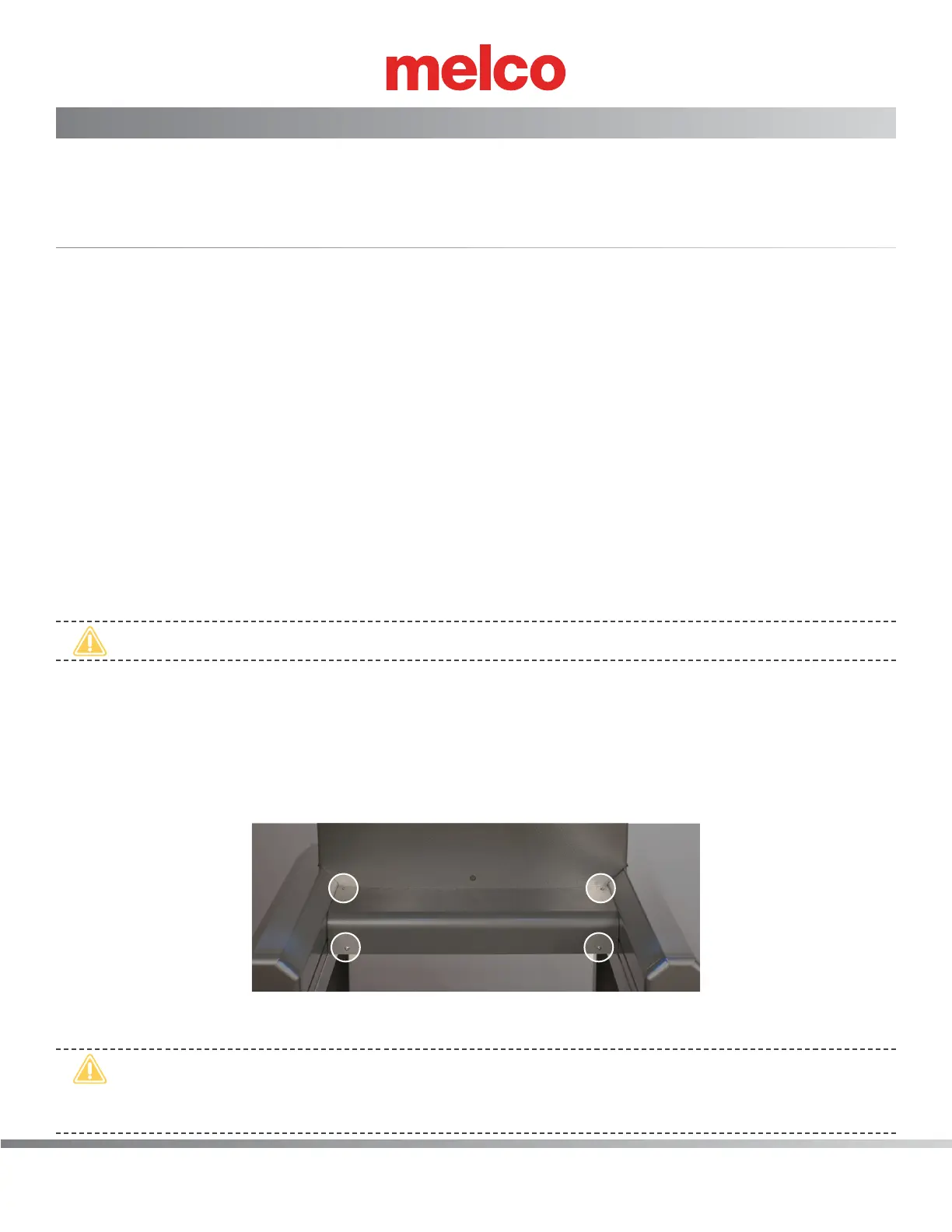
3. Remove cover for the main PCB.
a. Remove the 4 screw(s) that hold the main PCB cover in place.
b. Remove the PCB cover.
•
CAUTION!! Be careful not to drop metallic hardware or tools onto the Main PCB while it is
exposed. Doing so can result in severe damage to the electronics that might be expensive to
repair.



 To Next Page