191 of 289
Color Change Motor Harness
The color change motor harness connects the color change actuator assembly (stepper motor) to the
main PCB at connector location “CC Motor”.
•
CAUTION!! Do not pull on the wires in the connectors. They will pull out or break if you do.
When disconnecting the harness, handle and disconnect the connectors only.
Replacement Part Needed:
• harness, color change motor
• 6-11” cable ties (available at any hardware store in the electrical department)
Replacement Procedures:
1. Turn the machine ON.
2. Color change to Needle #16
3. Turn the machine OFF.
4. Remove the right arm cover and the back screw of the left.
5. Remove the upper arm back cover.
6. Remove the lower arm rear cover.
•
CAUTION!! Use extreme care not to drop metallic objects, tools, or other conductive material
on the Main PCB when you have the base cover removed. If you drop such objects on the Main
PCB, it can severely damage the electronics which will be very expensive to repair.
7. Remove the base cover.
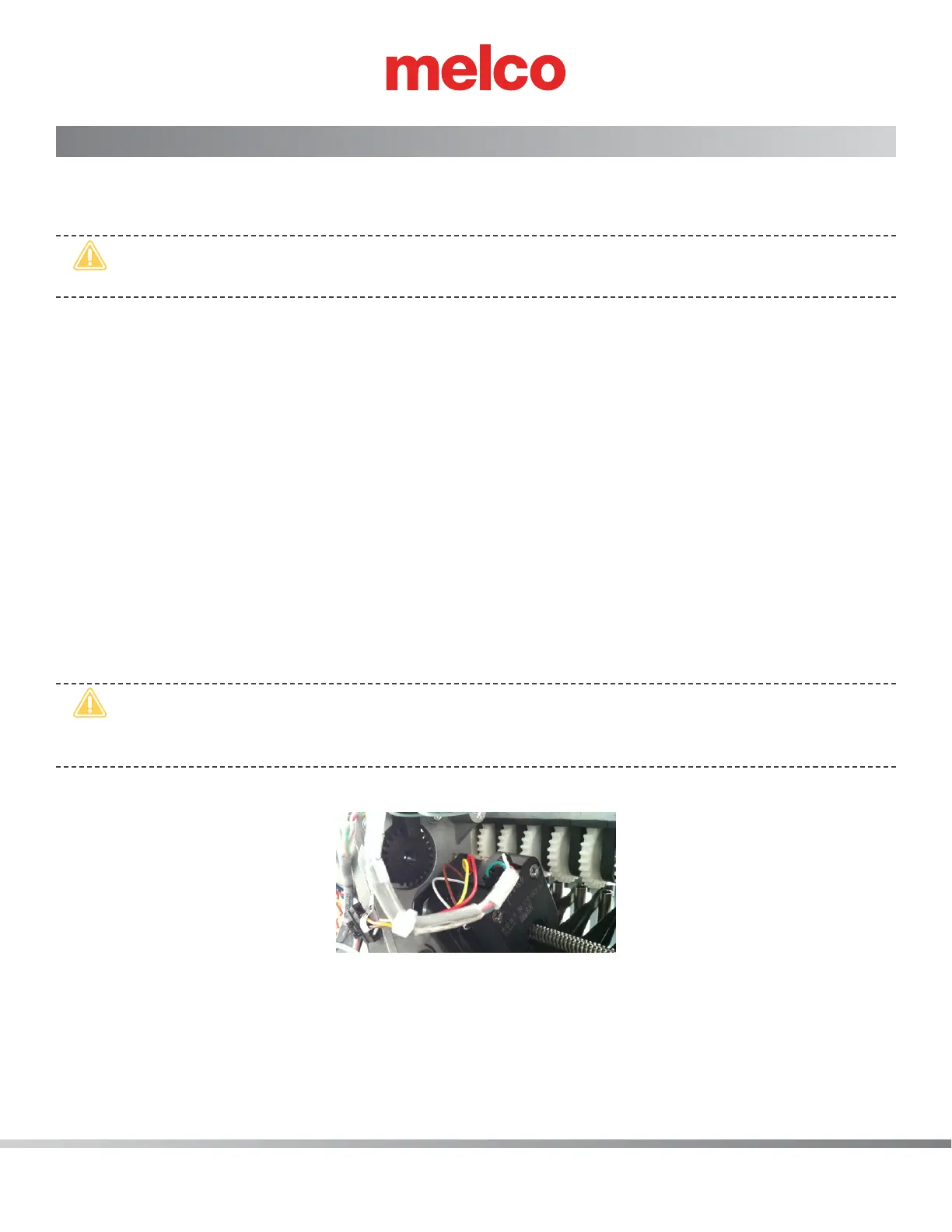
Figure 1 - Color Change Harness Connection to Motor
8. Disconnect the color change harness from the color change actuator interface cable.
9. From the back side, pull the color change harness from under the thread tree base. Remove any
twist-lock wire ties that tie the harness to adjacent ones.



 To Next Page