Merrychef conneX
®
service and repair manual
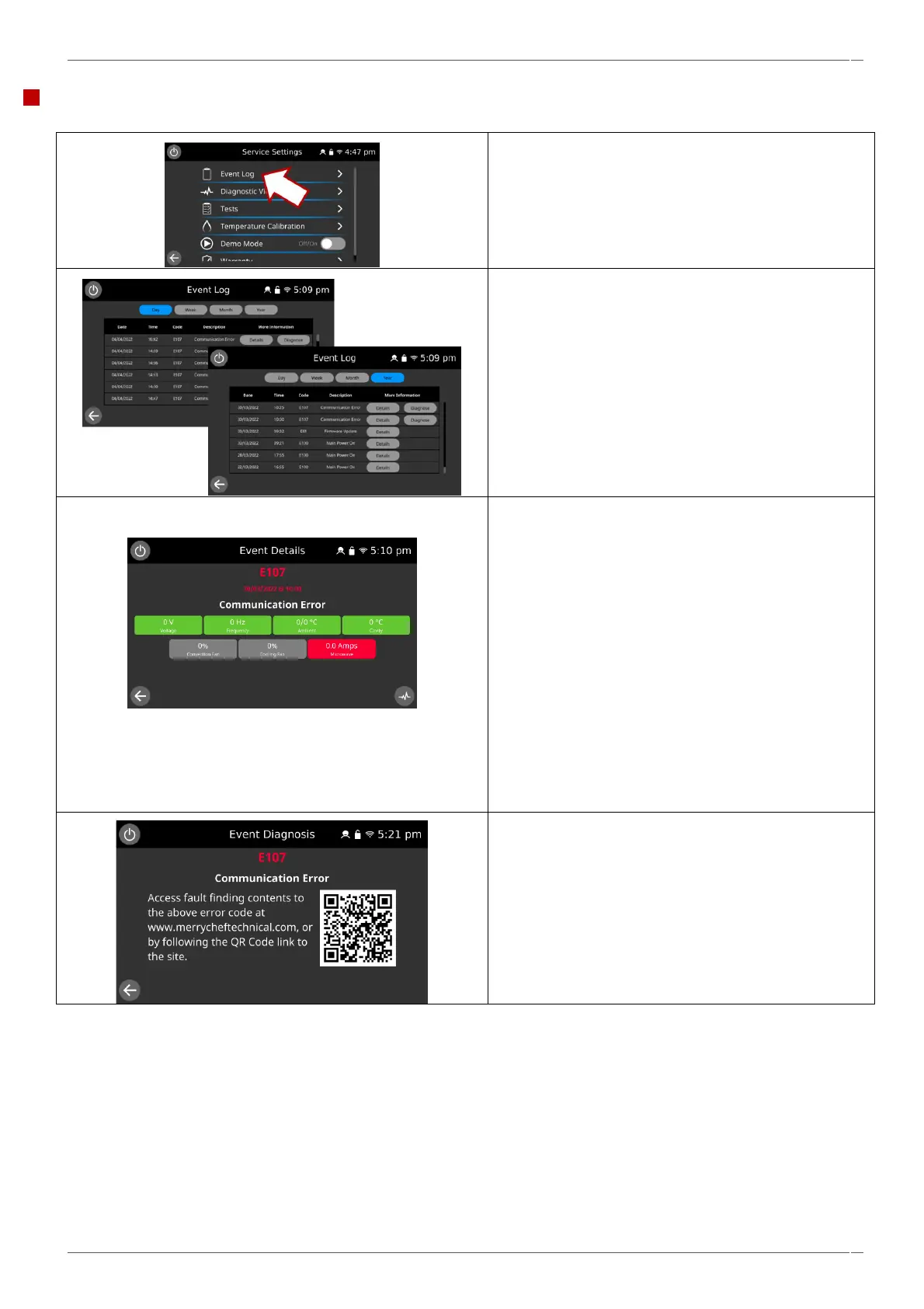
1. Enter the Service Settings and select ‘Event Log’ to
display a listing of oven component errors & events.
2. The Log can be displayed by Day, Week, Month or
Year as selected.
3. Selecting ‘Details’ shows more information pertaining
to the entry.
▪ Event code.
▪ Time and date of the entry.
▪ Event description.
▪ Supply voltage.
▪ Supply frequency.
▪ UI & IO board ambient temperatures.
▪ Cavity temperature.
▪ Convection fan speed (%).
▪ Cooling fan speed (%).
▪ Magnetron(s) current draw.
The diagnostics view screen can be accessed by selecting
the button in the bottom right of the screen.
4. Selecting ‘Diagnose’ provides a QR code to access
further assistance online.



 To Next Page