Merrychef conneX
®
service and repair manual
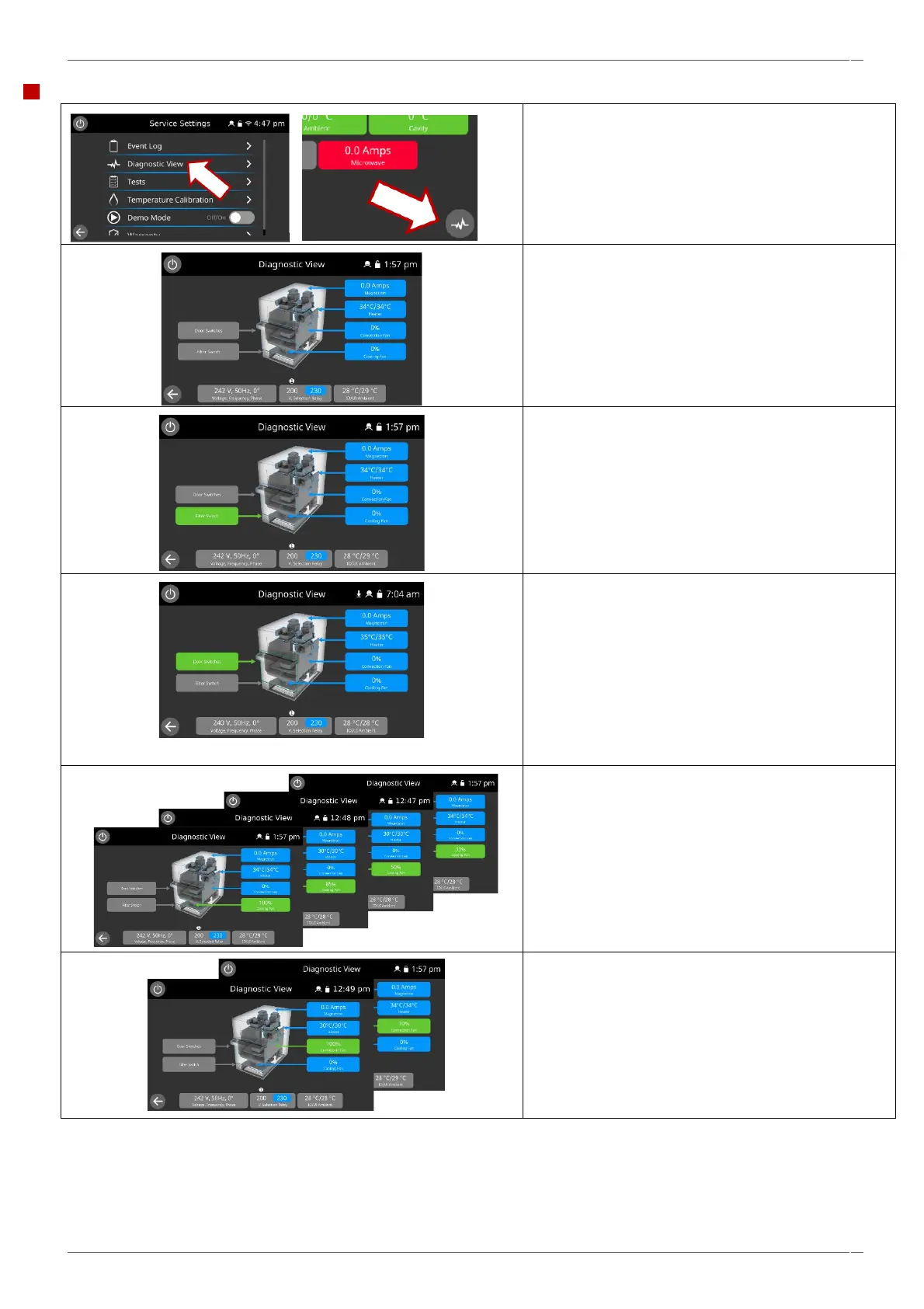
1. Select 'diagnostic view' from the service
settings to check the main components of
the appliance.
Diagnostic view can also be selected from the ‘Event
Details’ screen in the Event Log.
2. Select a component symbol to switch on (green).
Select again to increase the level (remains
green) or turn off (blue).
3. Remove the air filter at the front of the oven.
The colour of the air filter symbol on the display
should change from grey to green indicating that the
microswitch circuit for the air filter is operating
correctly.
Replace the air filter and the colour should change
back to grey.
4. Open the oven door.
Check the colour of the door symbol changes from
grey to green on the display to check that the door
microswitch / interlock circuit is operating.
Place door spacers onto the oven door (refer to
"Adjusting the door microswitches / interlocks" in the
“Replacing components” within section 6.5 for details),
to confirm the door switches are adjusted correctly.
Close the door and check the colour of the door
symbol on the display.
5. Select the cooling fan and check if it is operating
correctly.
Repeated presses will increase the fan speed, noticed
by an increase in the fan noise and volume of air flow
through the filter (off / 33%, 50%, 85% / 100% / off).
6. Select the convection fan and check if it is operating
correctly.
When increasing the fan power gradually, in 10%
increments, to 100% the fan noise should become
louder.



 To Next Page