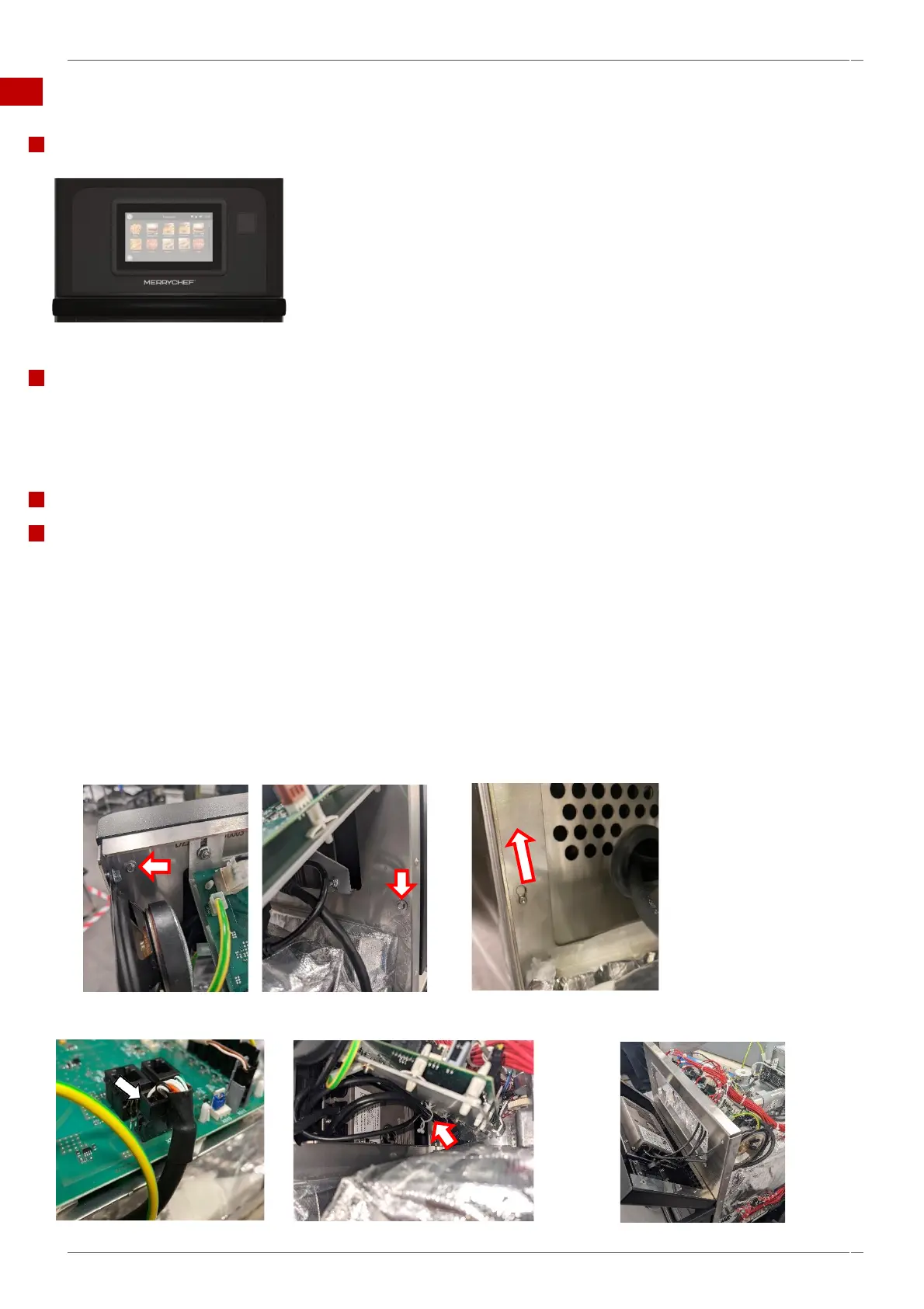
6.9 Replacing the UI (User Interface) assembly.
Component.
The UI is attached to front panel of the oven, electrically connecting to the IO Board,
Speaker and USB receptacle.
Tools required.
M5.5 hex socket wrench / nut runner
Posidrive PZ1 screwdriver
Discharge tool
Removing the UI assembly.
Requirements.
Check that the following requirements have been met:
▪ The appliance has been disconnected from the power supply and protective measures have been taken to
ensure the power cannot be switched on again.
▪ The appliance is cool.
▪ Anti-static precautions have been taken.
▪ The top, left and right panels of the casing of the appliance have been removed.
▪ The high voltage capacitors are discharged before commencing work.
1. Unfasten the two M5.5 hex head flange bolt fixing the front panel to the cavity
frame. Looking from the front, top right above the IO Board and bottom left.
2. Lift the front panel upwards and out to detach from the cavity frame.
4
3. Disconnect the electrical connections; X523 on the IO board, the USB, ethernet and speaker loom connectors.



 To Next Page