20
|
VIKING / VIKING COMBI
Rev. 2.0 (1.8.2017)
Operating instructions
Operation of the pre-set mixing programs
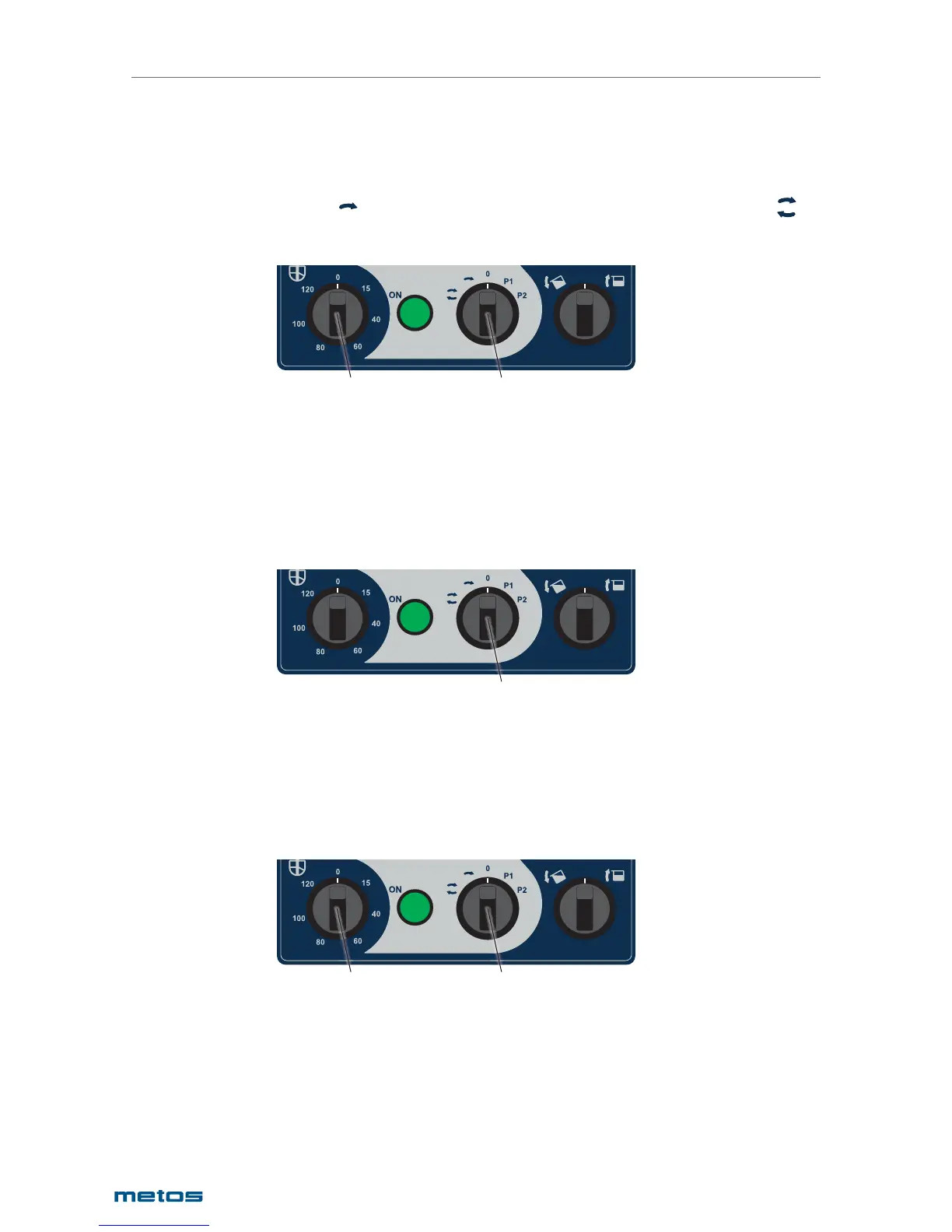
The automatic mixing programs are preset and cannot be changed. The programs will start immediately
when the mixing program selector switch is turned to position P1 or P2.
You can at any time directly switch over from one program to another program.
12
1
1. Mixing program selector switch
Stopping the mixing and the preset programs
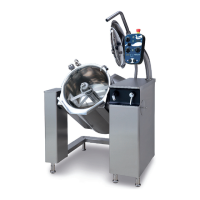
The preset programs can be interrupted by turning the mixing program selector switch (1) or the mixing
speed regulator (2) to position 0. The mixing programs can be interrupted by turning the mixing program
selector switch to position 0.
Pressing the emergency/stop button will immediately stop all mixing functions.
1. Mixing program selector switch
2. Mixing speed regulator
Mixing speeds
The mixing speed can be steplessly chosen between 20-110 rpm.
Auto-reverse function
In spite of the speed selected, the mixer will run 6 seconds clockwise and 6 seconds counterclockwise.
Manual operation of the mixer
1. Make sure that the emergency/stop button is not pressed down. If pressed, release it by turning it
clockwise until it jumps up.
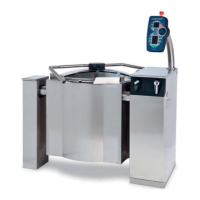
2. Choose mixing in one direction by turning the mixing program selector switch (1) from position 0 to
position or choose auto-reverse mixing by turning this switch from position 0 to position .
3. Start the mixer with the mixing program selector switch (1) while the mixing speed regulator (2) is in
position 0. The mixer starts at the lowest speed.
12
1. Mixing program selector switch
2. Mixing speed regulator


 To Next Page