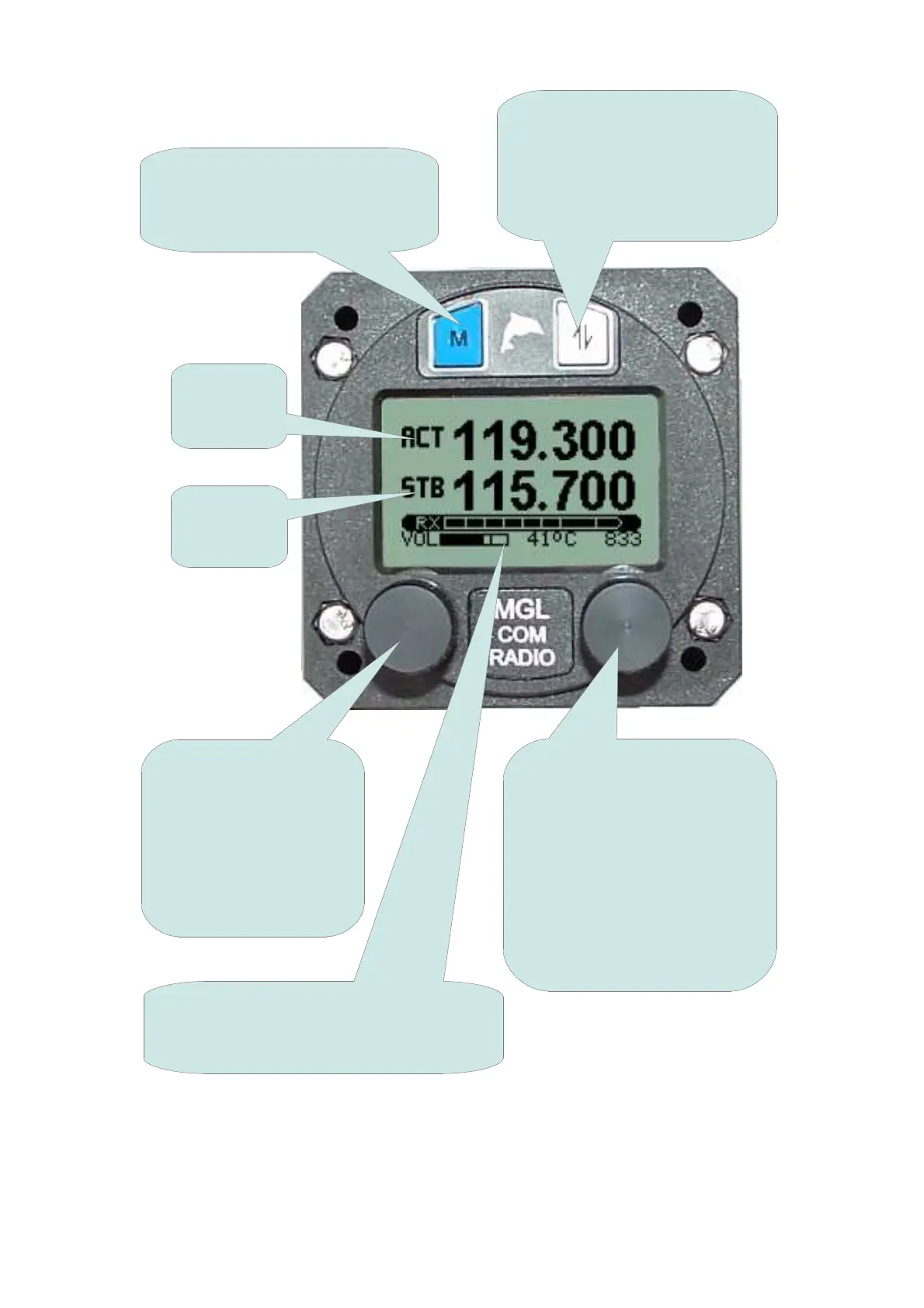
The V6 Panel
This shows the V6 Transceiver in a Factory Default configuration with 'Flip-
Flop' frequency selection. The V6 Transceiver can be operated in other
modes depending on setup and installation.
5
MENU button. Press this button
to enter the menus. There are
many adjustments and setup
options
The current
active
frequency
The current
standby
frequency
VOL/TEST knob. This
provides adjustment of
VOLUME. Pressing the
knob inwards selects
TEST and 'opens' the
squelch. Holding this
knob down enables
further functions
STATUS display showing volume level,
voltage or transmitter temperature and
frequency setting information
FREQUENCY knob. This
provides adjustment of
operating FREQUENCY or
CHANNEL. In MHZ/KHZ
mode pressing this knob
inwards selects between MHZ
and KHZ entry. Holding this
knob down for 2 seconds
changes between MHZ/KHZ
and CHannel entry.
ACTIVE button. Pressing this
button exchanges active and
standby frequencies.
NB: holding this button down
enables further functions



 To Next Page