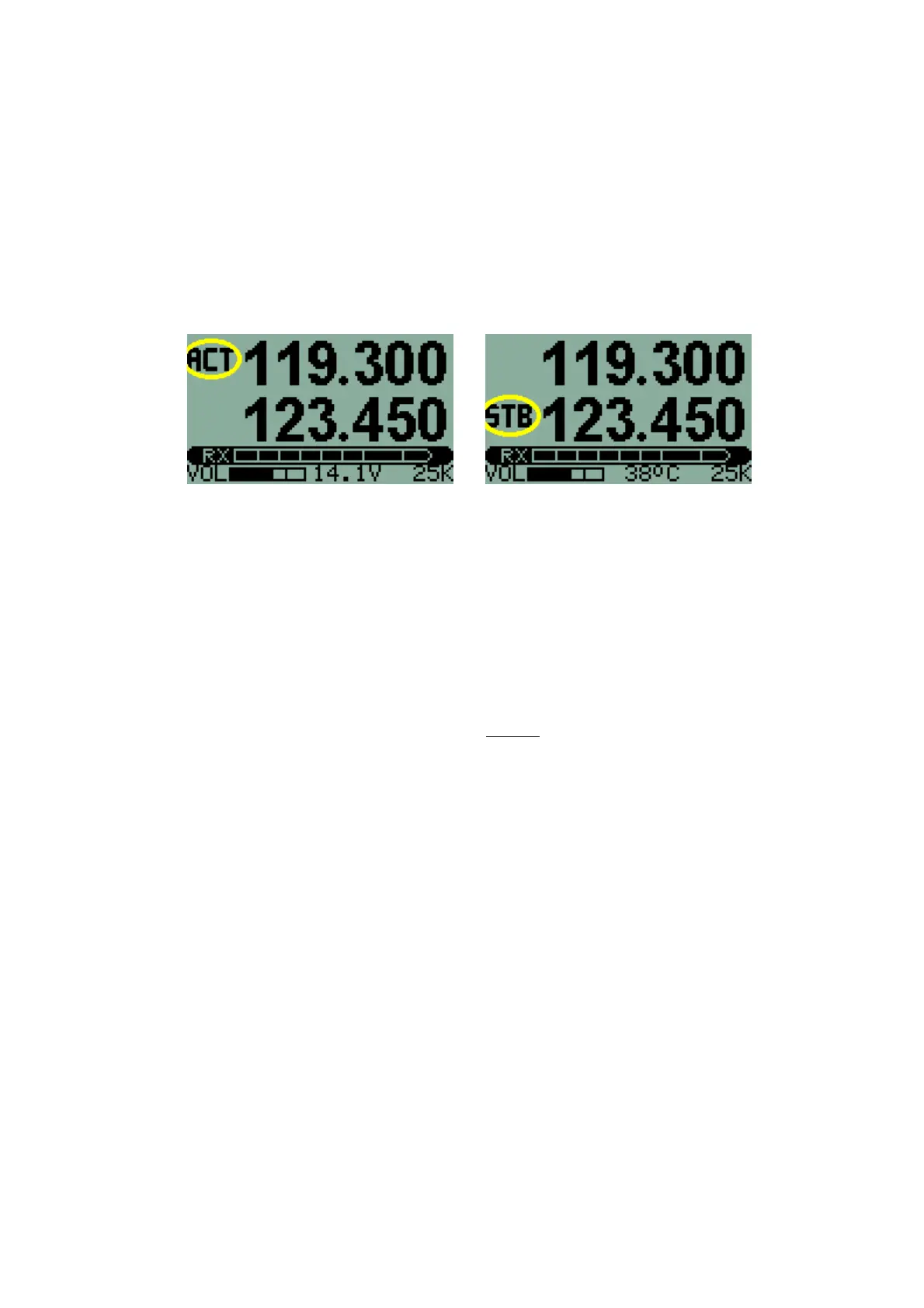
The 'ACTIVE' button
With a Factory Default setup, the display shows two frequencies – active and
standby. When the ACTIVE button is pressed, the standby frequency
becomes the active frequency and the active frequency becomes the standby
frequency.
Holding down the ACTIVE button for 1 second will enable or disable
scanning (the Receiver 'scans' rapidly between active and standby
frequencies to check for incoming transmissions). Scanning is indicated by
alternate flashing of the ACTIVE and STANDBY annunciators on the display.
A short burst of beeps in the headphones gives an audible indication as
scanning is enabled or disabled so that it is not necessary to look at the
display. Three beeps indicate scanning has been enabled and two beeps that
it has been disabled.
If a transmission is detected, scanning stops and it is possible to listen to the
received signal. Scanning continues when the transmission ends. The
transmission may be on either the active or standby frequency.
NB: Holding down this button for three seconds will
automatically set the active frequency to the emergency
channel on 121.500 MHz.
It is possible for the Transceiver to operate with direct frequency entry. This
configuration may be selected in the second level of the Menu system. Only a
single frequency is shown on the display - the active frequency. This
frequency is changed directly. There is no standby frequency and no
scanning is possible.
The 'FREQUENCY' knob
This control is used to set the operating frequency of the Transceiver. The
setting acts on the standby frequency (or the active frequency if direct
frequency entry is being used).
A frequency is set on the V6 Transceiver either by entering MHZ/KHZ or by
selecting a memory Channel. Holding the FREQUENCY knob down for two
seconds changes from one to the other.
7



 To Next Page