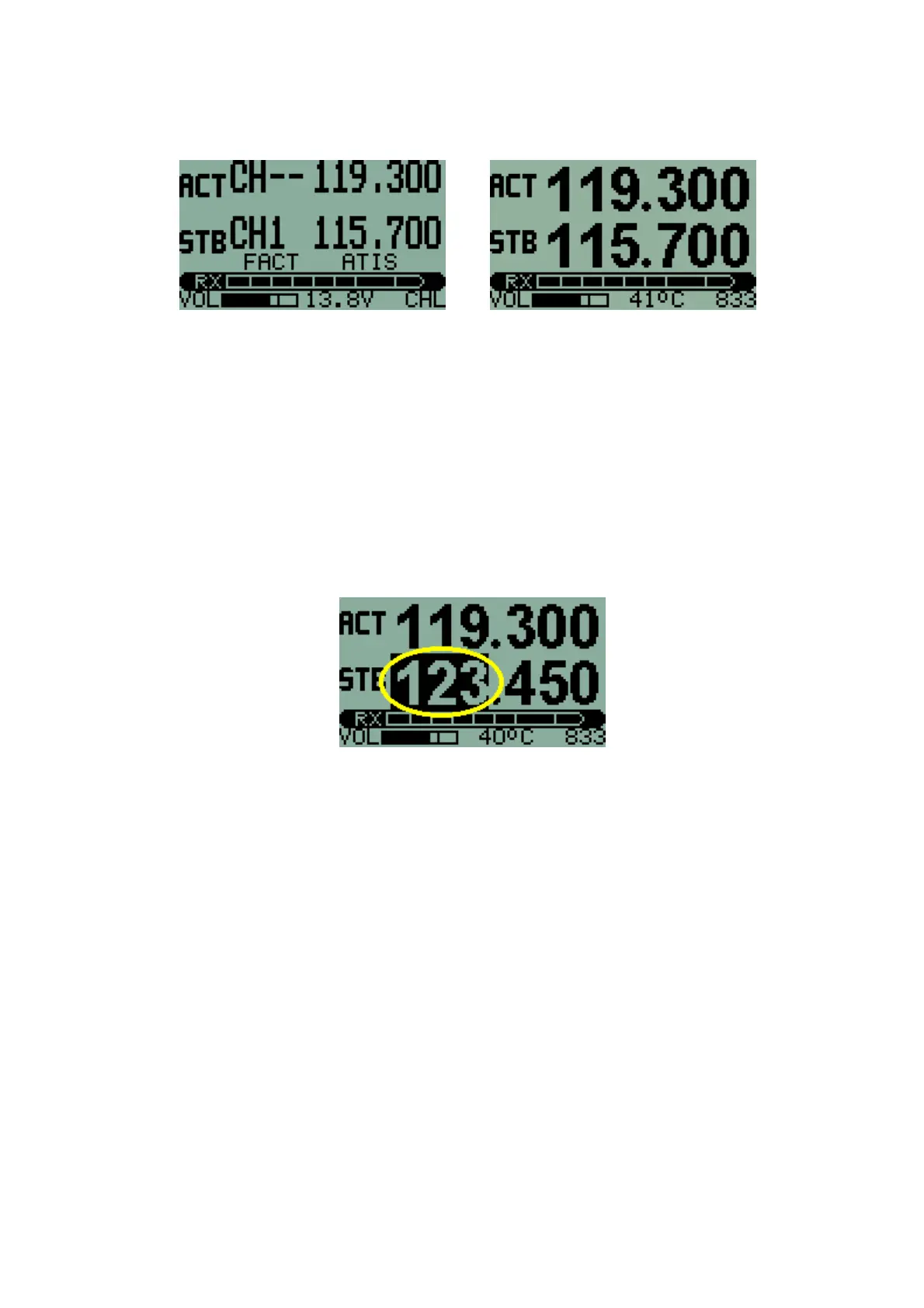
An indication of whether the Transceiver operating frequency is to be set by
MHZ/KHZ or CHanneL selection is shown on the display as indicated.
The spacing between frequencies may be in steps of 25KHz or 8.33KHz.
This may be set in the Second Level Menu. A 'speed-up' function is provided
for the FREQUENCY knob so that a new frequency or channel may be set up
quickly and easily.
Setting frequencies
With the method of frequency entry set to MHZ/KHZ a frequency is set by
pressing the FREQUENCY knob inwards momentarily until the desired part of
the frequency entry is highlighted on the display. The graphic below shows
'MHZ' entry, with that part of the display highlighted (with a dark background).
While the desired part of the entry is highlighted, the setting may be changed
by rotating the knob.
NB: KHZ rolls over without changing the MHZ value. Thus for example,
increasing KHZ will change from a frequency display of 124.975 to 124.000.
Likewise, decreasing KHZ from 124.000 will change the setting to 124.975.
This makes KHZ selection easier.
Pressing the FREQUENCY knob briefly switches between MHZ and KHZ
entry.
Changing channels
To switch to memory CHanneL entry hold down the FREQUENCY knob for
two seconds. Memory Channels may then be selected by rotating the knob.
NB: Channel selection rolls over from 99 to 1 or from 1 to 99.
8



 To Next Page