CARDIAC STIMULATOR
ENGLISH Page 11 of 49
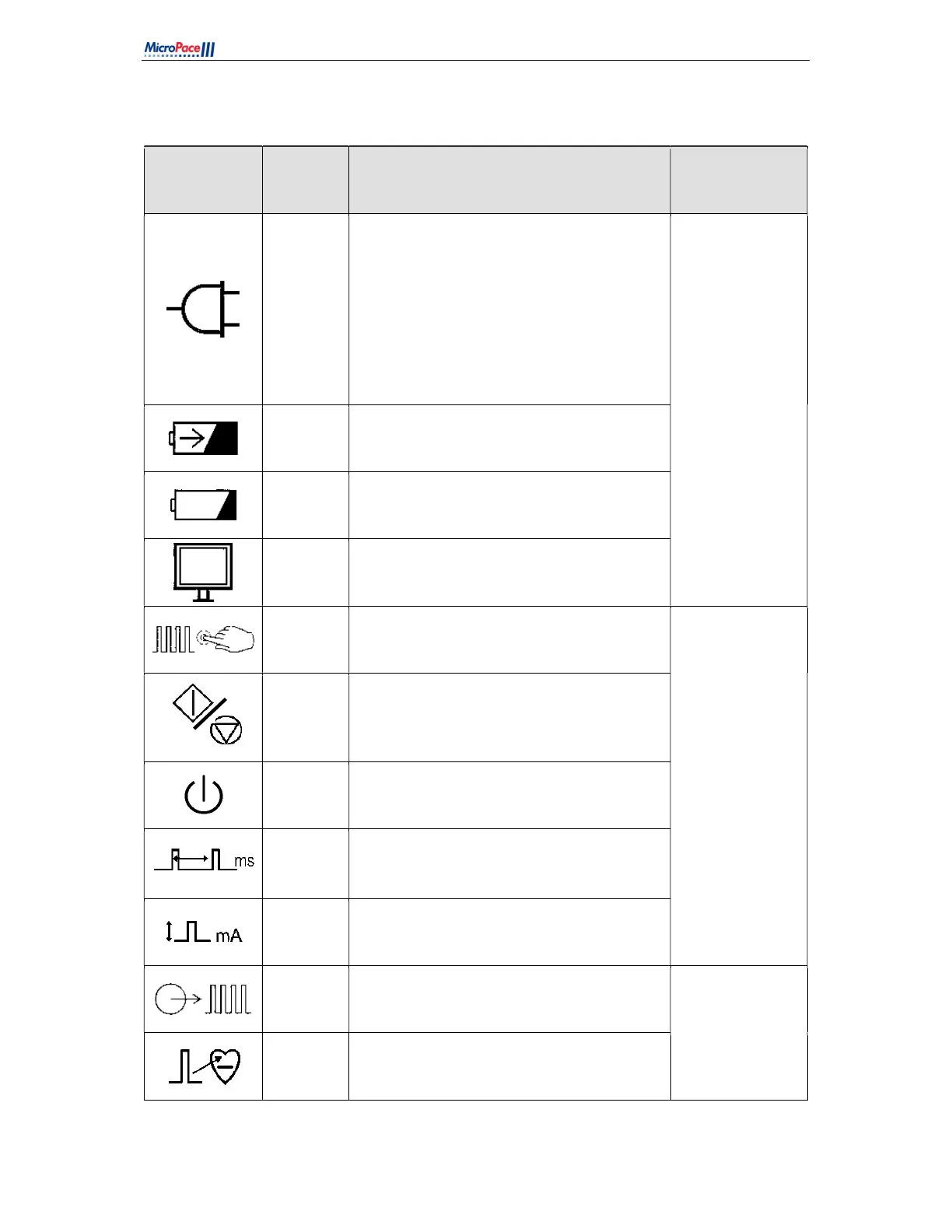
Table 2 below lists explanations of symbols displayed only on the SGU MP3008
Symbol Name
Meaning Location
Mains
Power
No light: No external power.
Orange Light: Connected to Mains Power,
SGU Off, Battery is not charging.
Green Light: Connected to Mains Power and
SGU on – in Manual Backup or PC Pace
Control modes. Battery is charging.
Green Light Flashing: Connected to Mains
Power and SGU in Standby. Battery is
charging.
Left Front Panel of
Stimulus
Generator Unit.
Battery
Power
SGU is powered by Battery.
Battery
Low
Battery is nearly discharged. Connect to mains
power to continue use of SGU.
PC Pace
Control
SGU is under control of Computer.
Backup
Pace
Backup / Manual pacing controls are located
here. This can be used to pace when not
under control of the computer.
Left centre Front
Panel of Stimulus
Generator Unit.
Pace
On/Off
Press to start / stop pacing.
Backup /
Standby
Press to toggle between Backup Manual Pace
Control and Standby.
Pace
Interval
Basic pacing interval in ms.
Current Current amplitude of stimulus.
Pace
Output
Stimulus output and indicator lights are here.
Right centre Front
Panel of Stimulus
Generator Unit
Ch1
(Atrium)
Green flash: Stimulus into Channel 1, usually
located in Atrium.



 To Next Page