V6 VRF 50/60Hz
126
Midea V6 Series Service Manual
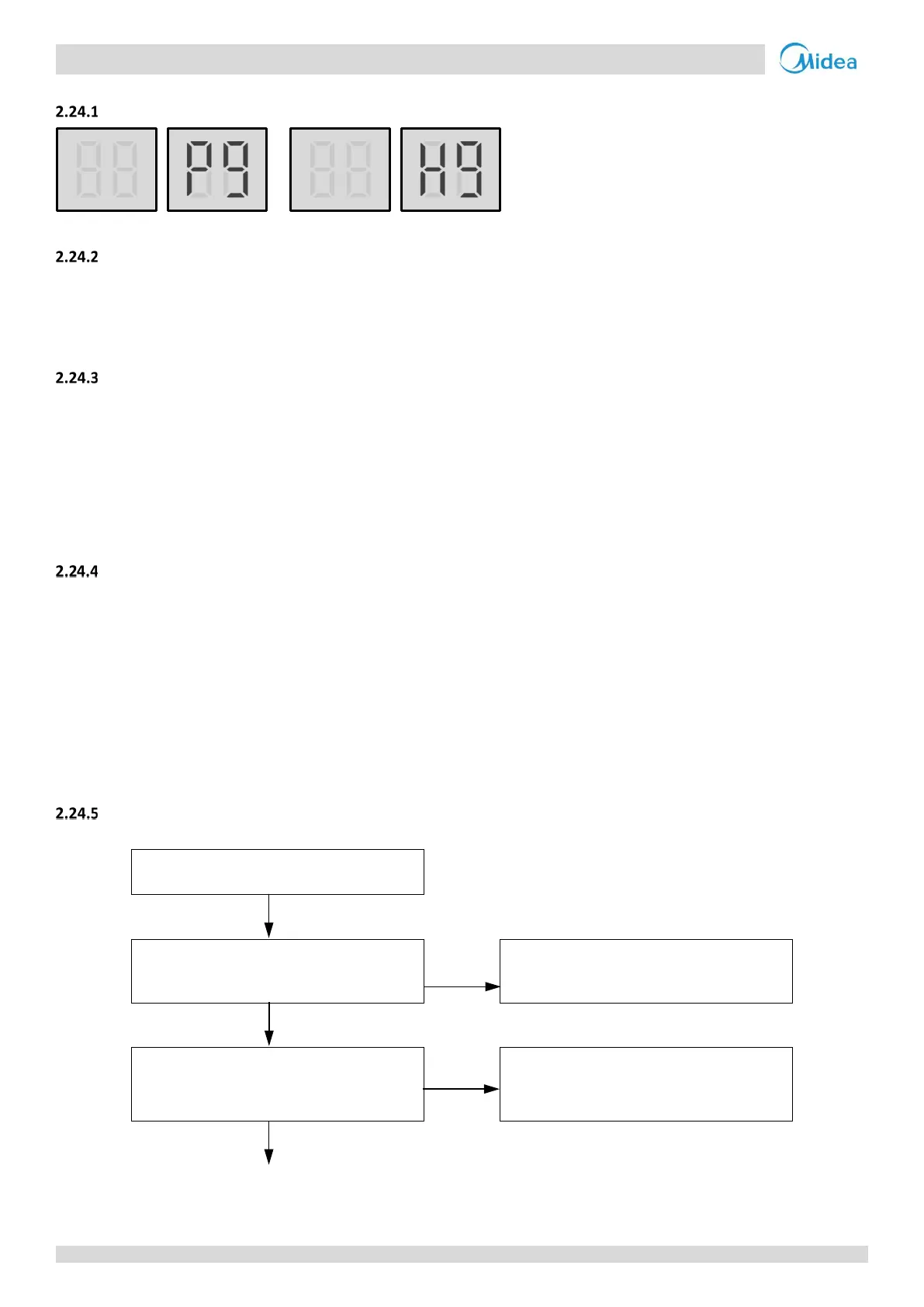
2.24 P9, H9: Fan module protection
Digital display output
;
Description
Fan module protection.
All units stop running.
Error code is only displayed on the unit with the error.
Trigger / recover condition
Trigger condition:
For P9 protection: Fan speed is too low.
For H9 protection: P9 protection appears ten times in 120 minutes.
Recover condition: Fan speed go back to normal.
Reset method:
For P9 protection: Resume automatically; For H9 protection: Manually restart.
Possible causes.
Incorrect fan module address setting.
Switch ENC2 incorrectly set.
Power or communication wires not connected properly.
Fan motor blocked or has failed.
Power supply abnormal.
AC filter board damaged.
Fan module damaged.
Main PCB damaged.
Procedure
P9 / H9
The fan module address setting is
incorrect
Yes
Reset the fan module address via dial
switch S7 on fan module
1
No
The capacity set on switch ENC2 on the
main PCB and the capacity given on the
unit’s nameplate do not match
Yes
Ensure the setting on switch ENC2
matches the unit capacity given on the
unit’s nameplate
No
Flowchart continued on next page …



 To Next Page