V6 VRF 50/60Hz
60
Midea V6 Series Service Manual
2.2 Components
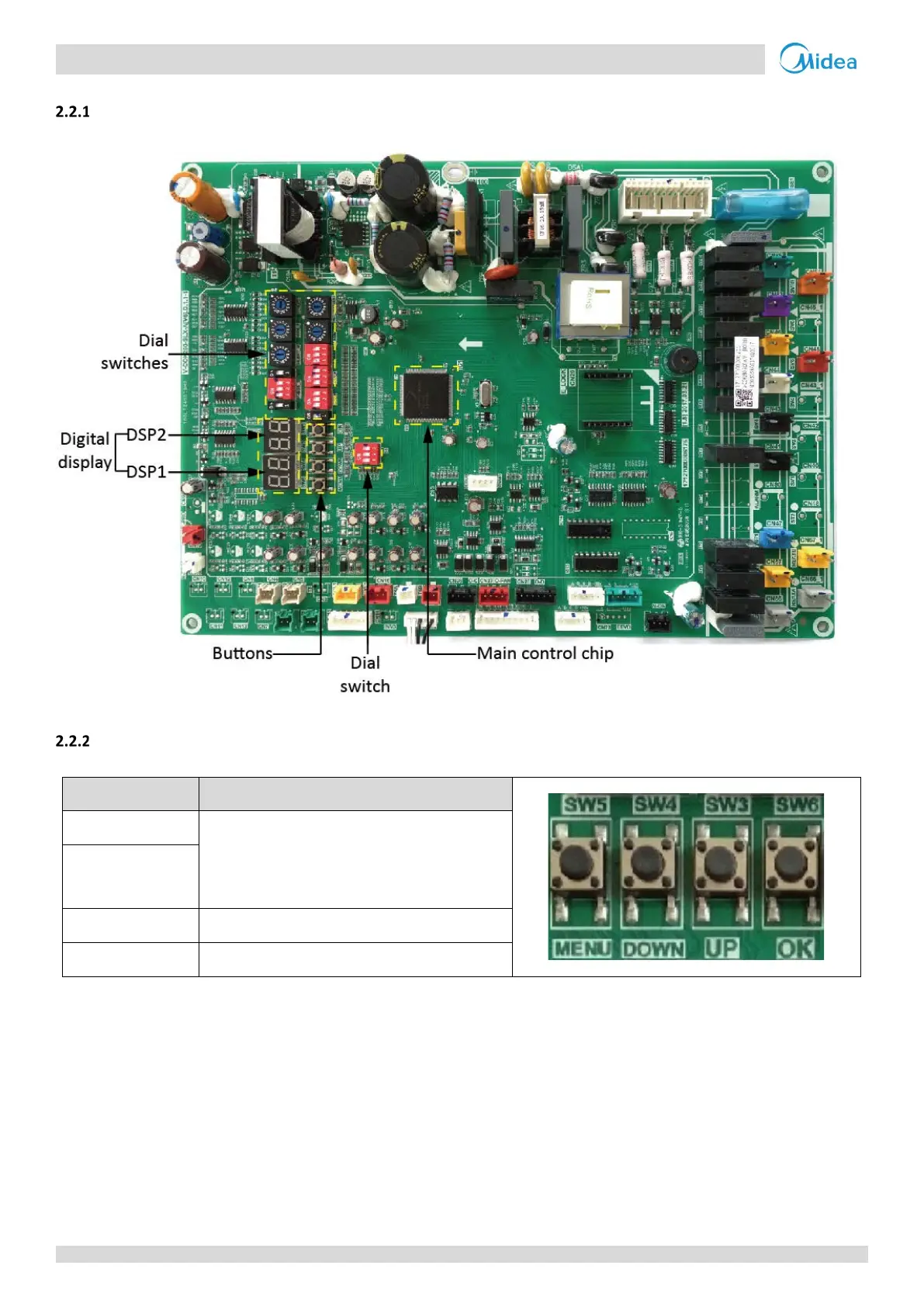
Layout
Figure 5-2.2: Outdoor unit main PCB components
Function of buttons SW3 to SW6
Table 5-2.2:
Function of buttons SW3 to SW6
Button Function
SW3 (UP)
In menu mode: previous and next buttons for menu
modes.
Not in menu mode: previous and next buttons for
system check information.
SW4 (DOWN)
SW5 (MENU) Enter / exit menu mode.
SW6 (OK) Confirm to enter specified menu mode.



 To Next Page