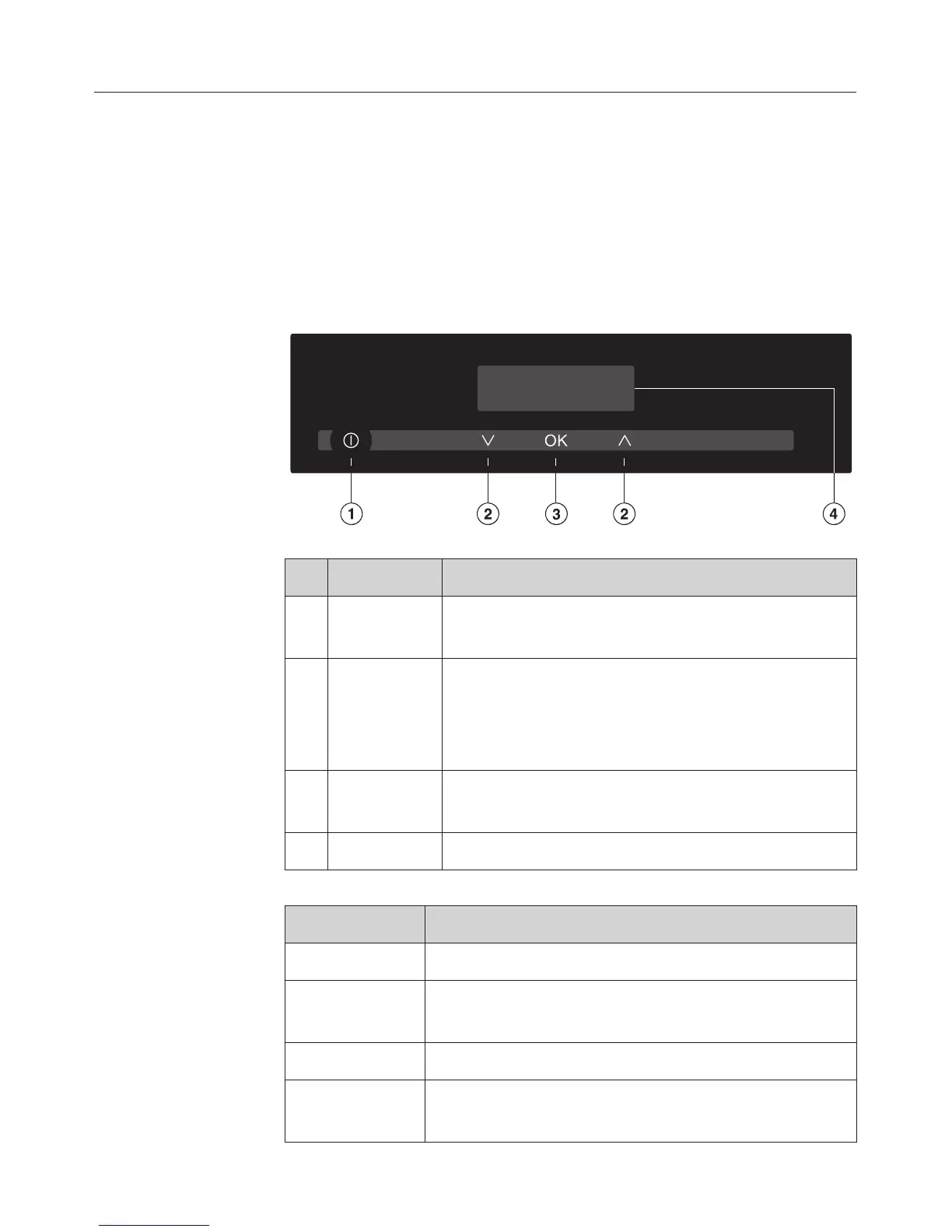
Control panel
Lightly touch the sensors a - d to operate the appliance.
Each time you touch a sensor, an audible tone sounds. You
can switch off the keypad tone (see "Settings").
During operation numbers and symbols appear in the
displayd.
Sensors
Sensor(s) Function
a s - For switching the appliance on and off
- For calling up the descaling process
b ?
;
- For setting the temperature and cooking
duration
- For scrolling through the programming
settings
c OK For confirming the temperature / cooking
duration / selection
s + ? Calling up programming
Display
Display Meaning
p (flashing) Insufficient water or missing water container
Numbers +
°C
Temperature
Numbers + h Cooking duration
Number(s) +
k
The appliance needs to be descaled
Description of the functions
16



 To Next Page