EasyManua.ls Logo

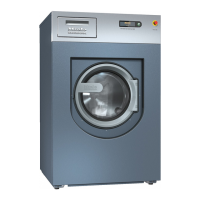
Miele PLW 8616 - User Manual

Miele PLW 8616
100 pages
Print Icon
To Next Page IconTo Next Page
Loading...
Operating Instructions
Laboratory Glassware Washer
PLW 8615/PLW 8616
To prevent accidents and machine damage, read
these instructions
before
installation or use.
en - US, CA
M.-Nr. 11 463 230

Table of Contents

Questions and Answers

  • J
    John KingAug 11, 2025
    What to do if the Miele PLW 8616 display is dark?
    • B
      Breanna HernandezAug 11, 2025
      If the Miele Washer display is dark, it could be due to a faulty display, a faulty connecting cable between the display and the controls, or a faulty plug connection. In this case, call the Customer Service Department. Alternatively, press the I power switch. You can also inform building services.
  • M
    Michael LloydAug 25, 2025
    Why is the display dark on my Miele PLW 8616?
    • J
      Jason BeckerAug 26, 2025
      If the Miele Washer display is dark, several factors could be responsible. First, ensure the machine is switched on by pressing the I power switch. If the issue persists, there might be a fault with the display itself, the connecting cable between the display and the controls, or the plug connection. In such cases, contact Miele Technical Service. Additionally, check if an external residual current device (RCD) has switched or if an external emergency off switch was activated; if so, inform building services.

Miele PLW 8616 Specifications

General IconGeneral
ModelPLW 8616
TypeFront Load Washer
Load Capacity8 kg
Spin Speed1600 rpm
Energy Efficiency ClassA+++
Noise Level (Washing)49 dB

Related product manuals