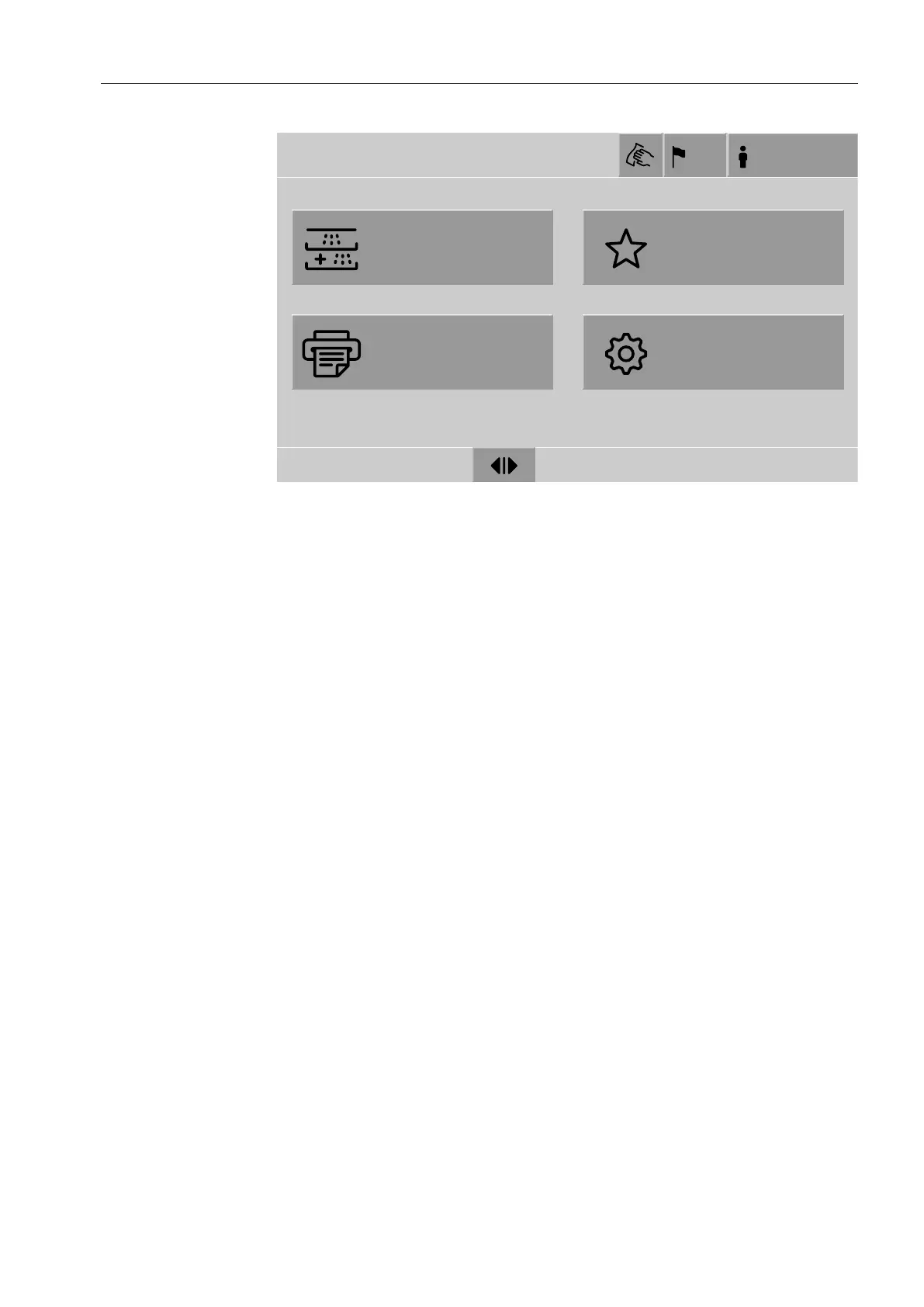
Main menu
25
Main menu
Reprocessing
Favorites
Documentation
System
Main menu
US
Login
18.06.2018 15:05
Actions in
theMain menu
The main menu of the machine is split into headers and footers and
4menus. The following actions can be performed using the buttons:
- Lock the display, e.g., for surface cleaning (see “Maintenance, lock-
ing machines”)
- Change the display language
- Log a user in and out
- Close popups with messages depending on the user level and the
type of message, warning, or fault message (see “Fault messages
and instructions”)
- Open the list of active messages (see “Fault messages and instruc-
tions”)
- Select and start a reprocessing program depending on the settings
in the Program controlmenu in the web interface (see “Operation”)
- Call up and start reprocessing programs stored asFavorites de-
pending on the settings in the System, Manage favoritesmenu (see
“Operation”)
- Print outReprocessing reports
- Open the Systemmenu to adjust the machine settings depending
on theUser level (see “System settings”)
- Open and close the loading door
- Open and close the unloading door after the end of a program de-
pending on the “Authentification - End of program”setting in the
web interface


 To Next Page