Machine description
12
Control elements on the display
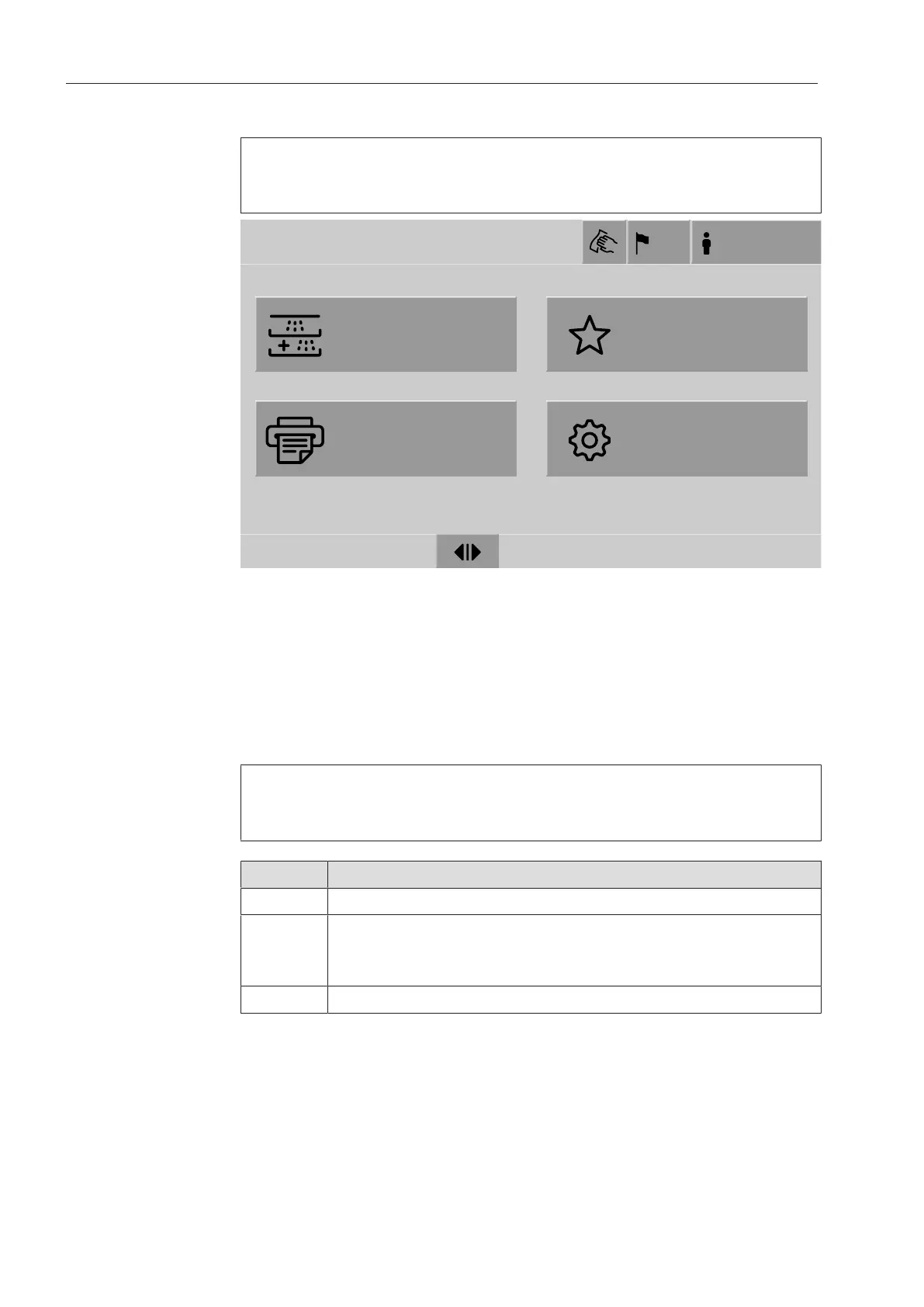
Main menu
The machine display shows the control panel light on a black back-
ground. In these operating instructions, the display is shown as
black on a light background in order to improve legibility.
Reprocessing
Favorites
Documentation
System
Main menu
US
Login
18.06.2018 15:05
a
Header
b
Display language selected
c
Current user
d
Buttons to call up sub-menus
e
Footer
Buttons for all enabled actions are displayed in the footer.
If a menu is split across several pages, a scroll bar will be displayed
above the footer. Swipe the display or tap the scroll bar to scroll be-
tween the pages.
Buttons in the main
menu/
header
Symbol Description/function of the button
Locks the display, e.g., for surface disinfection
Opens the Select display languagemenu.
The language currently set is indicated after the symbol,
e.g., US
Opens the login or logout dialog, e.g., to switch users


 To Next Page