Technical Information
35
W1113, W1119, W1203, W1213 & W1215 Clothes Washers
4 Service
4.1 Drain Pump - Removal
1. Place a suitable pan under the area of the filter to catch water.
2. Slowly turn the filter counterclockwise, allow water to drain from
the appliance. Do NOT completely remove the filter.
Note
To stop the water from flowing during manual draining, tighten the
filter clockwise.
3. When no more water drains from the appliance via the filter;
remove the filter by unscrewing it counterclockwise from the
appliance.
4. Remove the front panel (010 4.3).
5. Disconnect the electrical connection on the Drain Pump.
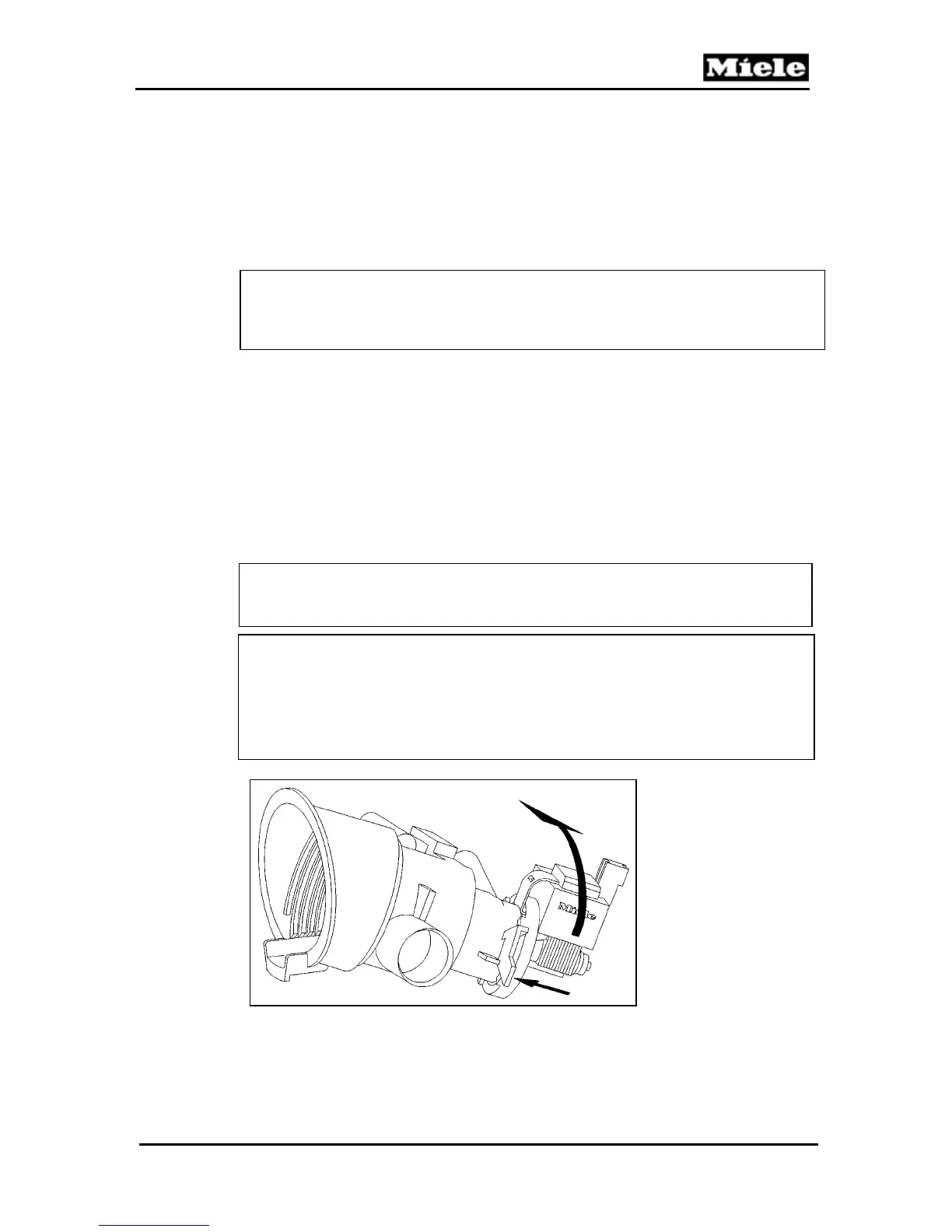
6. Refer to Figure 050-1.
7. Release the retaining clip (small arrow).
8. Turn the Drain Pump about 30° in the direction of the large
arrow and remove it from the filter housing.
Note
After refitting the drip protector, route the wiring into the holder.
Warning!
When activating the Drain Pump the first time after replacement, it
may not start automatically without water in system. Should this
occur, the Drain Pump impeller can be turned slightly with a
screwdriver. Do not attempt to spin the impeller with your finger.
Figure 050-1: Drain Pump removal



 To Next Page