Technical Information
41
W1113, W1119, W1203, W1213 & W1215 Clothes Washers
4.3 Motor Brush - Replacement
1. Remove the Motor Module (060 4.2)
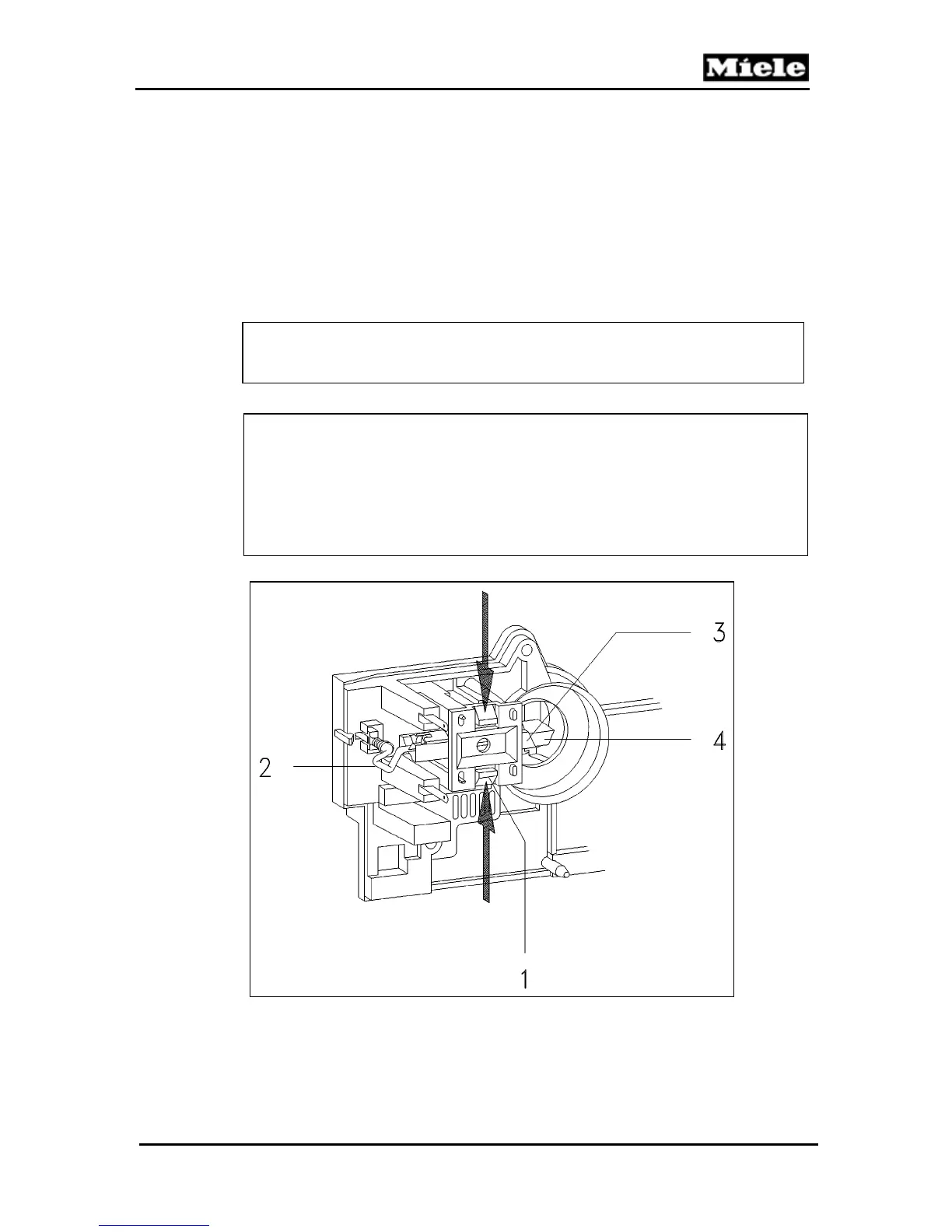
2. Refer to Figure 060-3.
3. Press the retainers (1), together and remove the brush holder
cover.
4. Disconnect the wires (2), and exchange the brushes.
Note
Always exchange the brushes in pairs.
Warning!
Refer to Figure 060-3. The brushes (4), must be pressed back into
their guides (3). A retaining clip will hold them until the module is
completely installed. The brushes can then be released by lightly
pressing the back of the brushes using a small screwdriver or
similar tool.
Figure 060-3: Motor Brush - Replacement



 To Next Page