119
Sanitising or cleaning the RO Cartridge(s)
Safety
Wear Eye Safety Glasses and Laboratory Gloves and other appropriate safety
equipment when sanitising or cleaning the RO Cartridge(s).
Opening the
Sanitisation
Port
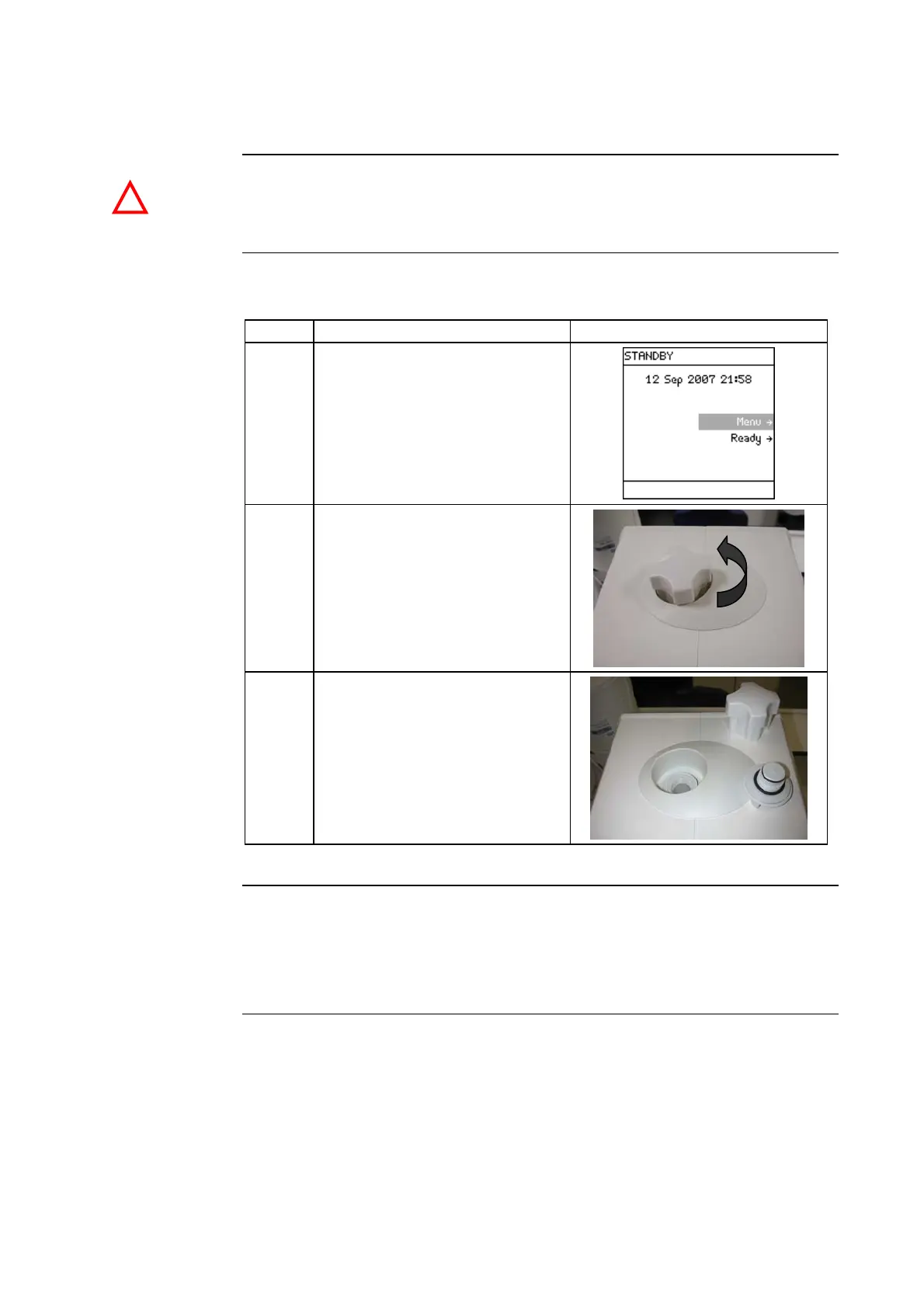
Follow the steps below to open the Sanitisation Port.
Step Action Diagram
1
• Go to STANDBY Mode.
• Allow the Milli-Q System to
depressurise for a few
seconds.
2 Use the Sanitisation Port
Removal Tool and loosen the
cap.
3 Remove the cap.
Closing the
Sanitisation
Port
Reverse the steps above.
NOTE:
Do not use the Sanitisation Port Removal Tool to tighten the cap.
Continued on next page
!







 To Next Page