54
Registering UV Lamp timers
Introduction
• The timer used for each UV Lamp must be reset when the Milli-Q System is
installed.
• If this is not done, then the message indicating that a Lamp replacement is
needed is shown too early.
• The UV Lamp timers need to be reset for the:
− UV 185 nm Lamp,
− the UV 254 nm Lamp, and
− the A10 TOC Monitor Lamp.
NOTE:
Before doing this, make sure that the date and time have been checked for
accuracy.
Procedure
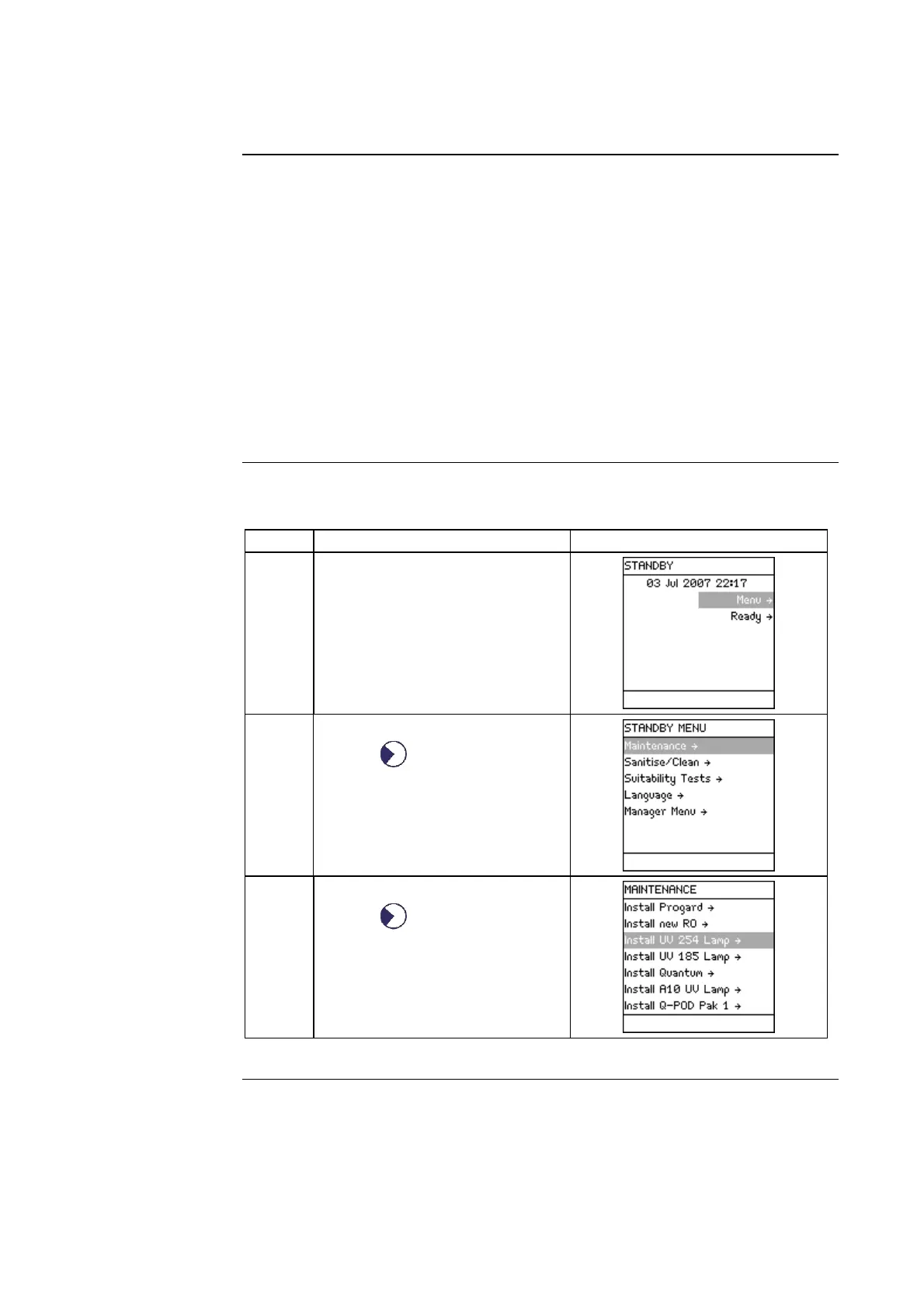
This procedure shows how to reset the timer used for the UV 254 nm Lamp.
Step Action Diagram
1 Start in STANDBY Mode.
2
• Select <Menu>.
• Press .
3
• Select <Maintenance>.
• Press .
Continued on next page







 To Next Page