59
Calibrating the Flowrate, Continued
Procedure
(continued)
Step Action Diagram
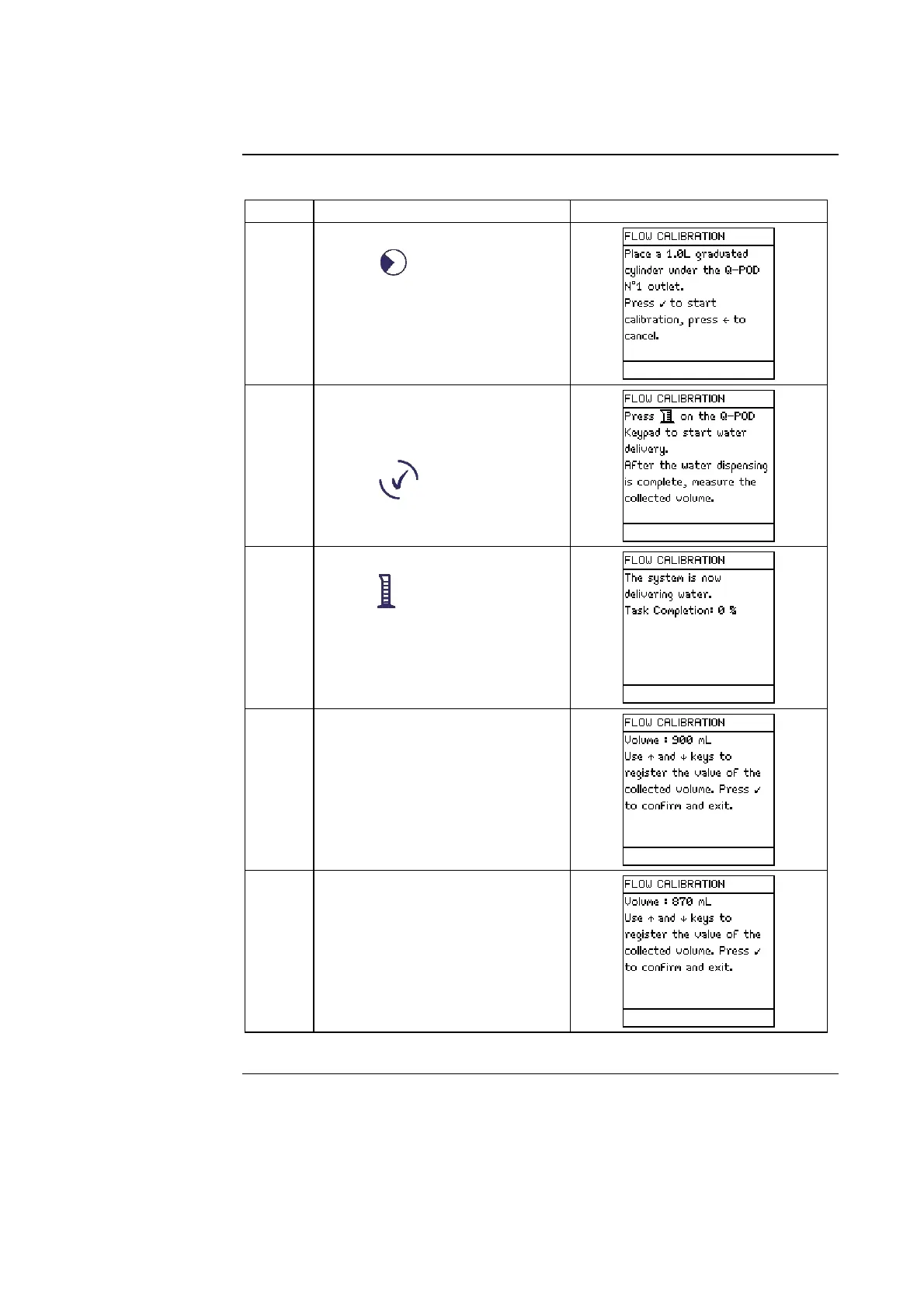
5
• Select <Flow Calibration>.
• Press .
6
• Place a 1 L Graduated
Cylinder under the Q-POD
Unit.
• Press .
7
• Using the Q-POD Keypad,
press .
8
• Water dispenses
automatically from Q-POD
Unit 1.
• Wait until it stops dispensing
water.
9
• Measure the amount of water
(in ml) that was dispensed.
• Suppose 870 ml was
collected.
• Input this using the Keypad.
Continued on next page







 To Next Page