84
Dispensing water, Continued
Volumetric
dispensing
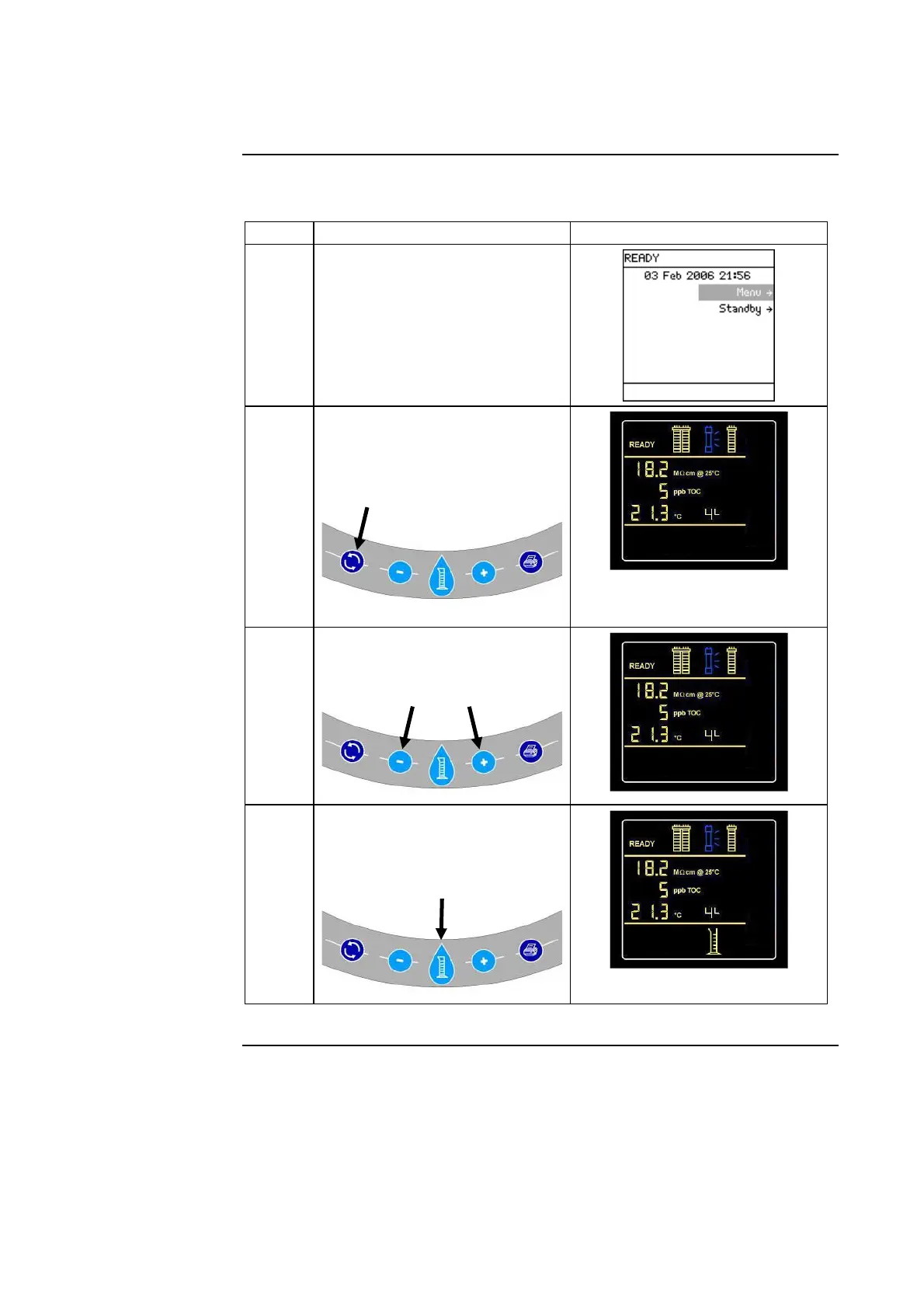
Follow the steps below to volumetrically dispense from the Q-POD Unit.
Step Action Diagram
1
Make sure the Milli-Q System
is in READY Mode.
2
• Place the Milli-Q System into
a forced recirculation mode.
• To do this, press this button
on the Q-POD Keypad.
In this example, the desired
amount of water is 4 Litres.
3
Press these buttons to change
the desired amount of water.
4
Press this button. The Q-POD
Unit will start dispensing water
a few seconds later.
Continued on next page







 To Next Page