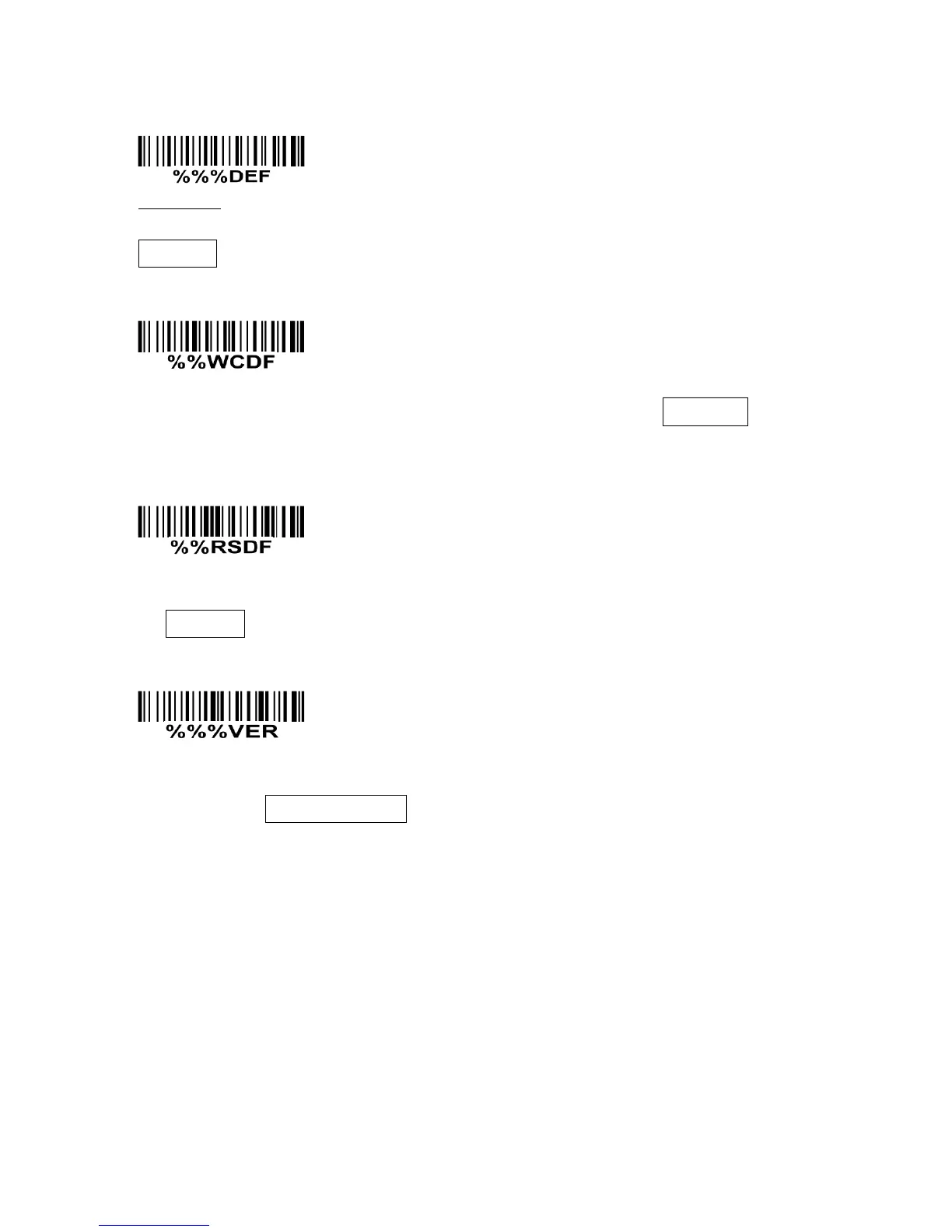
11 Return default parameters & firmware version
WARNING: Restore factory defaults
If you wish to return the scanner to all the factory default settings, scan the barcode above. But
Scan mode remains unchanged.
Write current parameter settings to the custom default settings. But Scan mode remains
unchanged.
Restore custom defaults
Restore the custom default settings to current settings. If failed, restore the factory default settings.
But Scan mode remains unchanged.
If you wish to display the firmware version, scan the barcode above. If the interface is RS232 or USB
virtual COM, and Decode data format is set to packet, the firmware version will be packet and
transmitted.


 To Next Page