16 / 99 MINDEO Electronics Technology Ltd.
6.1.1.4.2 IP Settings Diagram 6.1.1.4.2 MAC Address Settings Diagram
When you select an unsaved access point in the Wi-Fi list to connect, you can set a static IP address by
selecting Static in the IP setting item in the advanced settings. When you choose to use DHCP, the device
will automatically obtain an IP address. You can also choose to use the device MAC address in the privacy
setting in the advanced settings. The device will use the factory-set static MAC address instead of using
a random MAC address.
If you want to modify the saved access point to use a static IP or static MAC address, you have to select
your saved network in the Wi-Fi list, open the network details page, select Cancel Save, and then follow
the above process to set a static IP or static MAC address while reconnecting to the access point. Or you
can modify the privacy settings by following the process in 6.16.4.
6.1.2 Mobile Network
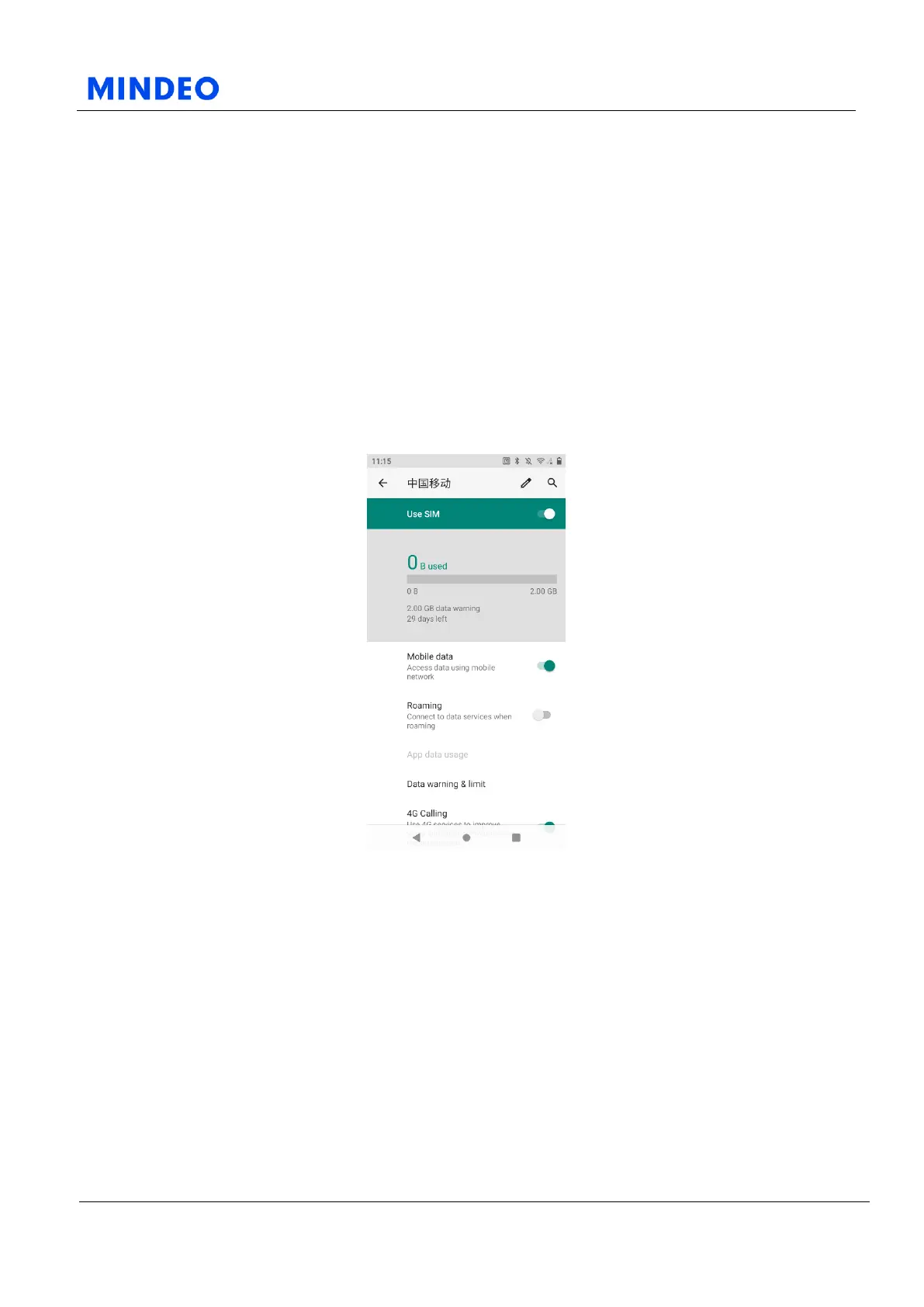
6.1.2.1 Mobile Network Diagram
On this page, you are able to turn on or turn off mobile network. You can also configurate roaming and
VoLTE settings.
The options in 6.1.2 Mobile Network may vary depends on the Mobile Network Provider.
6.1.2.1 Mobile data
If you enable this option, it will allow device access data using mobile network.
6.1.2.2 Roaming
If you enable this option, it will allow device connect to data services when roaming.



 To Next Page