71 / 99 MINDEO Electronics Technology Ltd.
6.15 System
6.15.1 Languages & Input
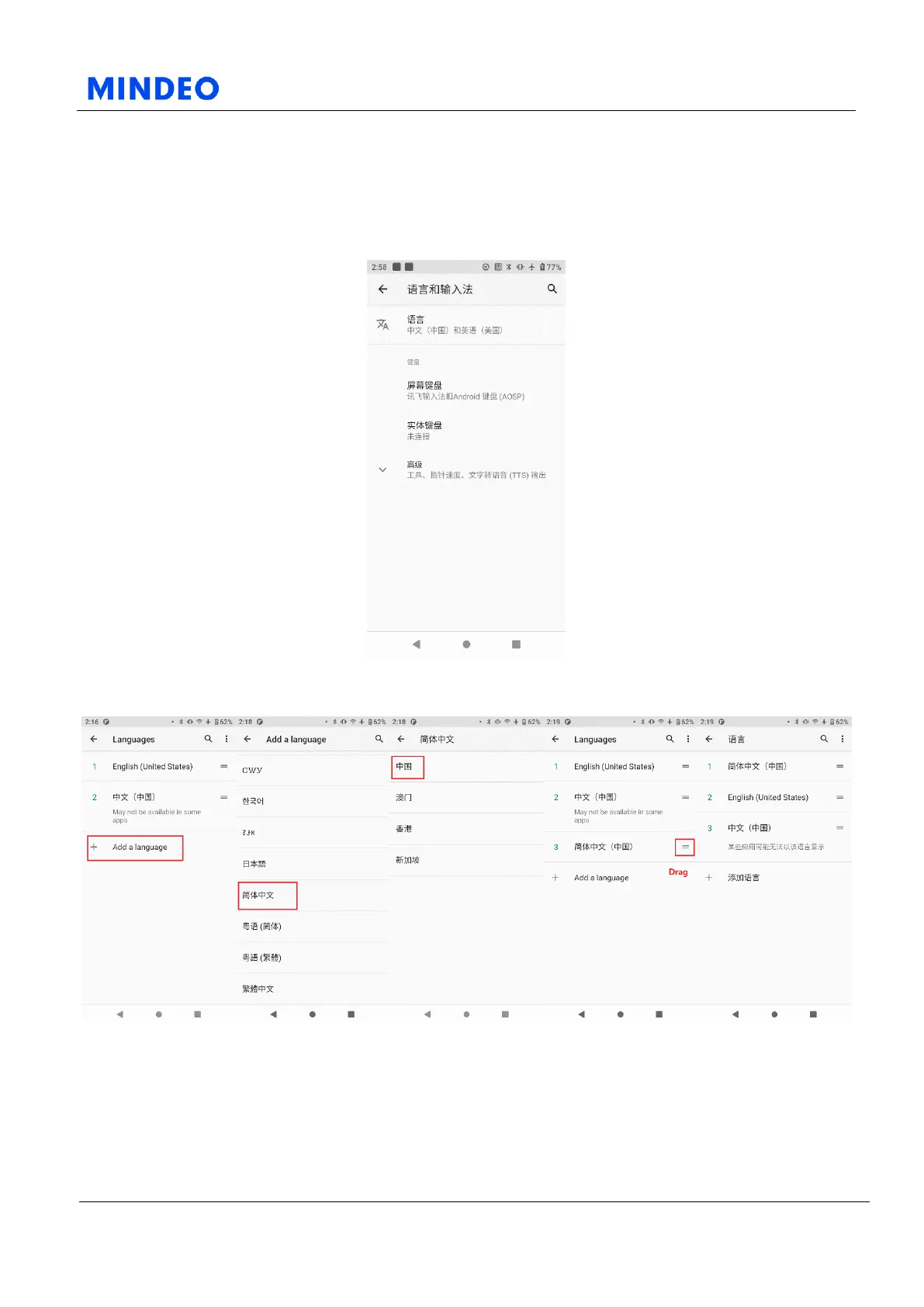
6.15.1.1 Languages & Input Settings Diagram
On this page, you can change the system language and input keyboard.
6.15.1.2 Change System Language Flow Diagrams
The specific way to change the system language is: take Simplified Chinese as an example, enter the
language, select Add Language, choose language (Simplified Chinese), select the region (China), and
then drag it to the most above.



 To Next Page