42 / 99 MINDEO Electronics Technology Ltd.
6.5.7 Auto-Rotate Screen
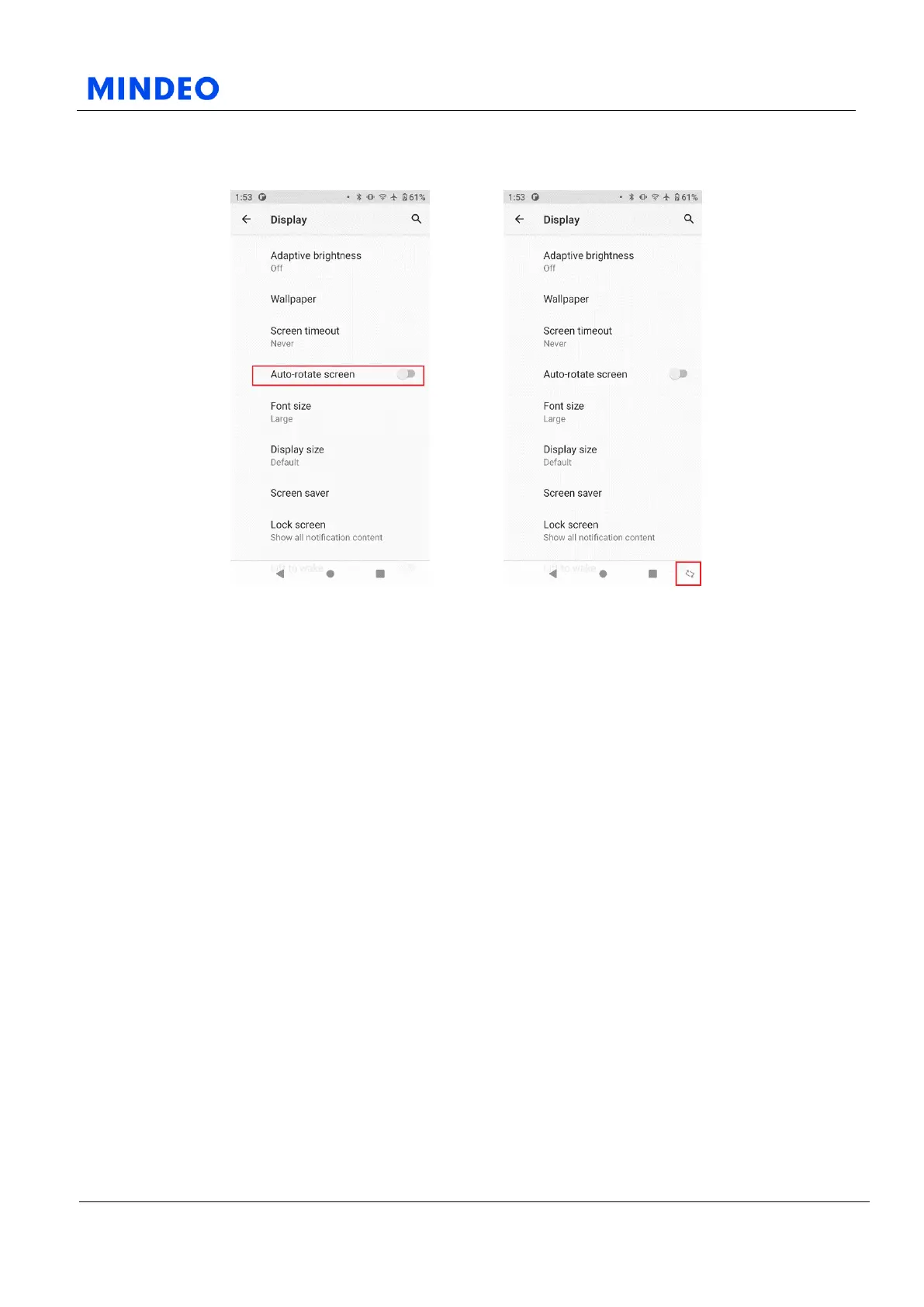
6.5.7.1 Auto-Rotate Screen Diagram 6.5.7.2 Rotate Screen Manually Diagram
Turn on this function, the device will automatically rotate the screen when you lay it horizontally. You
can also hold the device sideways and then rotate the screen on a particular page by tapping the spin
button that appears next to the virtual key at the bottom (right) of the screen. If you want to restore the
vertical screen after rotating the screen and the Auto-Rotate Screen function is not turned on, you need
to click the rotation button next to the virtual key at the bottom of the screen again to rotate the screen
after the device is vertically positioned.



 To Next Page