85 / 99 MINDEO Electronics Technology Ltd.
For the specific way to set broadcast, please refer to MINDEO's "Scanning Service Interface
Definition" document.
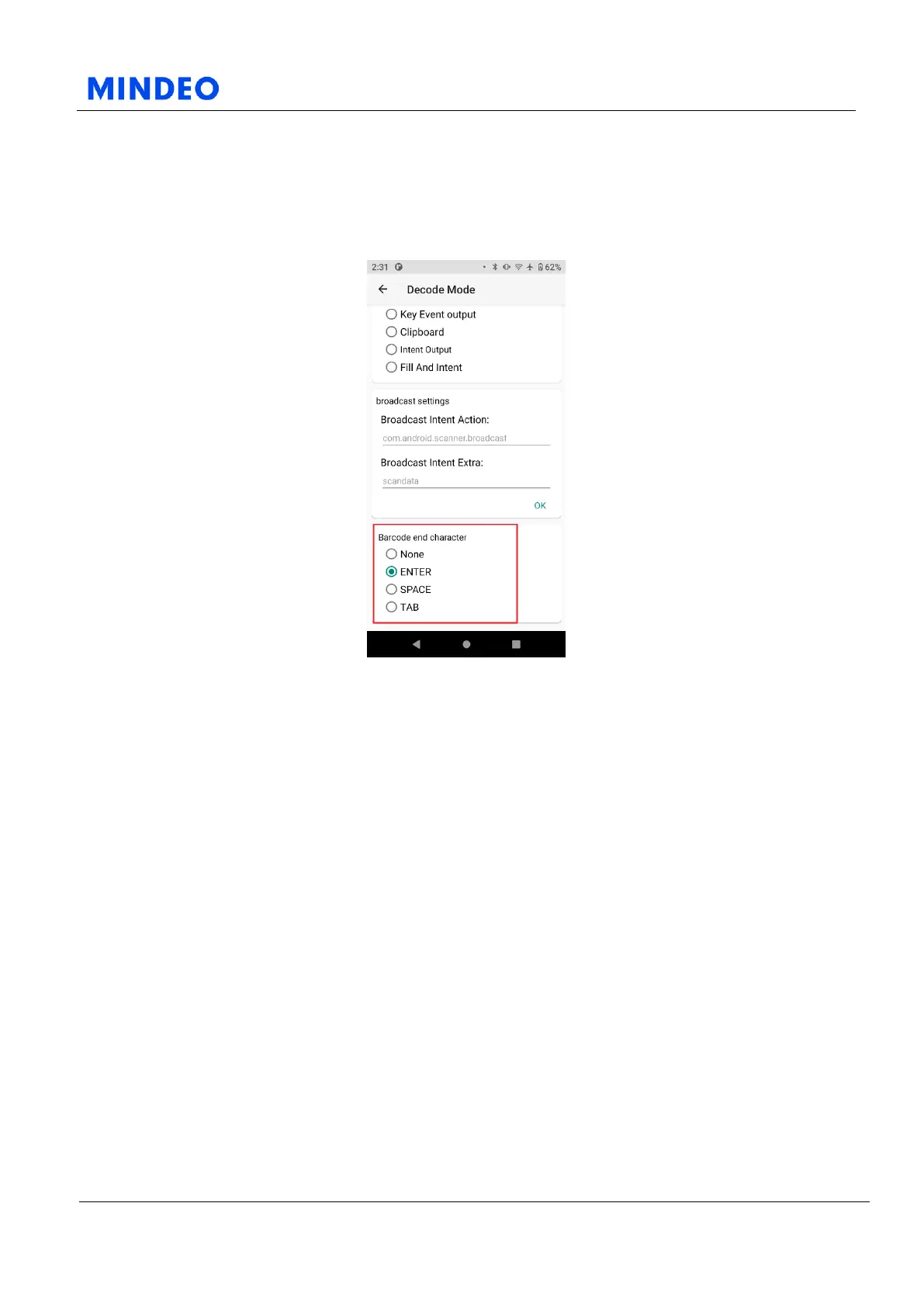
7.1.3.2 Barcode End Character
7.1.3.2.1 Barcode End Character Diagram
You can choose from the following four barcode terminators:
1) None;
2) Enter;
3) Space;
4) Tap.
The barcode end character you selected will be appended to the scan result and displayed at the position
you specified in the decoding mode.
1) When you select “None” as barcode ending character, nothing will be appended to the scanning
result.
2) When you select “Enter” as barcode ending character, a newline character will be appended to the
scanning result. The newline character is equivalent to pressing “Enter” button in the keyboard.
3) When you select “Space” as barcode ending character, a Space character will be appended to the
scanning result. The Space character is equivalent to pressing “Space” button in the keyboard.
4) When you select “Tap” as barcode ending character, a Tap character will be appended to the scanning
result. The Tap character is equivalent to pressing “Tap” button in the keyboard.



 To Next Page