84 / 99 MINDEO Electronics Technology Ltd.
7.1.3.1.1 Decode Mode Diagram
You can choose from the following six decoding modes:
1) Direct Fill
2) Replace Focus
3) Key Event Output
4) Clipboard
5) Intent Output
6) Fill and Intent
1) When you choose this option, the scanning result will directly fill the textbox which you are focusing.
2) When you choose this option, the scanning result will directly replace content in the textbox which
you are focusing.
3) When you choose this option, the scanning result will simulate typing to the textbox which you are
focusing.
4) When you choose this option, the scanning result will be stored to the clipboard.
5) When you choose this option, the scanning result will be sent by Android broadcast. Specific
broadcast settings can be checked in 7.1.3.1 Broadcast Settings.
6) When you choose this option, the scanning result will directly fill the textbox which you are focusing
and be sent by Android broadcast. Specific broadcast settings can be checked in 7.1.3.1 Broadcast
Settings.
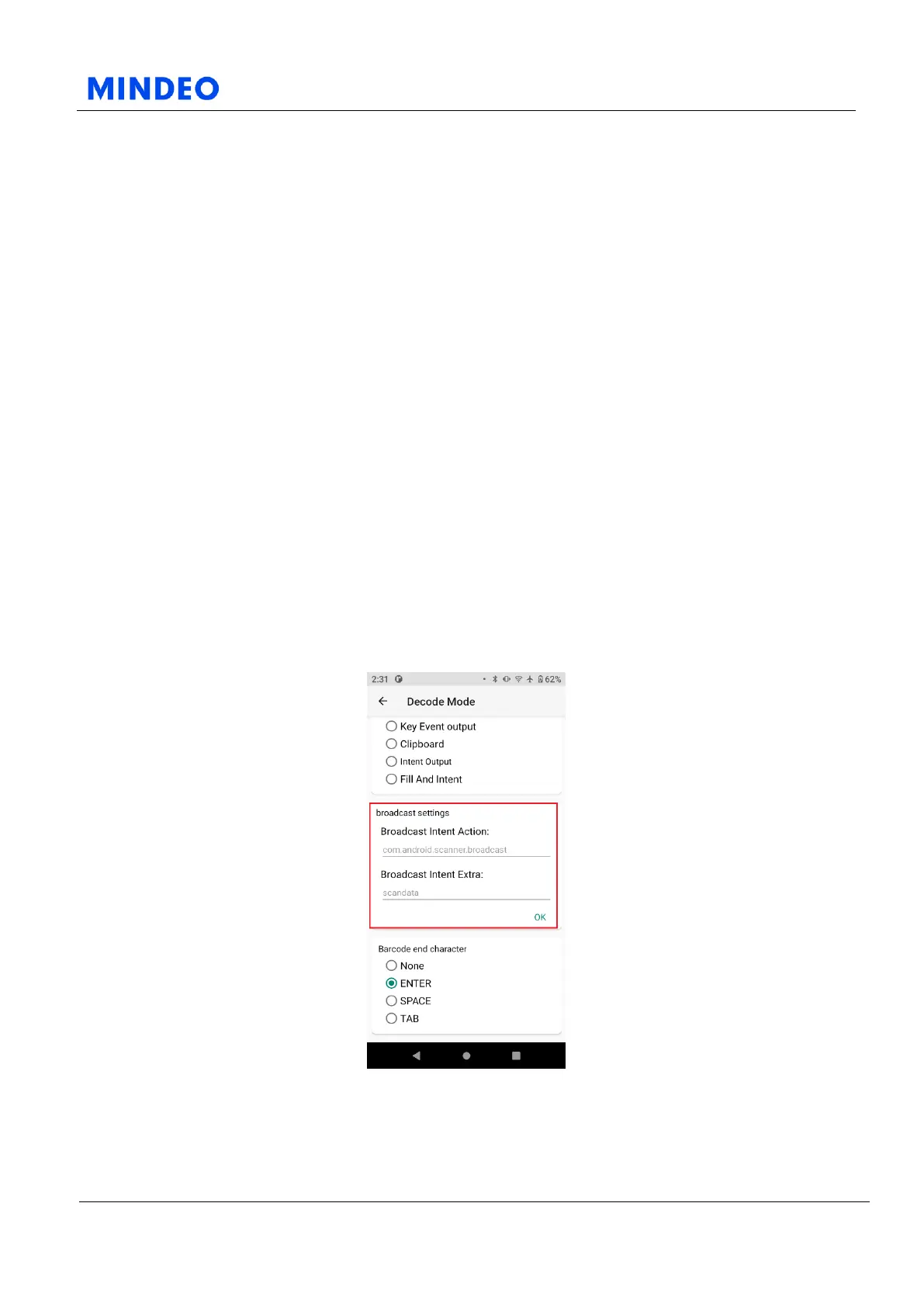
7.1.3.1 Broadcast Settings
7.1.3.1.2 Broadcast Settings Diagram
On this page, you can set the scanning result to be output by broadcasting. If your application is set to
receive the broadcast of the specified name, you can fill in the broadcast name in the broadcast output
Action item.



 To Next Page