97 / 99 MINDEO Electronics Technology Ltd.
7.4.5 NTP Server
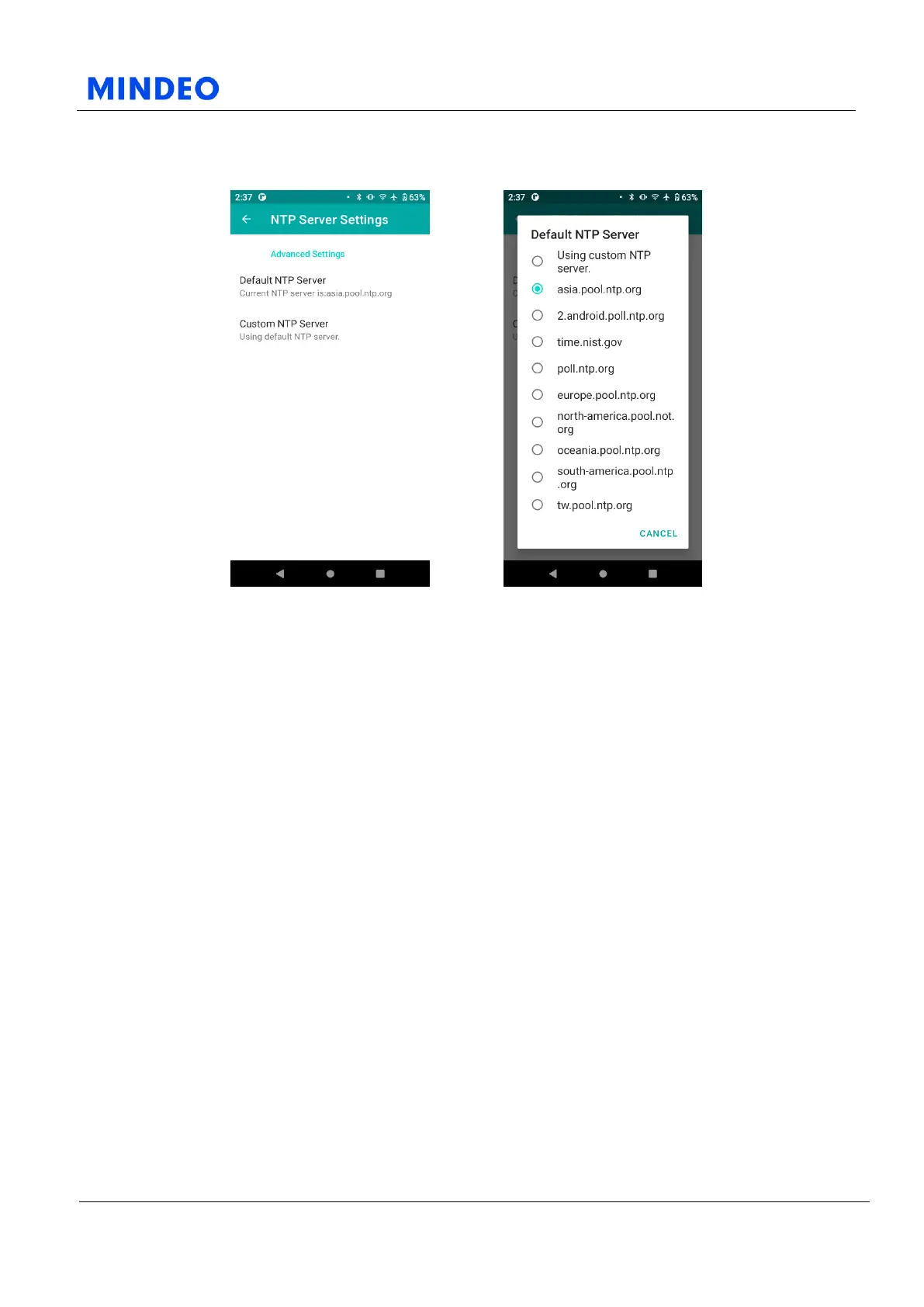
7.4.5.1 NTP Server Settings Diagram 7.4.5.2 Default NTP Server Diagram
On this page, you can choose from preset NTP servers, or set your own custom NTP server. If you need
to synchronize with the specified NTP server in your working environment, please set it here.
8 Troubleshooting
8.1 Boot Problems
1) Please check whether the battery is charged;
2) Please check whether the battery is installed correctly;
3) Use the power adapter to charge for 10 minutes and then try to turn it on;
4) Whether the indicator light is always on, if so, please cold start the device.
8.2 Screen Display Problems
1) Please restart the device if the screen is blurred, white or black. If it doesn't work, please try to
restore the factory settings or flashing the machine;
2) If the touch of the screen shifts or cannot be touched, check whether there are foreign objects on
the screen, and clean the screen; try turning off and on again, or flashing the machine.



 To Next Page