67 / 99 MINDEO Electronics Technology Ltd.
6.12.4.1 Gesture Navigation
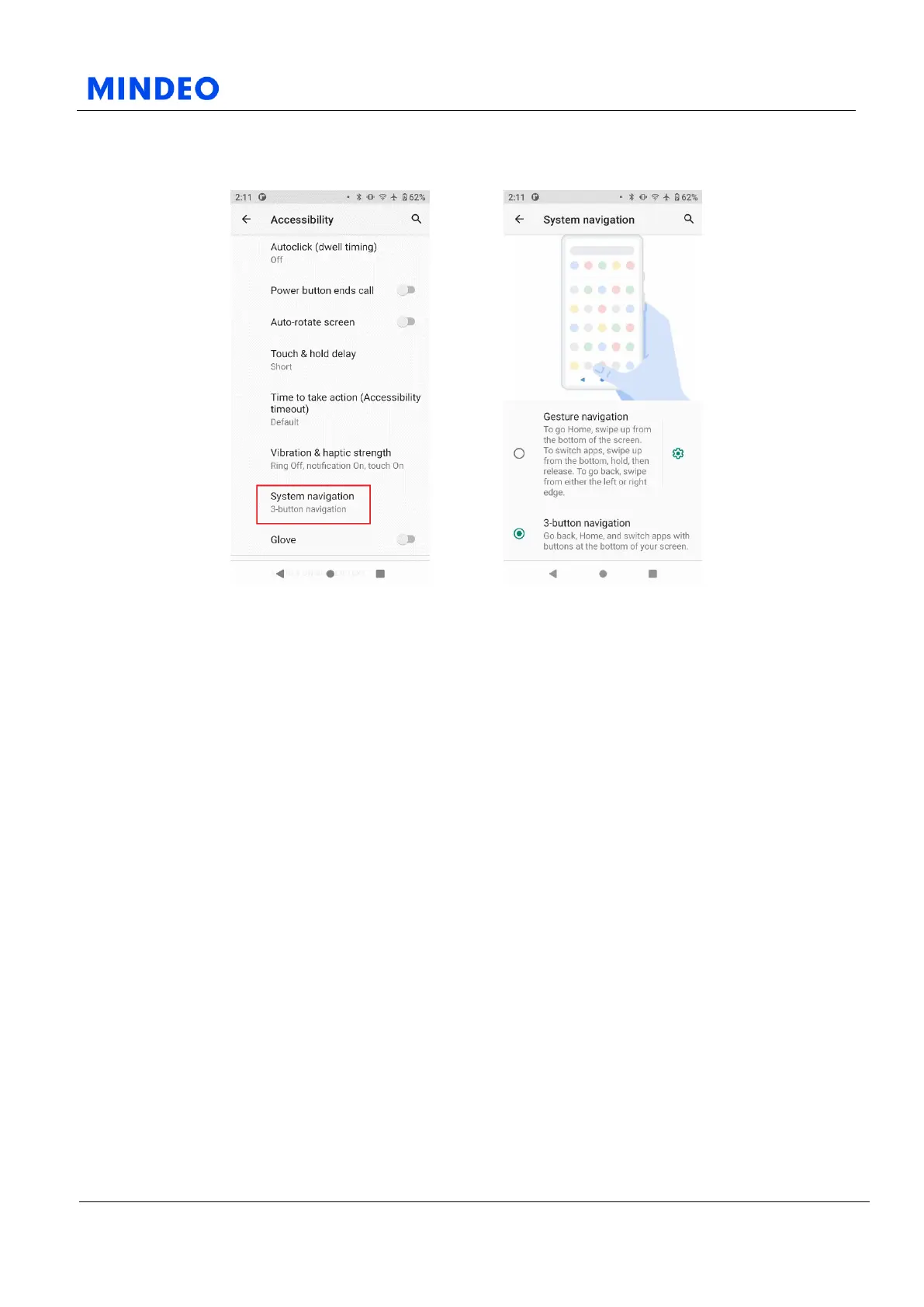
6.12.4.1.2 Gesture Navigation Diagram 6.12.4.1.3 Gesture Navigation Details Diagram
If you need to set up gesture navigation instead of the virtual buttons at the bottom of the screen, you can
do so here. If you have already set up gesture navigation, to go Home, swipe up from the bottom of the
screen. To switch apps, swipe up from the bottom, hold, then release. To go back, swipe from either the
left or right edge.
Note that the three virtual buttons at the bottom of the screen (Back, Home, Task) will disappear if you
have gesture navigation enabled. If you need to use the virtual keys at the bottom of the screen, switch
from gesture navigation to "three-button" navigation.



 To Next Page