79 / 99 MINDEO Electronics Technology Ltd.
On this page, you can view the IMEI1, IMEI2, and MEID numbers of the device. This number is attached
to the device when it leaves the factory and cannot be changed.
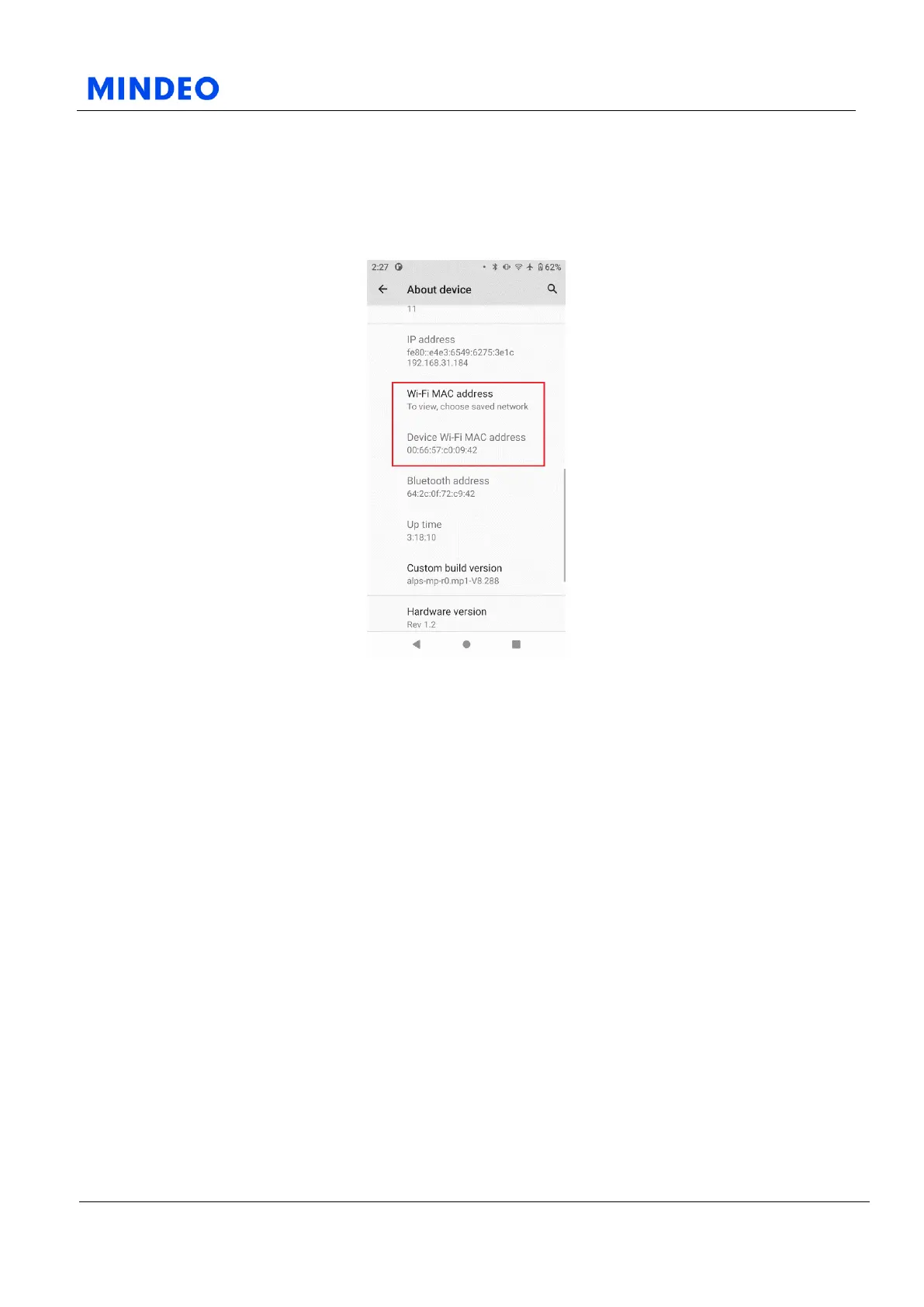
6.16.4 Wi-Fi MAC Address
6.16.4.1 Wi-Fi Mac Address Diagram
On this page, you can view the IP address, Wi-Fi MAC address of the device in the current network, and
the Wi-Fi MAC address of the device attached to the device.
If you need to modify the privacy settings in the saved network, such as changing from using a random
MAC address (default) to using the device MAC address, you can follow the process below: Click the
Wi-Fi MAC address in About Device to enter the list of saved networks; then select the saved network
for which you need to modify the privacy settings; click Advanced to expand more items; click the
Privacy item, and then select Use Device MAC Address.



 To Next Page