73 / 99 MINDEO Electronics Technology Ltd.
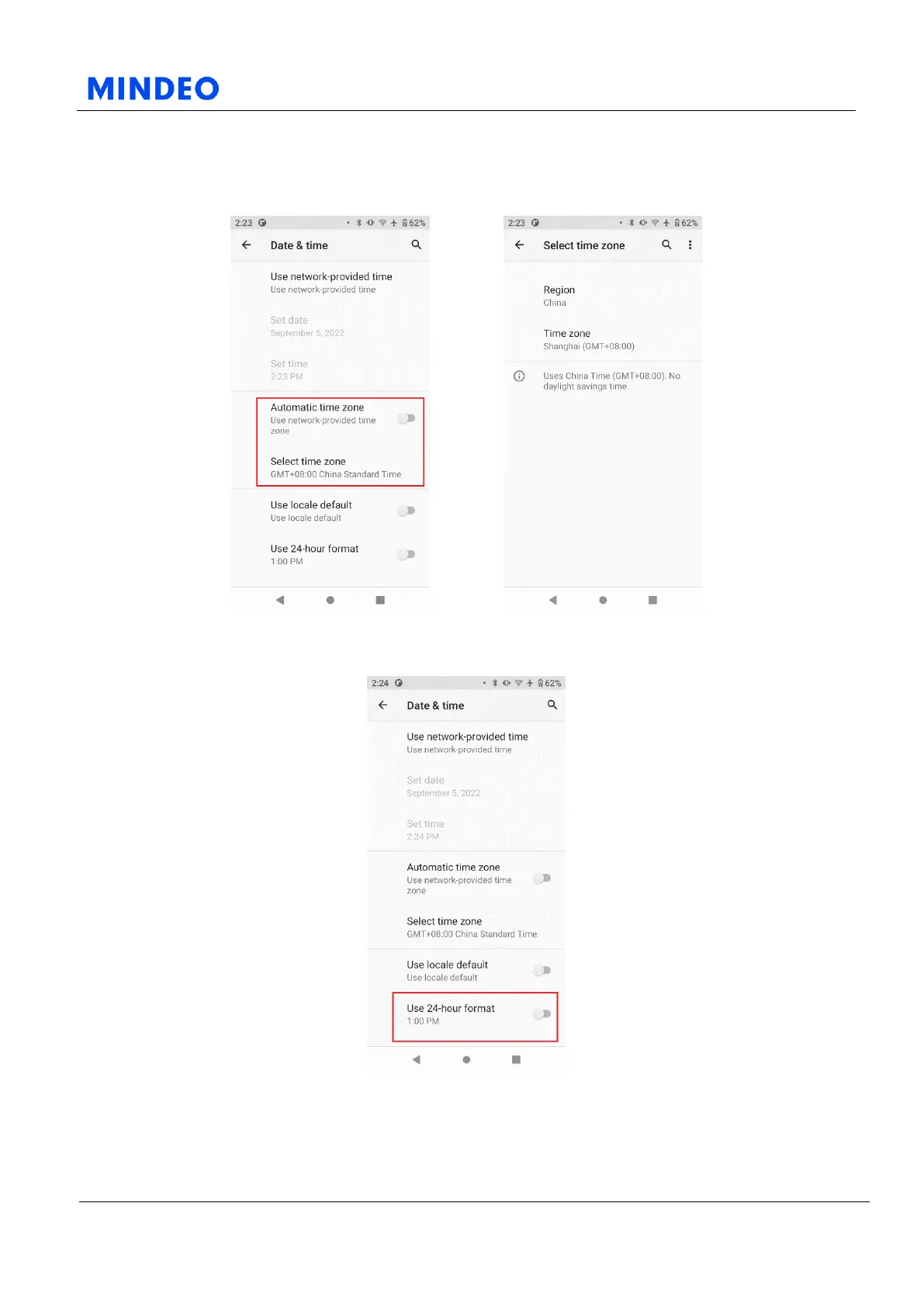
6.15.3.1.1 Date & Time Diagram 6.15.3.1.2 Use Network-Provided Time Diagram
On this page, you can set the date and time of the device.
You can use the network to provide the time or use the GPS to provide the time, or turn off the automatic
time setting, and then manually set the date and time.
6.15.3.1.3 Time Zone Diagram 6.15.3.1.4 Select Time Zone Manually Diagram
You can also set the time zone manually or use the time zone provided by the network.
6.15.3.1.5 Use 24-hour Format Diagram
You can also set whether to use the 24-hour clock on this page.



 To Next Page