6-4 Display & Cine Review
Open cine files in thumbnail, iStation or Review, the system enters automatic cine
review status.
To exit cine review:
Press <Freeze> key again, the system will return to image scanning and exit cine
review.
6.2.2 Cine Review in 2D Mode
Manual cine review
After entering the cine review of 2D mode, rolling the trackball will display the cine
images on the screen one by one.
If you roll the trackball to the left, the review sequence is reversed to the image-storing
sequence, thus the images are displayed in descending order. Whereas, if you roll the
trackball to the right, the review sequence is the same as the image-storing sequence,
thus the images are displayed in ascending order. When the reviewing image reaches
the first or the last frame, further rolling the trackball will display the last or first frame.
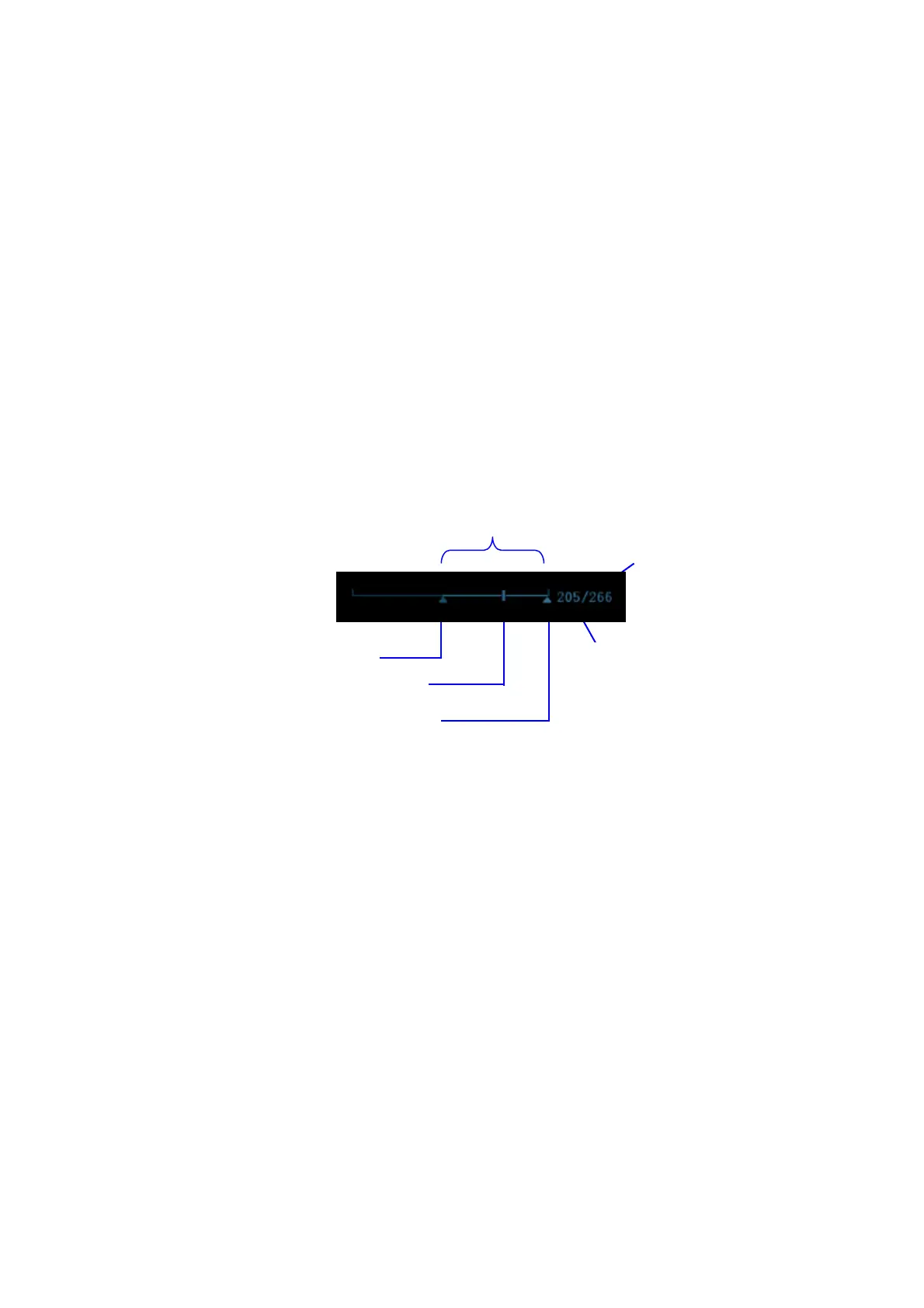
The cine progress bar at the bottom of the screen (as shown in the figure below):
Auto Review
Reviewing all
a) In the manual cine review status, click [Auto Play] on the image menu to
activate auto cine review.
b) Reviewing speed: In the auto cine review status, use [Auto Play] item in the
image menu to adjust the review speed.
c) In auto play status, set [Auto Play] item to Stop to exit auto play.
Setting Region of Auto Review
a) Set start frame: move the playback mark to the desired frame, and click [Set
First Frame] in the image menu to set the frame as start point.
b) Set end frame: move the playback mark to the desired frame, and click [Set
End Frame] in the image menu to set the frame as end point.
c) Click [Auto Play] in the image menu; the system plays the auto review region
automatically.
d) Rotate the knob on the left of the control panel to increase/decrease the auto
play speed.
e) In the auto cine review, setting [Auto Play] to Stop or rolling the trackball will
stop the auto cine review and enter the manual cine review.
f) Click [Skip to First]/ [Skip to Last] to review the first or last frame.



 To Next Page