11-6 Setup
To set the trackball speed when move the trackball.
To set the color for the trackball.
11.1.7 Biopsy
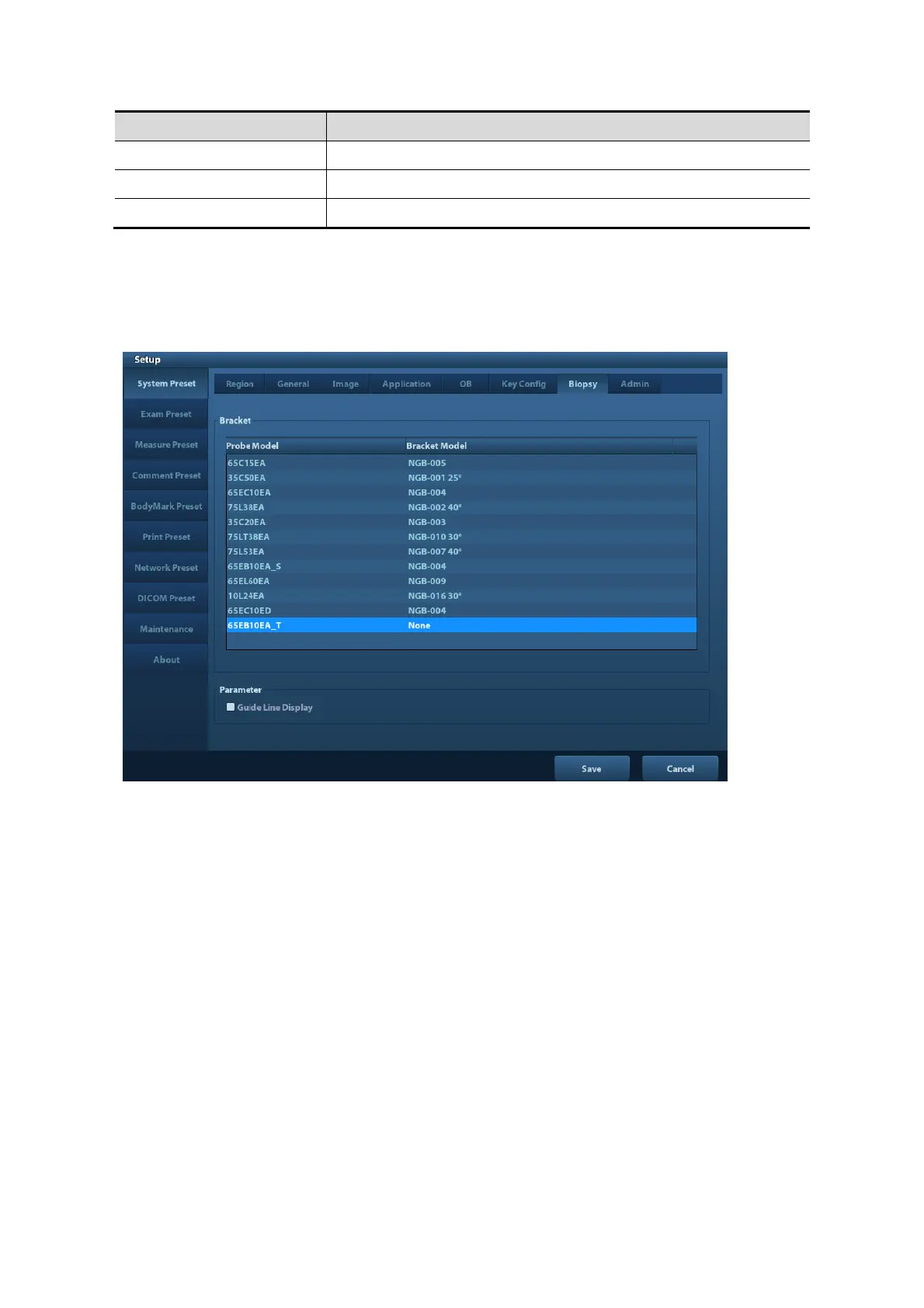
Open the Biopsy page via [Setup]-> [System Preset]-> [Biopsy], as shown in the figure below.
Bracket
To select the default needle-guided bracket for the probe.
Parameter
Press to display the biopsy guideline.
11.1.8 Admin
Open the Admin page via [Setup]-> [System Preset]-> [Admin].
For details of access control, please refer to “9.7 Access Control”.
11.2 Exam Preset
Open [Setup]-> [Exam Preset] to enter Exam Preset screen.
Procedures:
1. Selecting a probe:
Move the cursor to [Probe], and select a probe from the drop-down list.



 To Next Page