Exam Preparation 4-9
4.3.4 Bi-plane Endocavity Probe (65EB10EA)
Selecting Exam Mode
1. Connect 65EB10EA to the ultrasound system.
2. Press <Probe> on the control panel to enter the exam mode selecting screen. Roll the
trackball and press <Set> to switch the S or T plane of the probe, or select the exam
mode of the S/T plane of 65EB10EA probe.
Dual Probe Function (user-defined key)
1. Connect 65EB10EA to the ultrasound system.
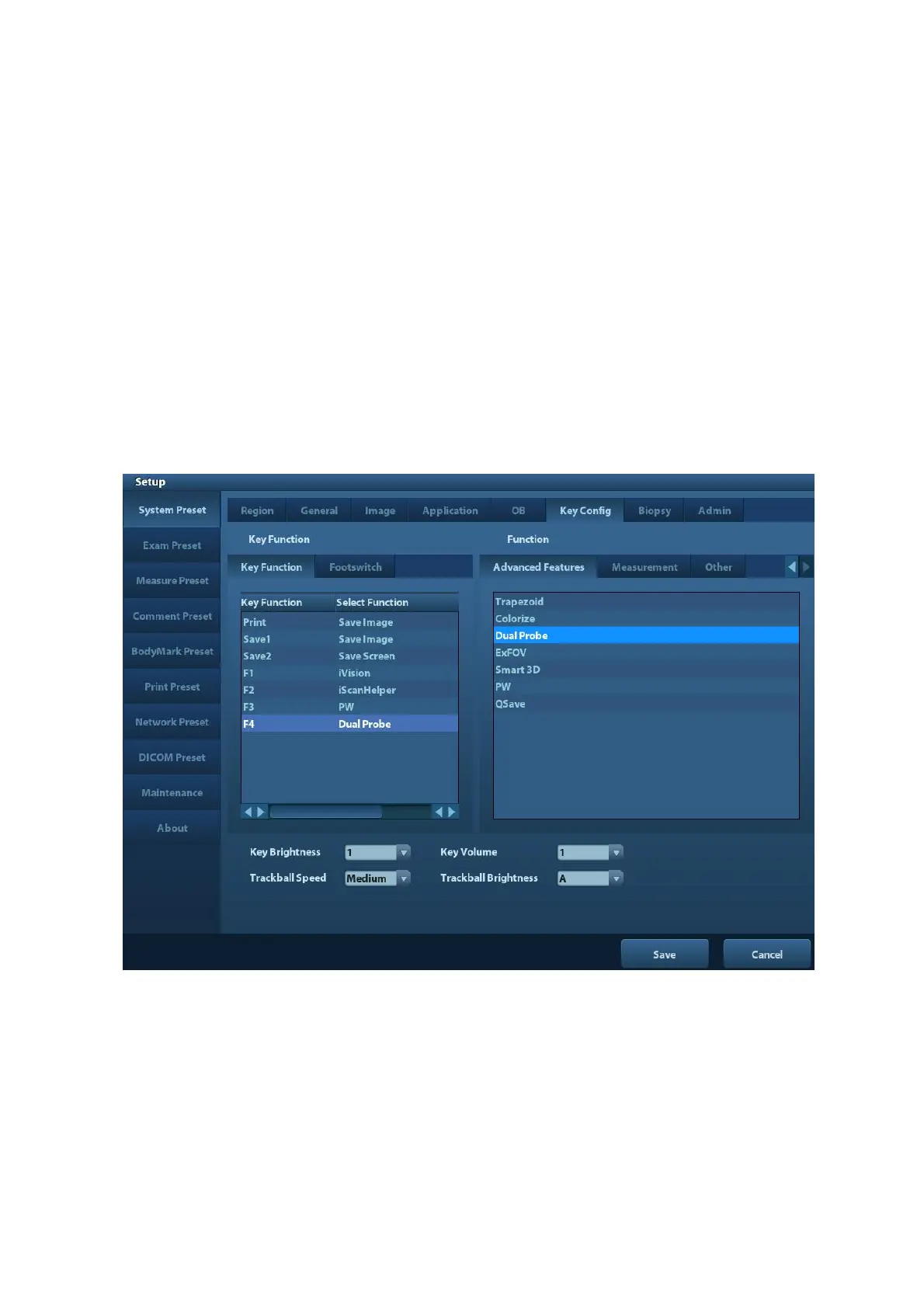
2. Press <Setup> to enter the setup screen, select [System Preset] -> [Key Config] to enter
the page.
3. Select the user-defined key in the Key Function page on the left; or, select the key of
footswitch.
4. Select [Dual Probe] in the page of Advanced Features on the right.
5. Click [Save] to confirm the setting and exit the dialog box.
6. Press the defined key on the control panel for [Dual Probe] function, both the S plane
and T plane image of the probe will be displayed on the screen. Press the user-defined
key to switch between the two windows to activate the current window.



 To Next Page