12-30 Probes and Biopsy
In B mode image menu, you can also display, hide or select the needle-guide bracket via
[Biopsy Kit] item.
12.2.5 iNeedle (Needle Visualization Enhancement )
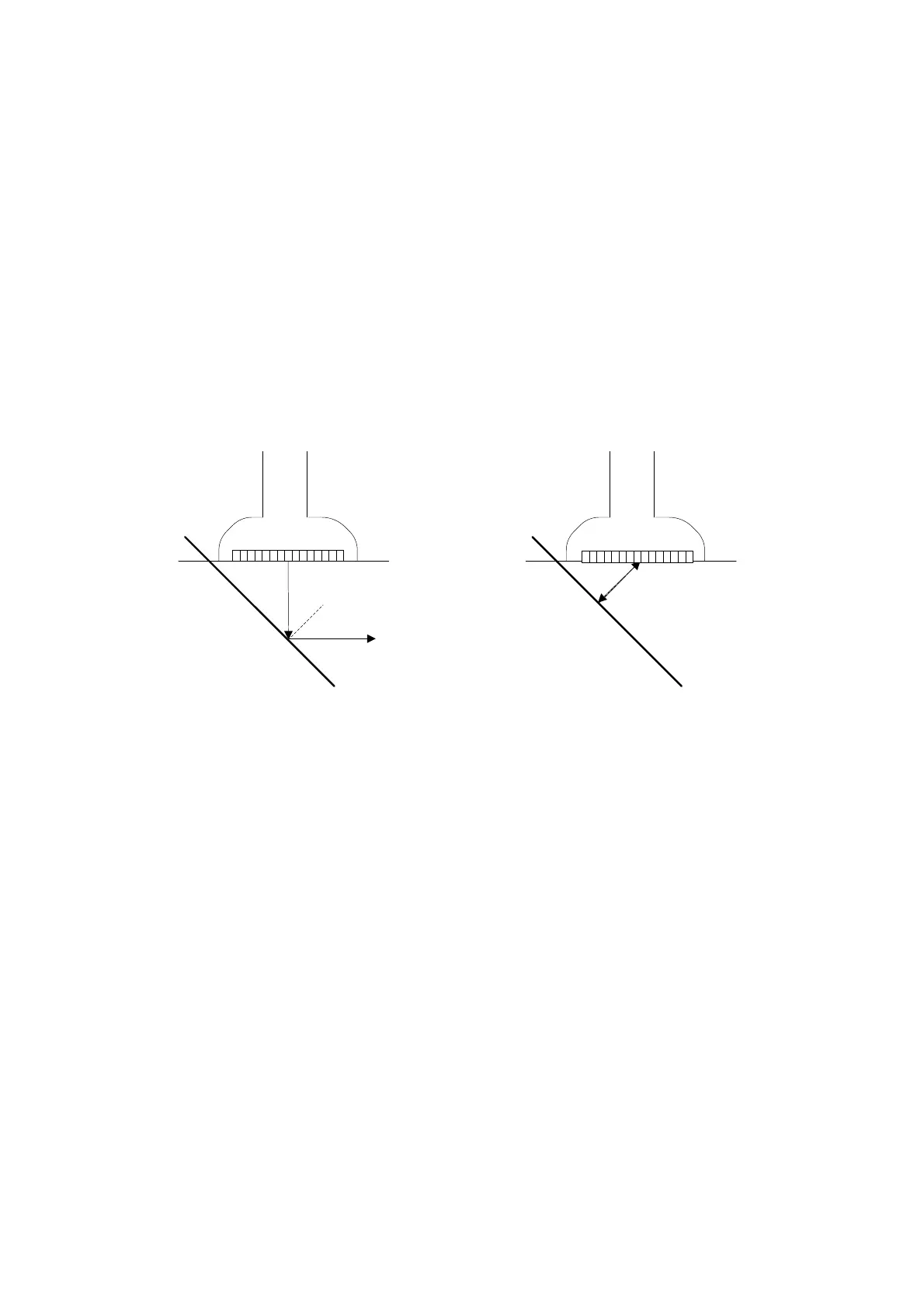
In the course of biopsy, the metal needle attached to the probe is punctured into the tissue
with a certain angle; because of the needle acoustic impedance, the ultrasonic beam cannot
penetrate the metal needle, a reflecting boundary is formed. As in Figure 1, if the deflection
angle is very large, the needle display is not clear.
In the condition of deflected ultrasonic transmission, the beam direction is perpendicular to
the needle direction, and the reflection direction will be the same with the needle, as shown
in Figure 2, when the needle display in the ultrasound image is very clear. The system
provides an additional deflection transmission that is approximately perpendicular to the
metal needle, as the normal transmission (perpendicular to the transducer surface) is
contained as well. And the deflection angel can be chosen by users.
iNeedle is an option.
Figure 1 Figure 2
To enter/exit iNeedle
To enter iNeedle
Click [iNeedle] item in B page on the screen.
Or, you can assign a user-defined key for entering iNeedle.
Open iNeedle in Biopsy status
1. Perform scanning and locate the target, press <Biopsy> to enter the screen.
2. Click [iNeedle] to enter the status; available adjusting parameters are displayed on the
menu.
To exit iNeedle
Press the user-defined key or click [iNeedle] to exit the status and enter B mode.
Needle Steer
This function adjusts the biopsy needle angle via changing the steer angle of
the scan line. The iNeedle affecting region changes correspondingly.
Click [Needle Steer] item on the screen.
B/iNeedle
This function is used to display B image and iNeedle image synchronously.



 To Next Page