EasyManua.ls Logo

Mindray DP-50 PT - Control Panel

Mindray DP-50 PT
261 pages
Print Icon
To Next Page IconTo Next Page
To Previous Page IconTo Previous Page
Loading...
System Overview 2-9
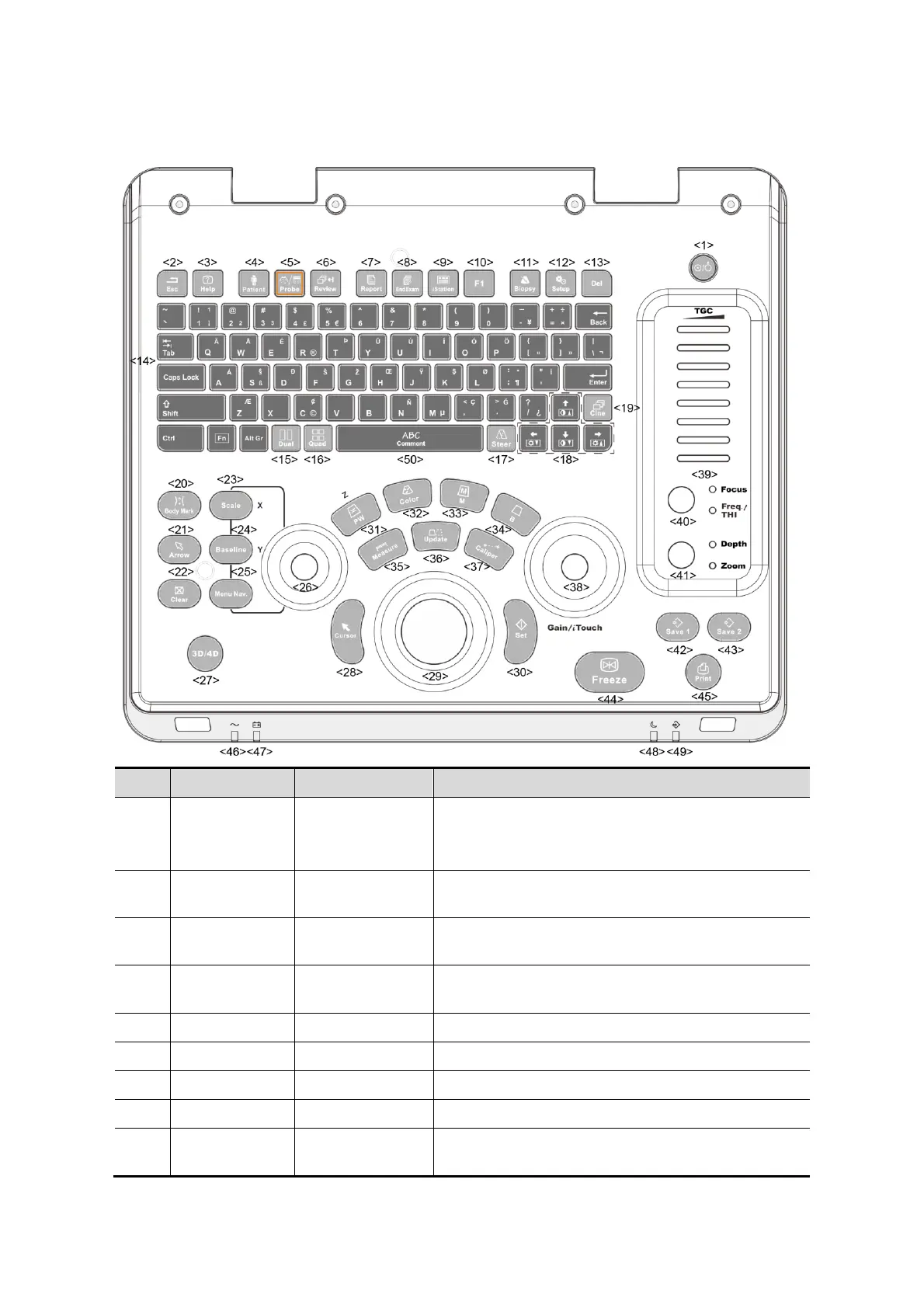
2.6.3 Control Panel
No.
Name
Description
Function
1
/
Power button
Off: when system is turned off;
Green: when system is turned on by pressing this
button.
2
Esc
Exit
Press to exit the current status to the previous
status.
3
Help
/
Press to display or hide the help information on
screen.
4
Patient
Animal
Information
Press to open/ exit animal information screen.
5
Probe
Probe switch
Press to switch Probe and Exam Type
6
Review
/
Press to review the stored images.
7
Report
/
Press to open or close the diagnosis reports.
8
End Exam
/
Press to end an exam.
9
iStation
/
Press to enter or exit the animal information
management system.

Table of Contents

Related product manuals