CONTENTS
76
Software Updates
DOCUMENT USAGE RIGHTS
This work is licensed under the Creative Commons Attribution-NonCommercial-NoDerivatives 4.0 International (CC BY-NC-
ND 4.0) International License. To view a copy of this license, visit: http://creativecommons.org/licenses/by-nc-nd/4.0/
DISCLAIMER
The Minelab metal detector described in this instruction manual has been expressly designed and manufactured as a
quality metal detector and is recommended for treasure and gold detecting in non-hazardous environments. This metal
detector has not been designed for use as a mine detector or as a live munitions detection tool.
MINELAB®, MANTICORE®, Multi-IQ+®, M11™, and SCORPION™ are trademarks of Minelab Electronics Pty. Ltd.
COMPLIANCE
To view product compliance information:
Settings > General Settings > Compliance
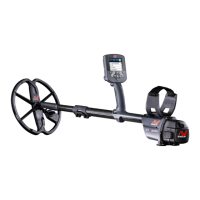
The MANTICORE detector contains software that can be
updated via the supplied USB charging cable, which has
data transfer capability.
Visit www.minelab.com for the most up-to-date
MANTICORE software and updating instructions.
View Detector Software Info
1. Navigate to:
Settings > General Settings > Software Info
2. Press to view software information including
Software, Hardware, and Wireless versions, and the
User Verification Code (UVC).



 To Next Page