Mini-Cam CCU210
Media Browser
This section describes how the key is used to access and manipulate recorded
survey video files.
Gallery Menu
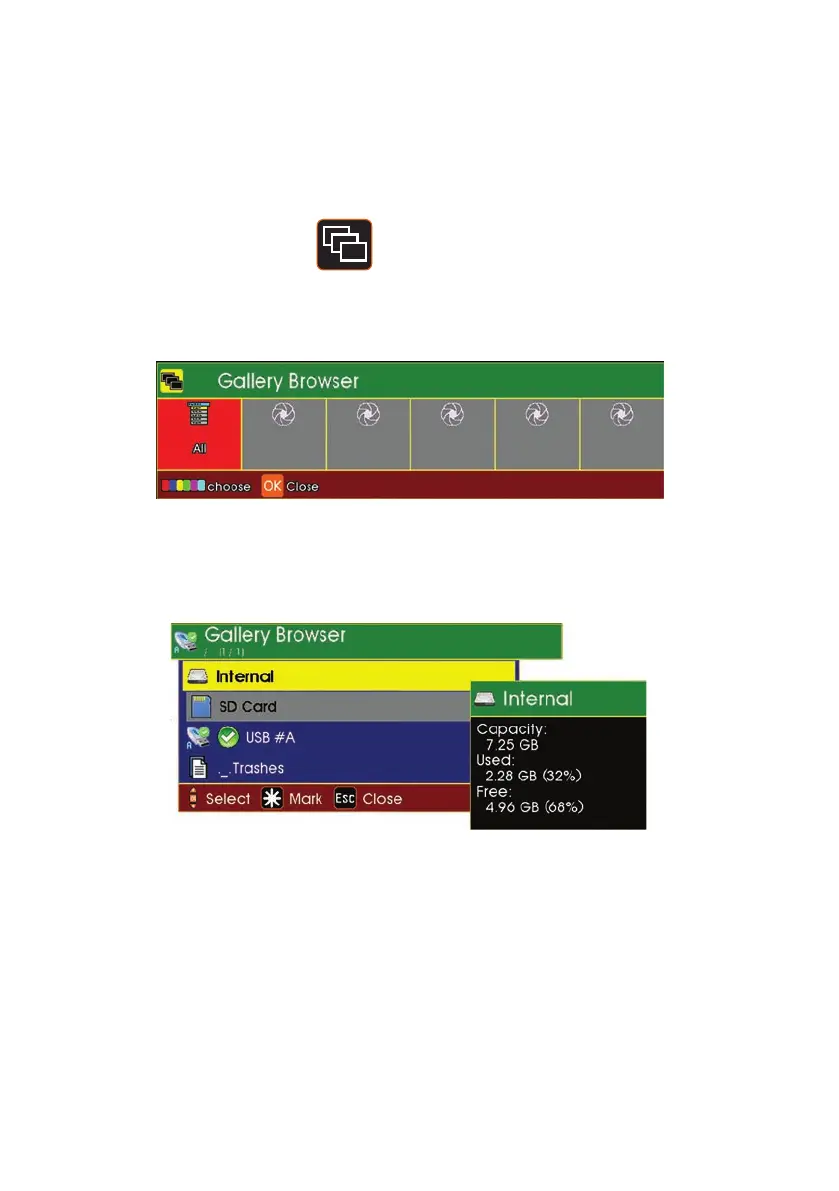
1 Press the Media Browser key
2 The Gallery Browser dialogue will be displayed
Press F1 (Red key) to display a menu that shows which of the three main memory
types is being used and the contents of that memory type:
The three memory types are:-
1 Internal memory - usually used to record video surveys.
2 USB memory - usually a memory stick plugged into the front
panel connector.
3 SD card memory - an SD card inserted into the front
panel slot
46
Version G



 To Next Page