Mini-Cam CCU210
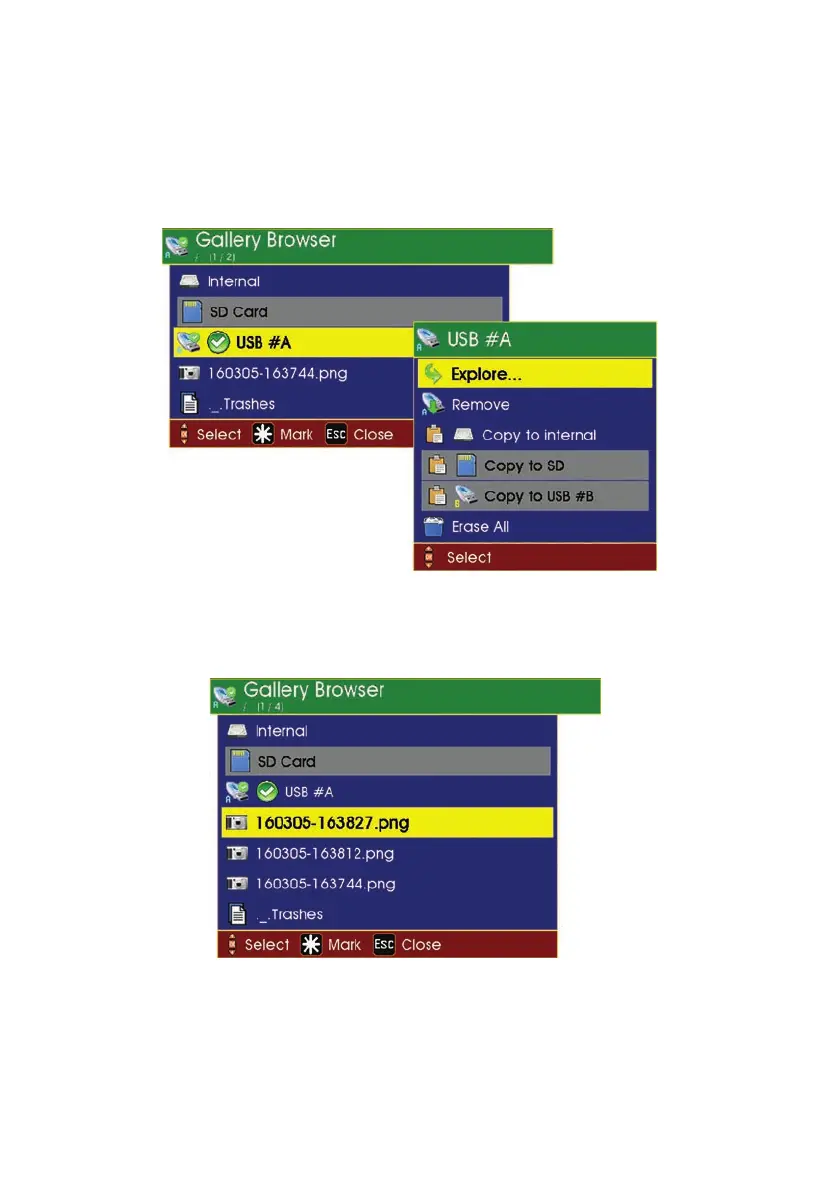
To change the selected memory type
1 Move the cursor so that a new memory type is highlighted in yellow.
2 Press OK and a menu is displayed with an Explore option.
3 Select this option and the new memory type will now be ticked to show it is
now the default memory type.
The daily directories or video files in the selected memory type are then displayed
in the order in which they were recorded (most recent at the top of the list).
48
Version G



 To Next Page