Rev.3.3 User Manual Page 16 of 299
electromagnetic interference could cause the medical device to malfunction and create a
potentially unsafe situation.
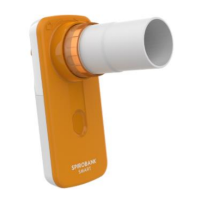
SMART ONE complies with EN 60601–1–2:2007 on electromagnetic compatibility (EMC for medical
devices) for both immunity and emissions.
For the device to function properly, however, the following precautions must be taken:
• Make sure that the SMART ONE and the smartphone on which the MIR SMART ONE APP is
installed are no more than 2 metres apart.
• Do not use SMART ONE near other devices (computers, cordless phones, cell phones, etc.)
that generate strong electromagnetic fields. Keep such equipment at a minimum distance of
7 metres.
7.3 Notes on fcc certification
SMART ONE complies with Part 15 of the FCC Rules. Operation is subject to the following
conditions:
(1) this device may not cause harmful interference
(2) this device must accept any interference received, including interference that may cause
undesired operation.
Any modifications not expressly approved by this Company could compromise use of the device by
the user.
N.B.: This equipment has been tested and found to comply with the limits for a Class B digital
device, pursuant to Part 15 of the FCC Rules. These limits are designed to provide reasonable
protection against harmful interference when the equipment is operated in a residential
installation. This equipment generates, uses, and can radiate radio frequency energy and, if not
installed and used in accordance with the instructions, may cause harmful interference to radio
communications. However there is no guarantee that interference will not occur. If this device
does cause interference to radio or television reception, which can be determined by turning the
device off and on, the user is encouraged to correct the interference by taking one of the following
measures:
• Reorient or relocate the antenna
• Increase the distance between the equipment and receiver
• Connect the equipment into an outlet on a circuit different from that to which the receiver is
connected
• Consult the dealer or an experienced radio/television technician for help.


 To Next Page