Chapter Five: Operation How To Confi
ure the 670 Instrument
67
Chapter Five: Operation
How To Configure the 670 Instrument
This section describes how to connect and configure the 670 instrument.
1. Power up the unit by pressing the On/Off switch to the On position.
Refer to Figure 7, page 33, for the location of the On/Off switch.
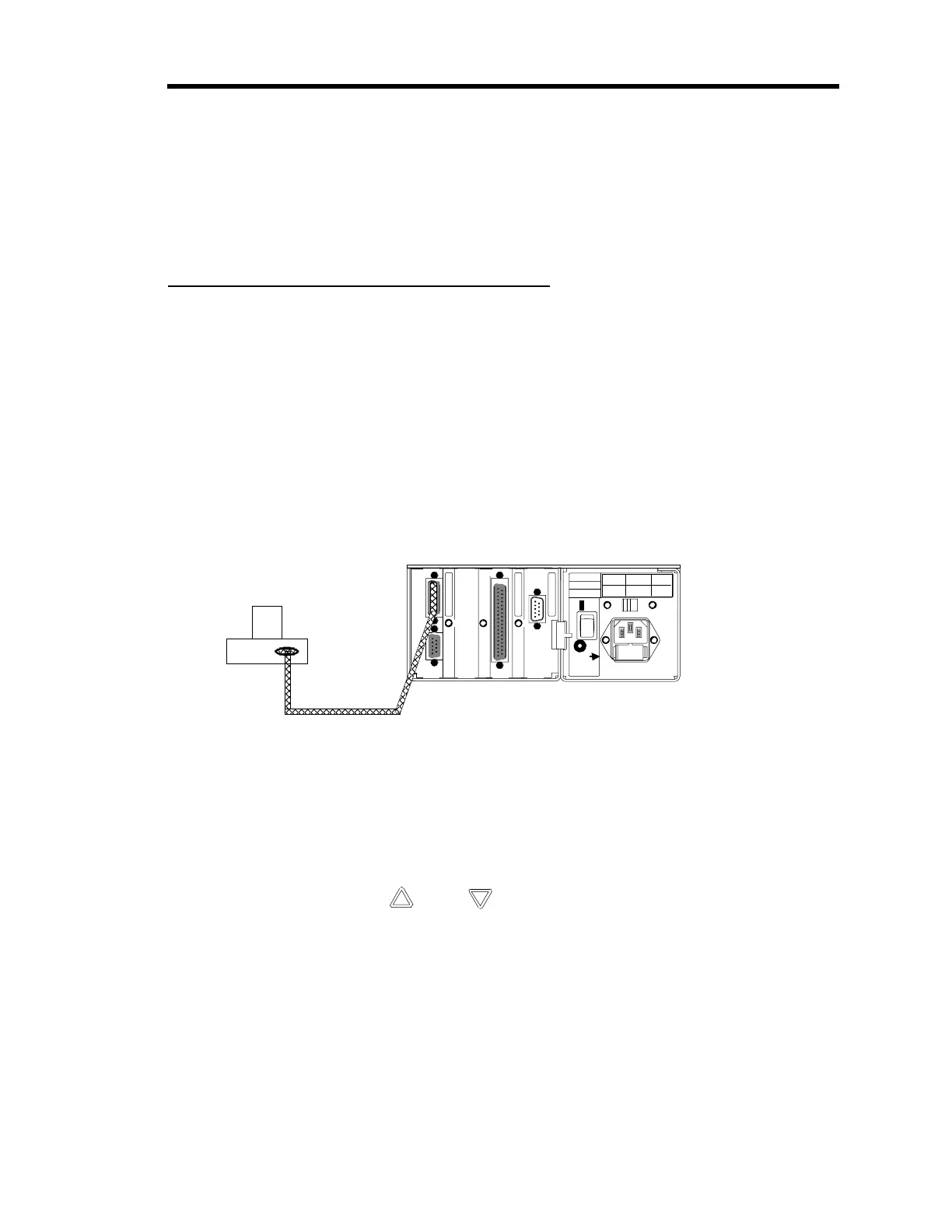
2. Connect the 670 instrument to the pressure transducer.
Figure 15 shows the connection between the 670 instrument and a single pressure
transducer. If you are using a Type 274 multiplexer, refer to
How To Interface to the
Type 274 Multiplexer,
page 69.
3 2 1
96
51
115V
On
Off
Power
50 - 60 Hz
75 VA Max
Fuses
180 - 264 V
0.315A (T)
90 - 132 V
0.63A (T)
Voltage
Fuses
Serial Interface
Signal Conditioner
I/O
9
15 9
815
6
1
19
37
1
20
T
pe 670
Pressure Transducer
CB270-2
Figure 15: Connecting to a Single Pressure Transducer
3. Press the [
SETUP
] key.
The system responds by displaying a configuration screen.
4. Use the arrow keys, ( [
] or
[ ] ), to scroll through the screens. Change the
configuration, if necessary.
Refer to
Chapter Four: Functional Overview,
page 43, for information about the setup
menu screens. If you need to change the sensor range, follow the directions in
How To
Set the Sensor Full Scale Entry,
page 71. The
How To Calibrate the 670 Instrument,
page 72, describes how to calibrate the instrument.
5. Once the 670 instrument is fully configured, press the
SETUP
key to return to the
pressure display screen.
6. Place the Key Lock switch in the desired position.
Artisan Technology Group - Quality Instrumentation ... Guaranteed | (888) 88-SOURCE | www.artisantg.com



 To Next Page