51
Adjusting the Camera and Exchanging the Lens
2.5.3 Exchanging the Lens
The M26 can be shipped from the factory with seven MOBOTIX standard lenses (B036, B041,
B061, B079, B119, B237, B500) with the CSVario lens or the hemispheric B016 lens. This
procedure applies equally for all lenses.
Only lenses with CS or C mounts may be used with the CSVario version of the M26. MOBOTIX
lenses with M14 thread cannot be used. Similarly, the standard versions of the M26 can only
take the standard MOBOTIX lenses with M14 thread. The hemispheric B016 lens, C Mount
and CS Mount lenses cannot be used. Upgrading to other model versions is not possible.
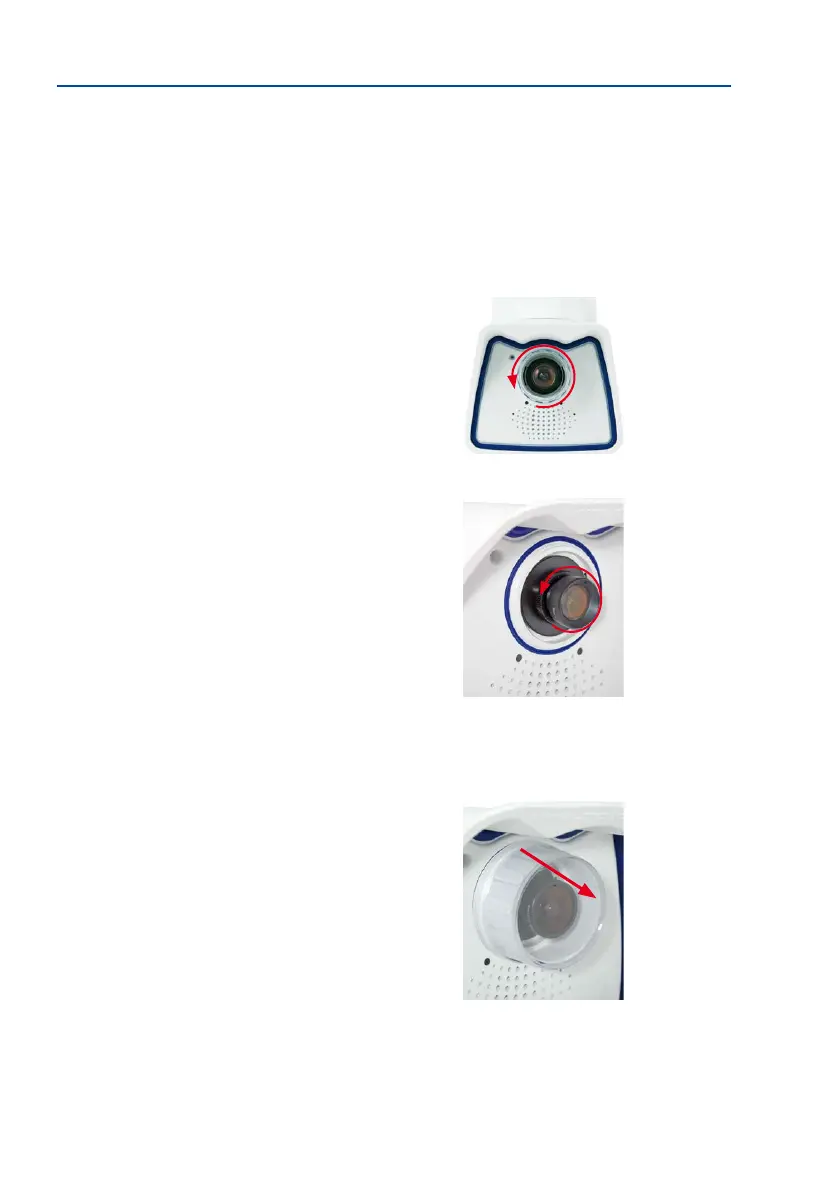
Proceed as follows to change a lens:
1. Unmount the lens cover by turning it counter-clockwise.
2. Remove the lens by turning it counter-clockwise.
3. Screw the new lens (if present) back into the camera and
restore the power supply of the camera.
4.
Adjust the image sharpness according to the camera’s live
image on the computer monitor. Make sure that you do not
screw in the lens too far or by using excessive force, since
doing so may damage the lens mount.
5. Screw the lens cover onto the lens again and clean it, if
required, using a clean, lint-free cotton cloth.
The focusing aid provides a visual aid when setting the image
sharpness of a MOBOTIX camera lens (see the camera online
help, topic «The Live Screen of the MOBOTIX Camera», section «The
Focusing Aid of the Camera»).
The white ring in the lens
cover prevents the camera
LEDs from adding light
reections to images



 To Next Page