72
M26 Camera Manual: Operating the Camera
3.3 Virtual PTZ and Full Image Recording
3.3.1 Preparing the Virtual PTZ Function
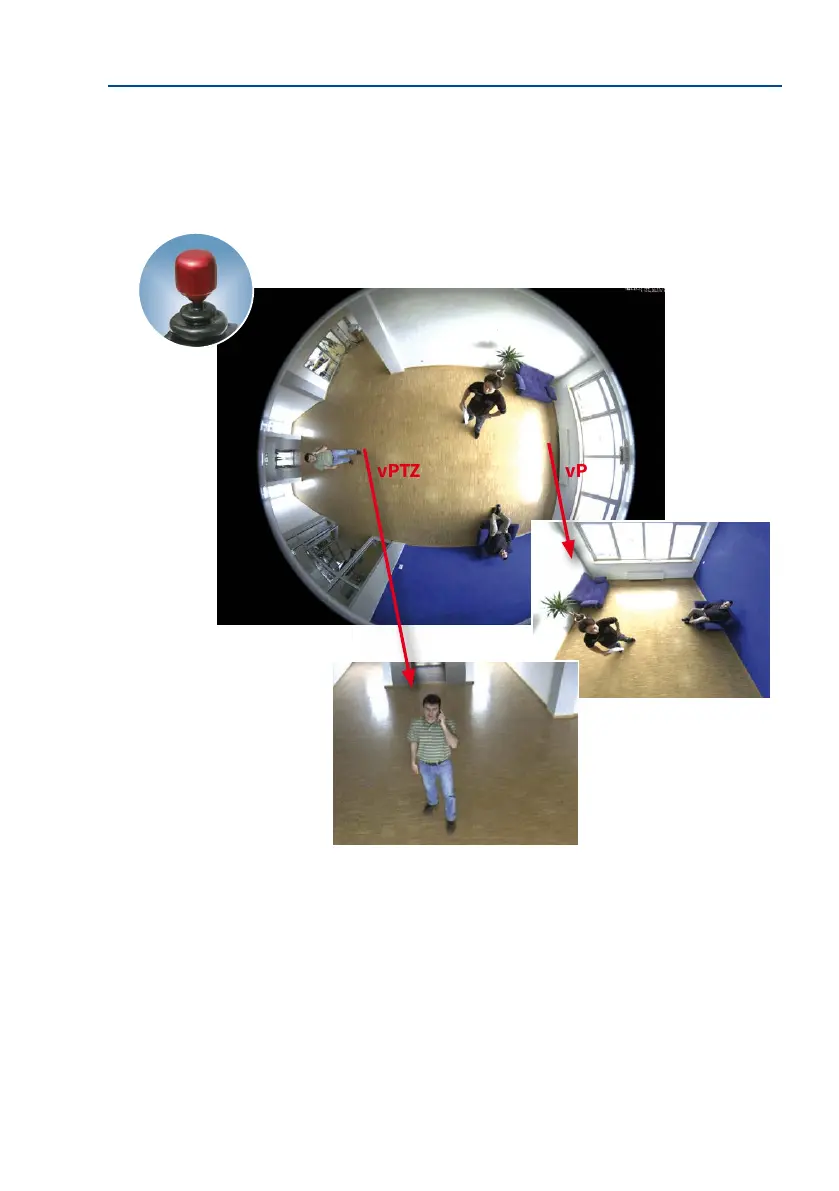
The virtual PTZ function allows you to use a mouse or joystick to continuously zoom in on
images from the selected video source and ”virtually” move the enlarged image section
within the entire image sensor area.
Operation Using The Mouse And Scroll Wheel
The vPTZ function of the M26 can be controlled in the browser using the mouse. This position
becomes the new image center by clicking on any position on the image displayed on the
monitor. The image moves accordingly and the image distortion is automatically corrected.
The scroll wheel can be used to control the zoom function. This functionality is disabled
in the default settings of the camera and must therefore rst be activated. To do this, go to
Setup Menu > vPTZ Settings
, disable Lock Mouse Wheel Zoom, click on Set and then on
Close to save your settings. You can now use the scroll wheel to zoom + (roll upwards) or
zoom – (roll downwards).
vPTZvPTZ
Greater ease of use
through a joystick



 To Next Page