41
Mounting the Camera with Ceiling Mount*
2.3 Mounting the Camera with Ceiling Mount*
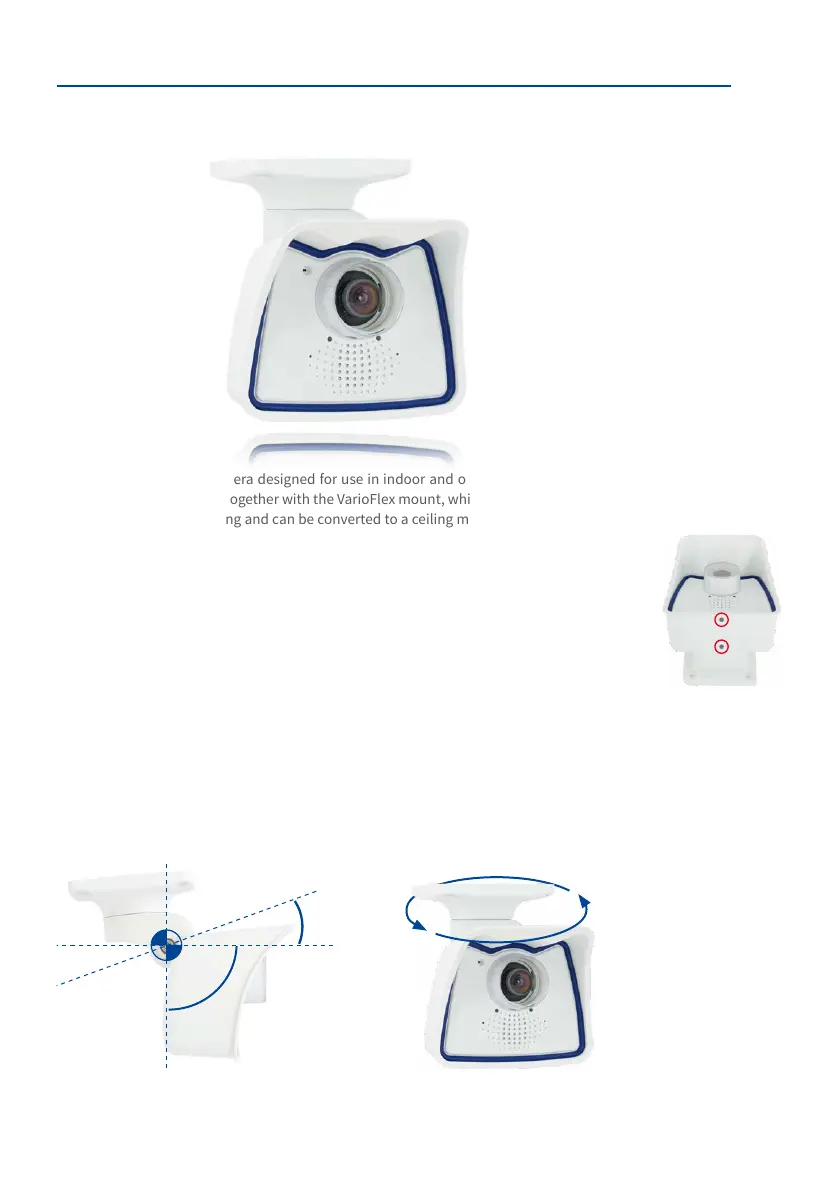
The M26 is an allround camera designed for use in indoor and outdoor applications. The
camera is always installed together with the VarioFlex mount, which has been prepared at
the factory for wall mounting and can be converted to a ceiling mount with just few single
touches. The best camera position for the selected lens must be found before mounting the
camera to a ceiling, or to an overhang or balcony (see Section 2.1.1, «Mounting Options: Wall,
Ceiling, Pole» and Section 2.1.2, «Mounting with Hemispheric Lens B016»). Once the camera
has been mounted to the wall, you can ne-tune its position. Please also read the notes
on protecting the camera against condensation (see Section 3.6.1).
*The ceiling mount is only included if this had been specied when ordering the camera!
2.3.1 VarioFlex Ceiling Mount
Using the VarioFlex Ceiling Mount (available upon request), the camera can be precisely
panned, both horizontally and vertically, to suit the area that is to be monitored.
When mounted to a ceiling, the camera can be turned or tilted as follows:
• horizontally: 360°
• vertically: 110°
See Section 3.6.1,
«Protecting the Camera
Against Condensation»
Turning/tilting mounted to
ceiling:
• horizontally: 360°
• vertically: 110°
360°
–90°
+20°



 To Next Page