42
M26 Camera Manual: Installation
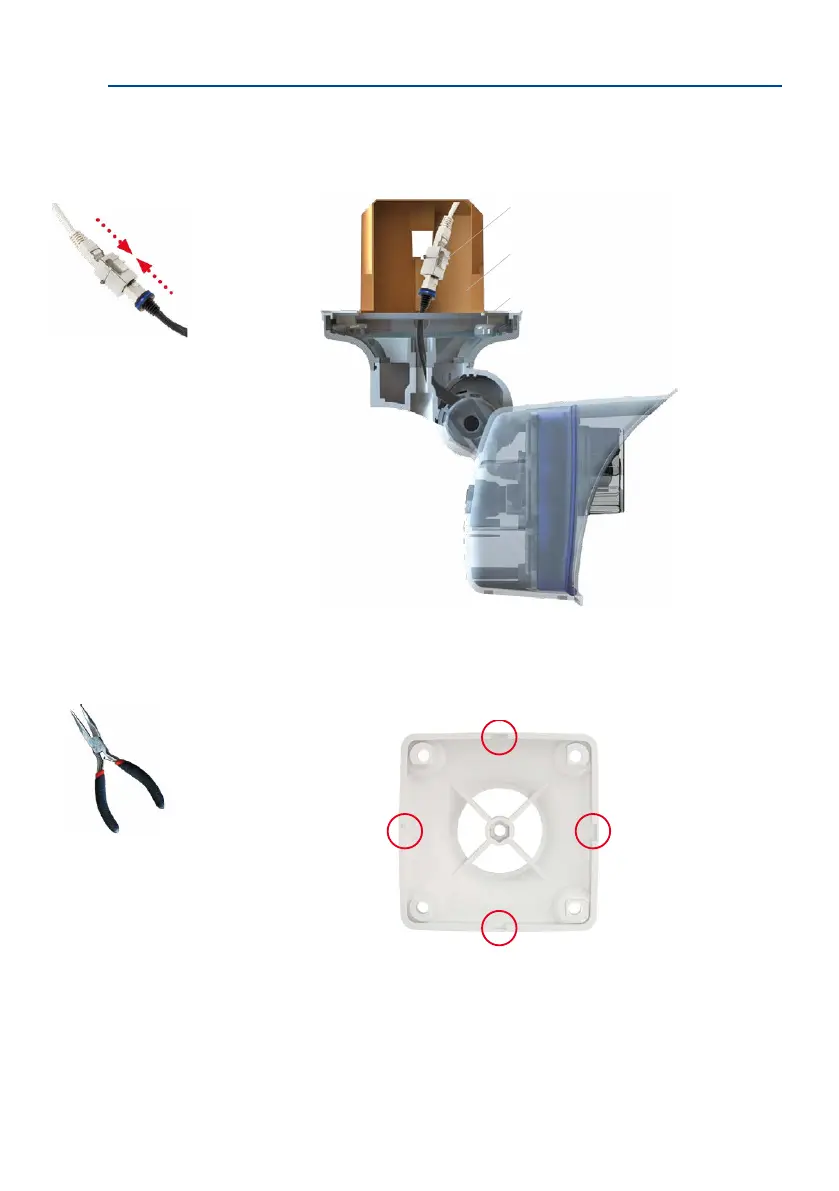
In addition, a cavity or ush-mounted socket can be installed for the network cable pro-
truding from the ceiling, which allows suicient space to connect the network cable with
the camera patch cable using a standard adapter.
When installing on-wall cabling, breaking out one of the four provided openings in the base
of the ceiling mount will ensure that the cables can be fed neatly into the camera. The camera
patch cable must be connected to the network cable using a suitably sealed adapter.
Cable connector
Flush-mounted socket
Wall sealing
Standard adapter for
connecting cables
Additional sealing of wall
mount with silicone recom-
mended (at the wall seal-
ing), if surface is not even
Pliers to break out
cable guides



 To Next Page