63
First Images and the Most Important Settings
Windows 8.1/10:
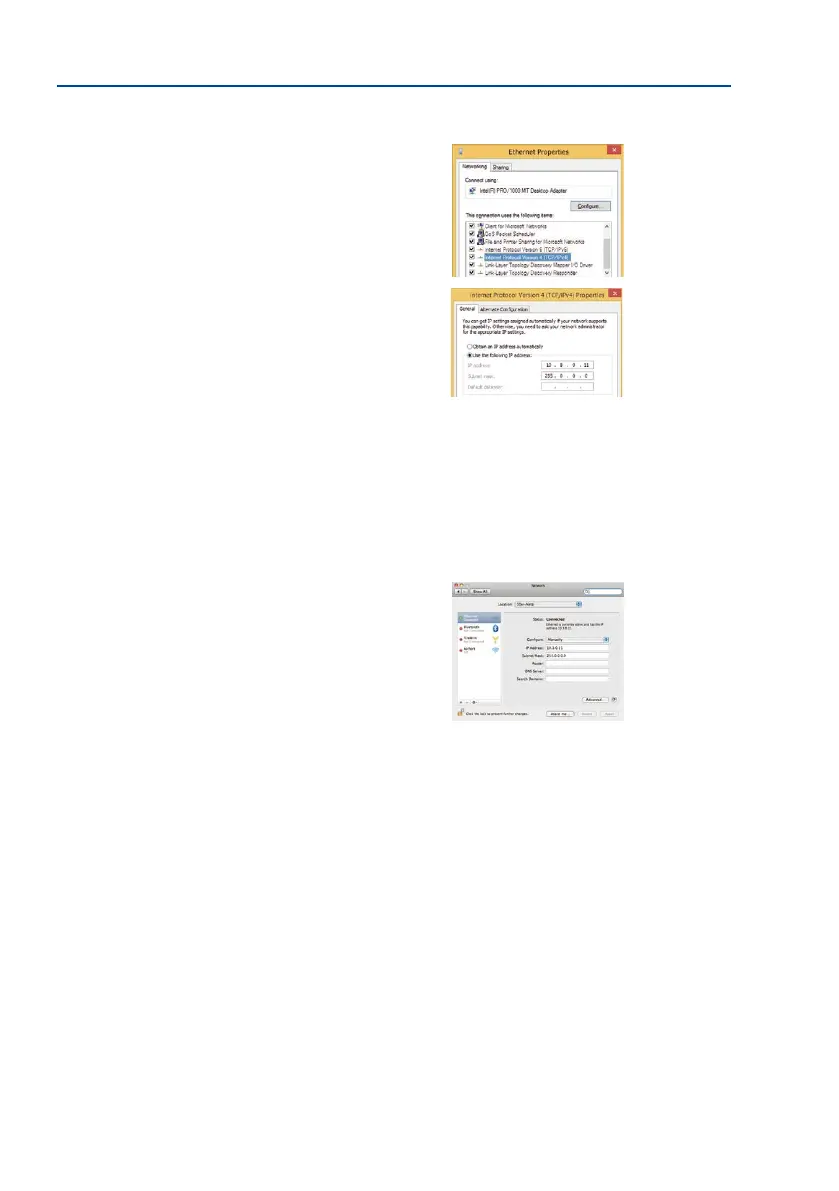
1. Open Start > Settings > Control Panel > Network
Connections. Clicking on Properties opens the dialog
box shown.
2. Double-click on Internet Protocol (TCP/IP). On the
General tab, activate the Use the following IP address
option. Enter an IP address in the 10.x.x.x range in this
eld (for example, 10.8.0.11).
3. Once all dialog boxes have been closed, the computer
will have the IP address 10.8.0.11.
Linux/Unix:
1. Open a terminal as root user.
2. Enter the following command: ifconfig eth0:1 10.8.0.11
3. The computer is now also using the IP address 10.8.0.11
Mac OS X:
1. Open System Properties > Network
.
2. Select Ethernet. In the Conguration eld, select
Manual and enter a 10.x.x.x IP address (for exam
-
ple, 10.8.0.11).
3. Click on Apply on the bottom right-hand side of the
dialog box to assign the computer the IP address
10.8.0.11.
Entry in “Subnet mask”
eld: 255.0.0.0



 To Next Page