45
EN
TECHNICAL MANUAL - B CLASSIC / B FUTURA / S CLASSIC
SERVICE MENU
SQ5
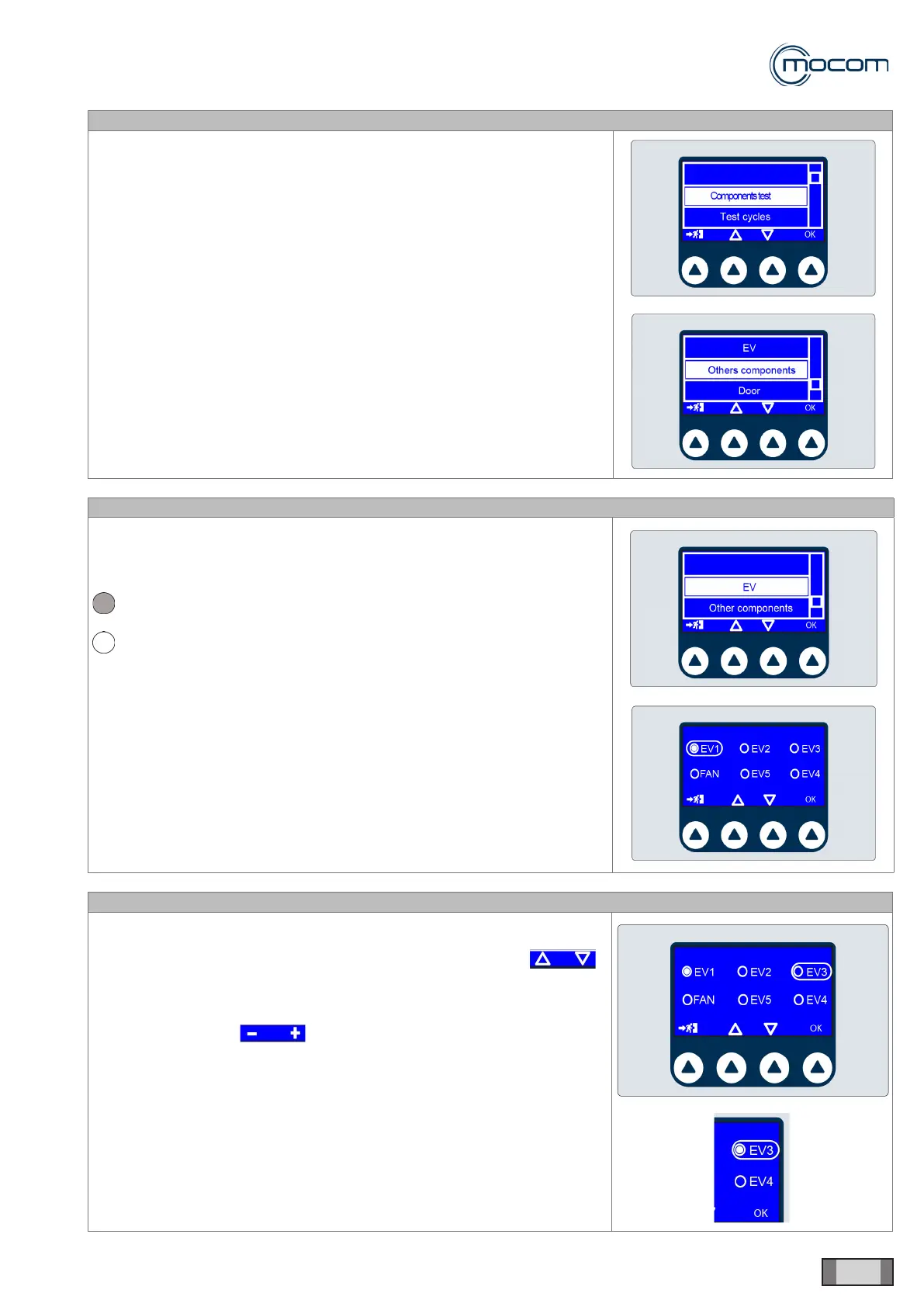
Selecting COMPONENT TEST and pressing OK to conrm displays a
vertical scroll menu with the following options:
- Solenoid valves
- Other components
- Door
SQ6
Select the SOLENOID VALVES menu and press OK conrm.
The screen shows the states of the ve solenoid valves of the manifold;
state labels are as follows:
solenoid valve open
solenoid valve closed
During a COMPONENT TEST, with the door open, all solenoid valves (EV)
are powered off.
The FAN indicator shows the On/Off state of heat exchanger fans.
SQ7
From the SOLENOID VALVES menu, you can turn the individual solenoid
valves and radiator fans on and off.
Solenoid valves and fans can be selected using the commands
and selection is conrmed by pressing OK.
After the desired solenoid valve has been selected, it can turned on/off
using the commands
Several elements can be turned on at the same time to check specic
sections of the autoclave hydraulic circuit.



 To Next Page