66
EN
B CLASSIC / B FUTURA / S CLASSIC - TECHNICAL MANUAL
SERVICE MENU
COMPONENT TEST – FUNCTIONAL CHECKS – DOOR
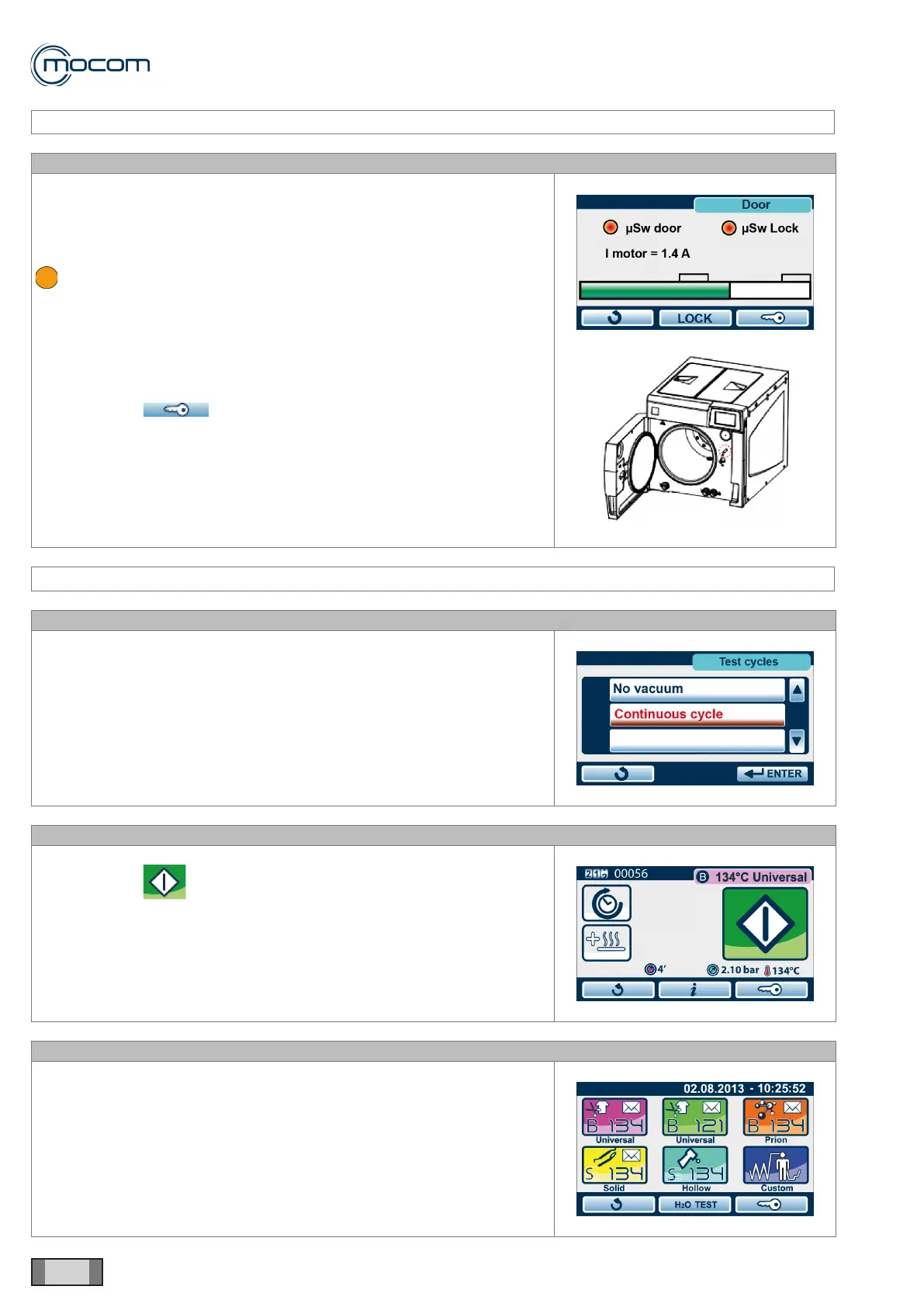
SQ20 - CHECK FOR DOOR MICROSWITCH ACTIVATION
Manually press the operating pin of the manual door closing microswitch,
and conrm that the μSw door indicator is activated.
Close the door and conrm that μSw door and μSw lock indicators are
activated.
microswitch closed/enable active.
After closing, the I motor indicator should read 1.4/1.8 A.
Activate door lock with LOCK command.
After locking, the I motor indicator should read 3.4/3.8 A.
With the LOCK command, you can unlock the door and bring it into closed
position.
With command , you can open the door and release both
microswitches.
With the door open, μSw door and μSw lock must be de-activated and
indicator I motor = 0.5 A.
SERVICE MENU – TEST CYCLES
SQ21
Selecting TEST CYCLES displays a vertical scroll menu with the following
options:
- No vacuum
- Continuous cycle
SQ22
Selecting NO VACUUM displays the start-up screen for cycle S 134°C.
With command , you can activate the cycle, which will be performed
without the pre-vacuum phase.
After the warm-up phase, the pressure rise is performed to achieve the
process values of 134°/2.10bar, a condition that will be maintained for 4’.
This special cycle, which has no alarms, is designed to detect any steam
leaks from chamber, door, generator and connected tubes.
SQ23
Selecting CONTINUOUS CYCLE displays the cycle selection screen.
When one of the available cycles is selected and activated, that cycles
will run and repeated automatically with a 5’ pause between subsequent
cycles.



 To Next Page