Operating Instructions
1) Press the SCAN button to bring up the Scan and Trace menu.
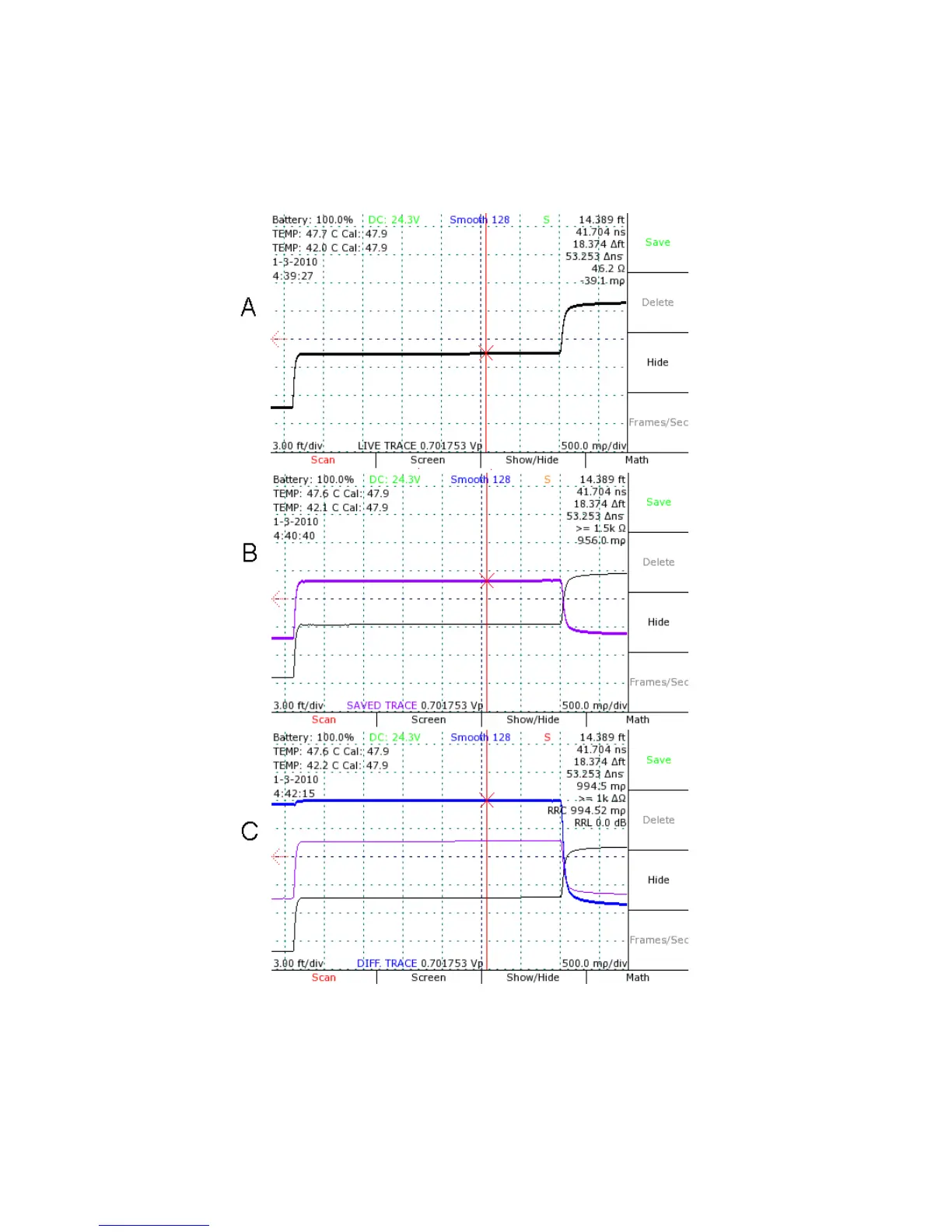
2) Press the SELECT button to change which trace is active. Figure 13 demonstrates this
principle with three different traces.
42 Mohr CT100 / CT100HF Operator's Manual
Figure 13: Screenshots showing selection of (A) a live trace, (B) a
scanned trace that has been translated vertically using the
VERTICAL POSITION knob, and (C) a trace representing the
difference between the two.


 To Next Page